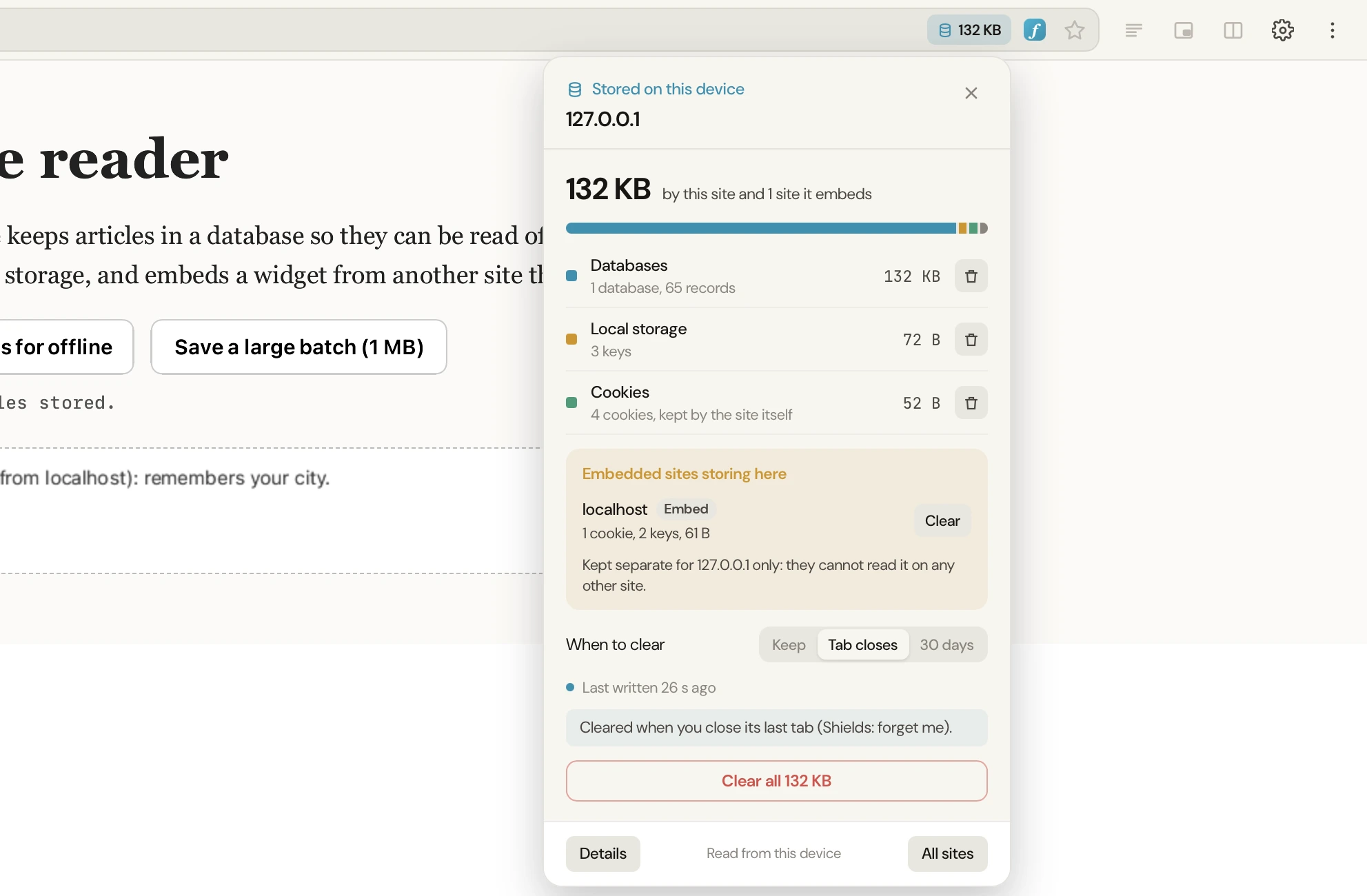
すべてのバージョン v0.1.37321 10月 2026レンダリング, JavaScript と JIT, メディア, プライバシーと Shields, メモリーと読書, タブと画面 フィード

リリースノートは英語で書かれています。

Every page on our own engine, two pages side by side, videos that keep playing, and your own clock

The biggest step yet toward a browser that is entirely ours: every website now renders on the Floati engine, on the Mac and on Windows, and the system web view Floati used to fall back to is gone. Where a page breaks, the engine gets fixed. Tabs now come back instantly: Floati keeps a still of each tab as you left it and shows it the moment you return while the live page catches up. Split view is back, built for the engine: two pages side by side that stay paired, with a link opener for the other side and keys to move between them. Videos float in a picture-in-picture window that keeps playing while you browse other tabs, and a playing video floats by itself when you leave its tab. Tabs can be muted, and a site can be muted for good. Pages now see your real time zone, so clocks, calendars and dates on sites are right; one switch in Settings hides it again for maximum anonymity. Plus: Windows no longer freezes, private tabs, downloads and local files run on the engine, and a page from the internet can no longer read files on your computer.

a fallback -> nonePages rendered by the system web view
a full render -> on screen at onceBack to a tab you left
1 (the other is a still)Live pages the engine runs in split view
ハイライト9

Every page, on our own engine

Until now Floati rendered most pages with its own engine but quietly handed some to the system web view (WKWebView on a Mac, WebView2 on Windows) when the engine was unsure, and it kept that second renderer in the app for tabs, private windows, downloads and files. That fallback is removed, on both platforms. Every address you type, every link, bookmark and history entry, private tabs, downloaded files and PDF links now go through the Floati engine, and nothing silently swaps to another renderer. When a page fails, you see an honest card with Try again and a way to report it, and the fix goes into the engine. Along the way the pieces the web view used to do were rebuilt on the engine: private tabs keep their cookies and site storage in memory and forget them when the last private tab closes, downloads are saved by the engine (with Ask where to save each file), reader mode reads the live engine page, and local files you open render on the engine. We will not ship this to the public until our engine is as good as the web view or better: there is no point polishing a renderer we are removing.

Pages rendered by the system web viewa fallback -> noneRenderers in the app2 -> 1

Tabs come back instantly

前後
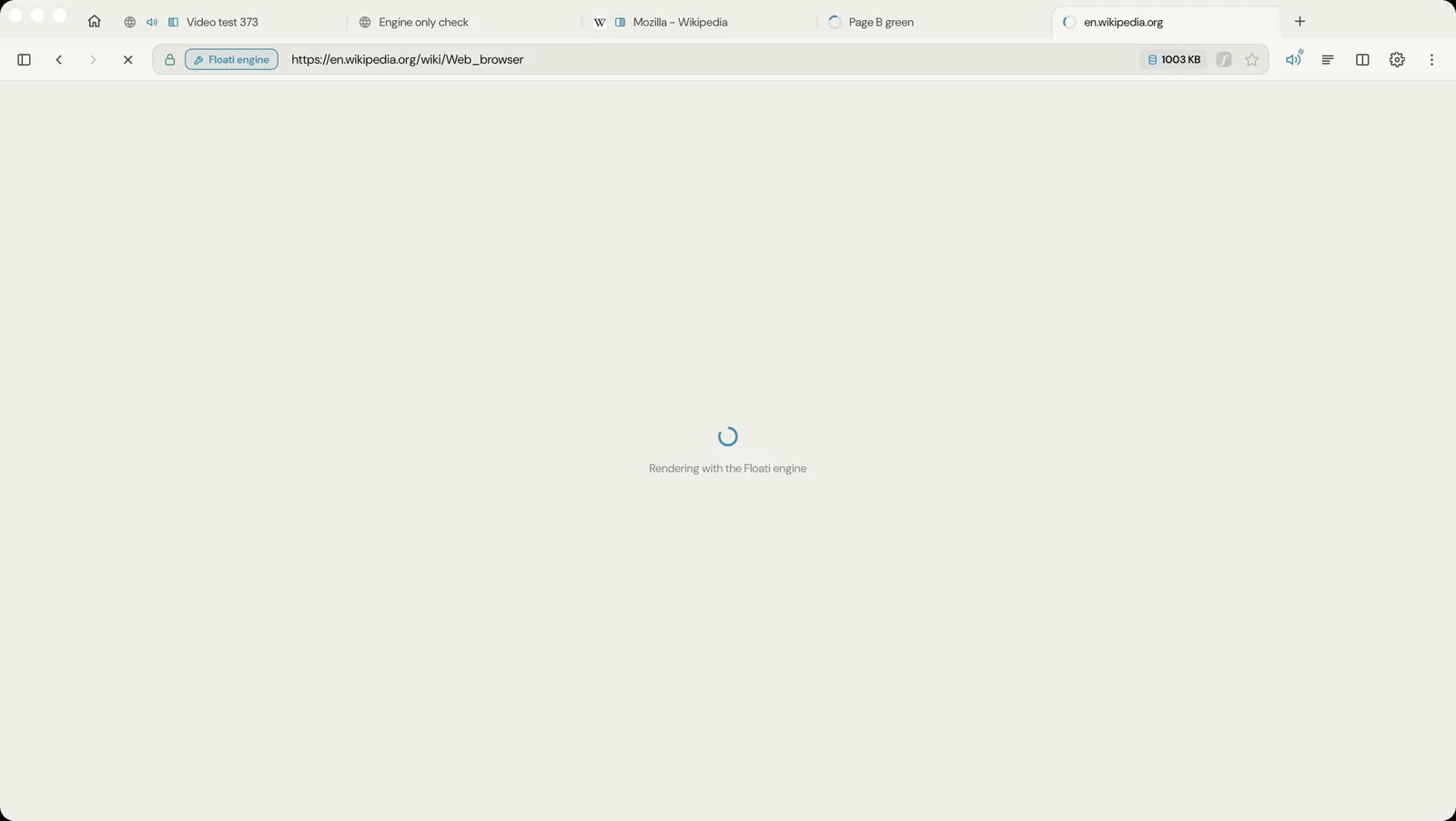
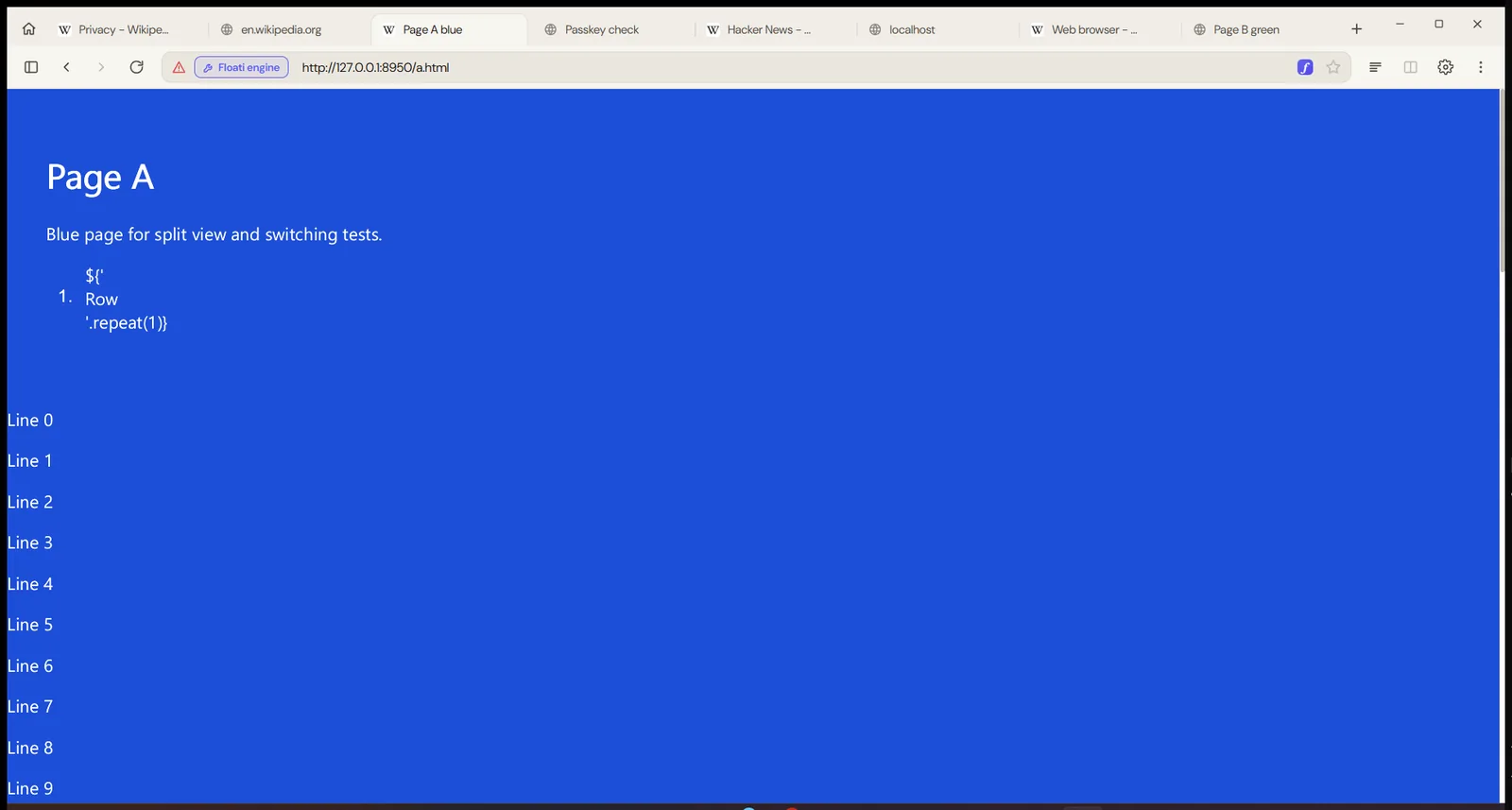
前: coming back to a tab: the spinner every time (before) and the page at once (now)
前
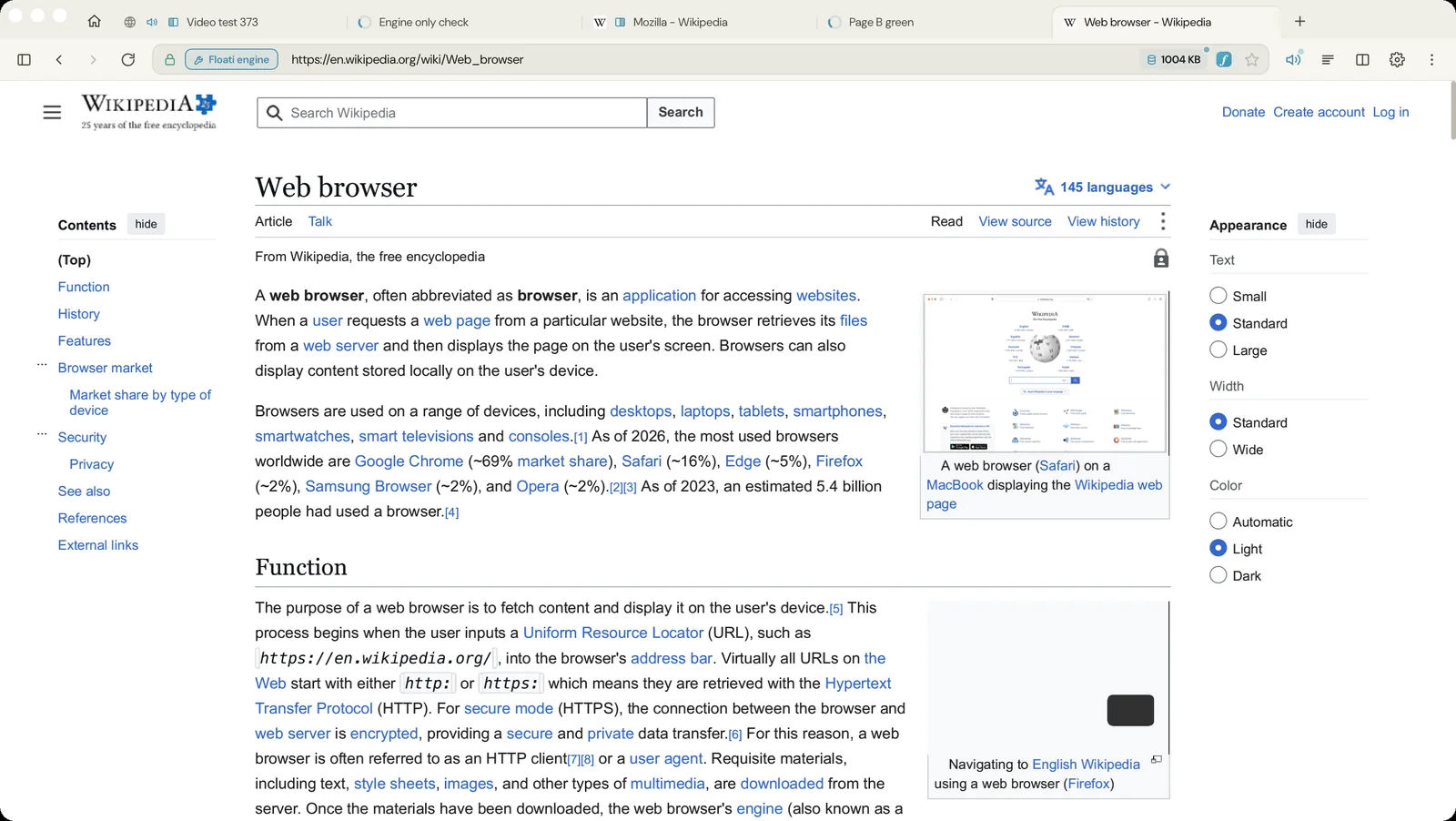
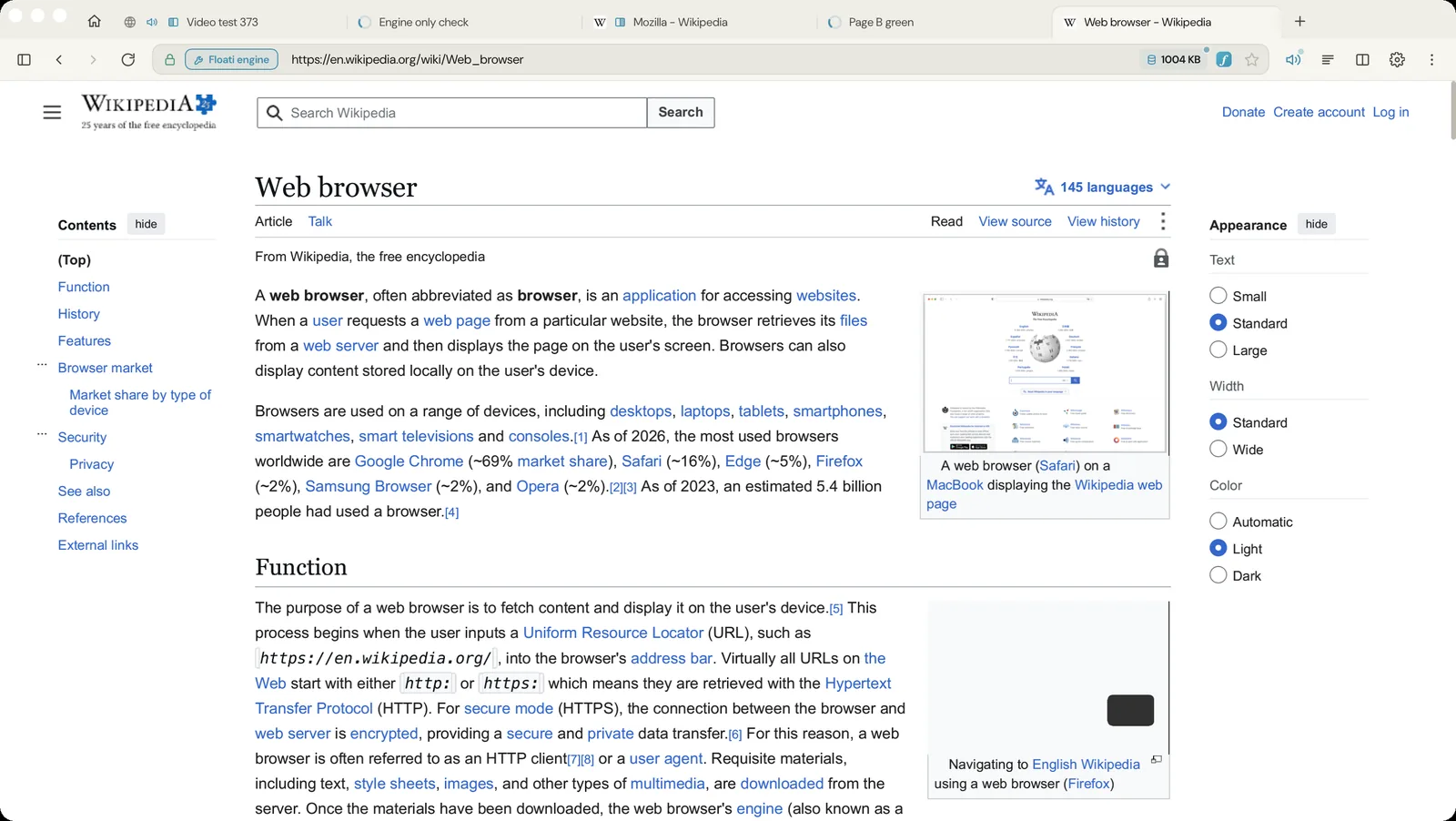
後: coming back to a tab: the spinner every time (before) and the page at once (now)
後 · v0.1.373

The engine shows one live page at a time, so coming back to a tab meant a full render: a spinner for a second on a Mac and several on Windows, every time. Now, when you leave a tab, Floati keeps a still of what that tab was showing, at its scroll position and in its own background colour. When you come back, the still is on screen at once with a thin progress line, and the live page takes over underneath it when it is ready. Stills stay in memory only, at most 24 tabs, and go when their tab closes. A tab you switch to now never shows another tab's page while it loads (it could before, for a moment), and coming back to a tab while another one is still loading no longer ends in an error card.

coming back to a tab: the spinner every time (before) and the page at once (now)

Back to a tab you lefta full render -> on screen at once

Split view, built for the engine

前後
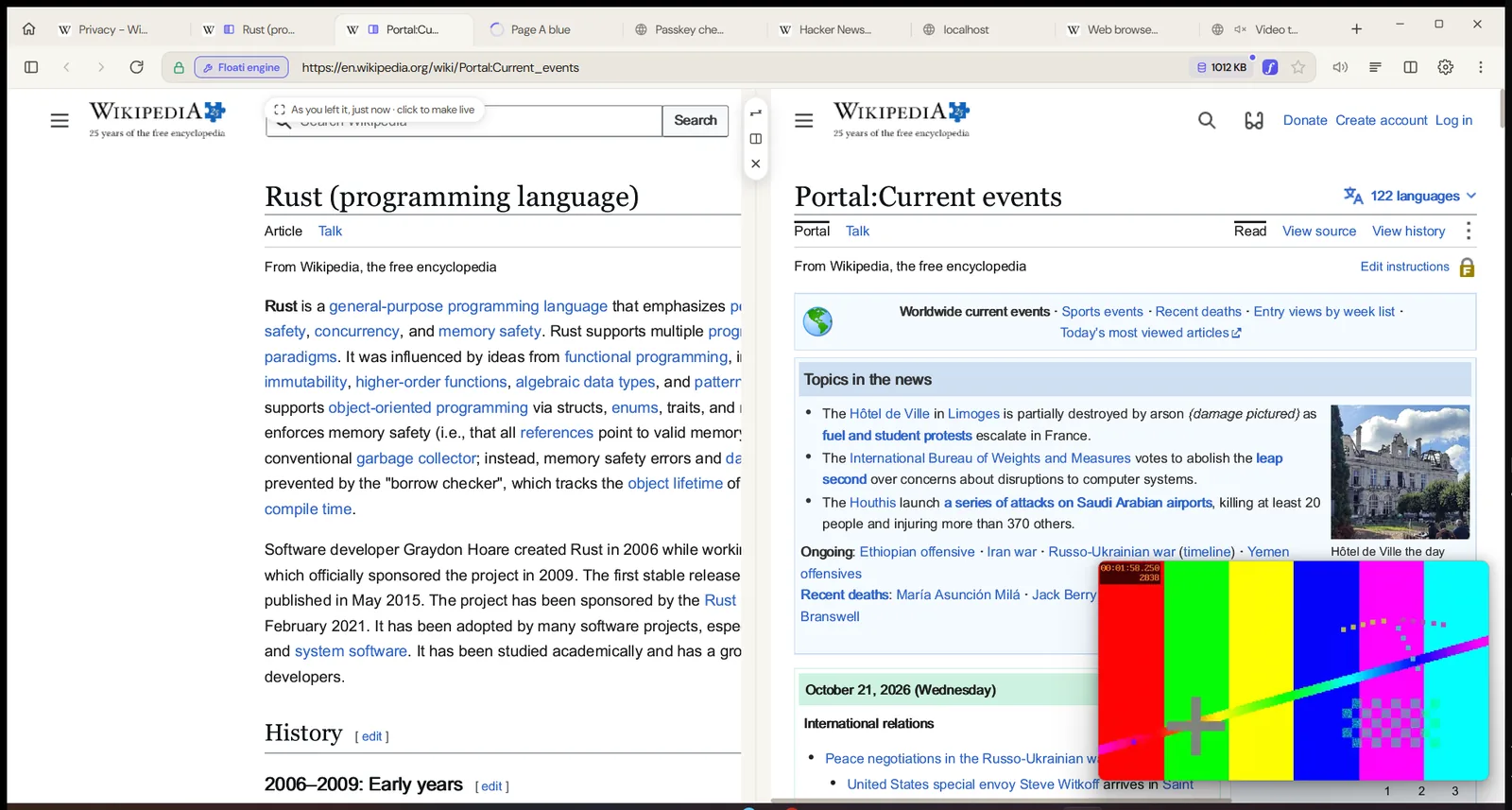
前: two articles in split view: one live, one as you left it
前
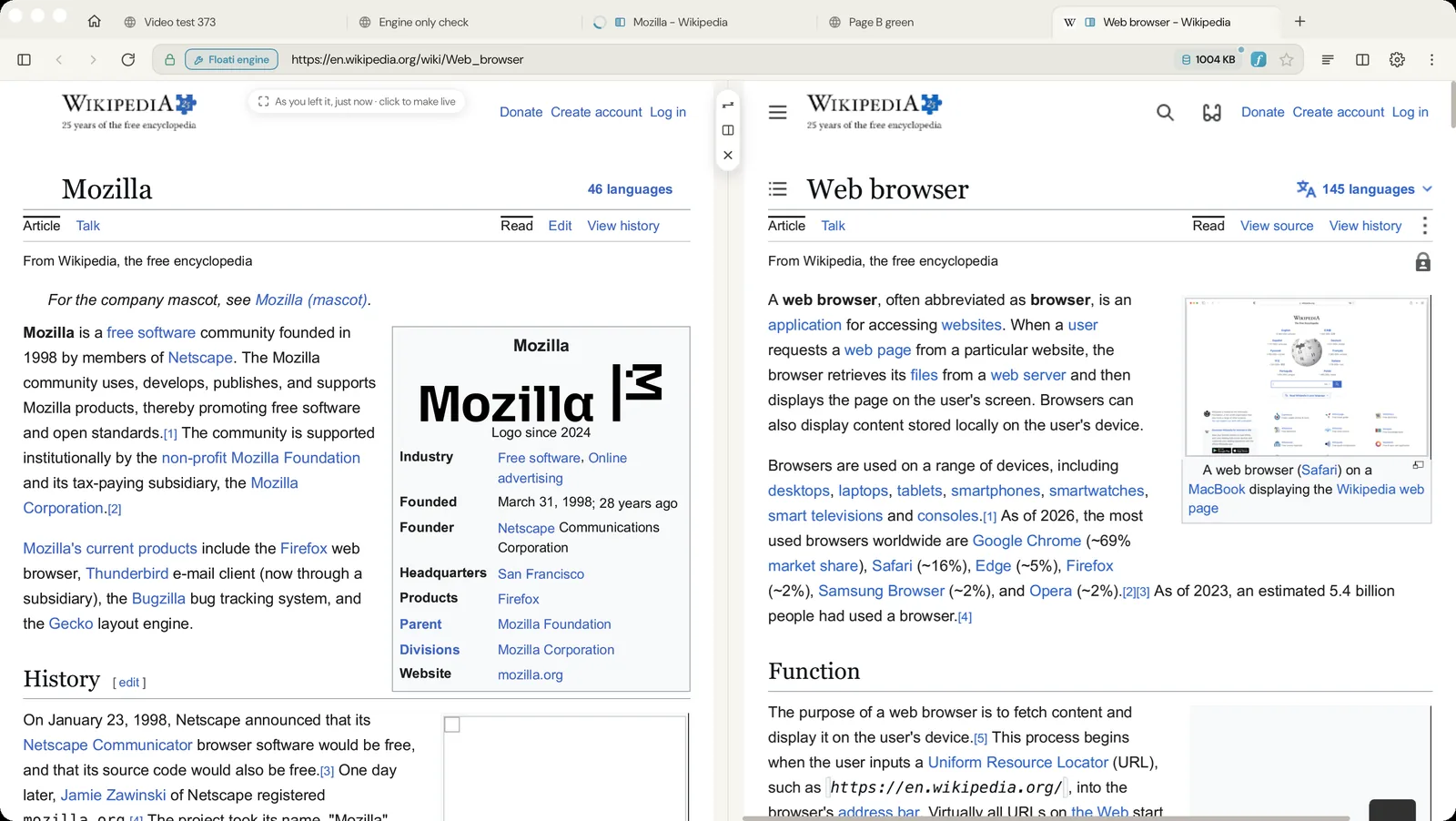
後: two articles in split view: one live, one as you left it
後 · v0.1.373

Two pages side by side: one is live and the other shows its still, so the engine stays as light as one tab. Click the other side and it becomes the live page; each page keeps its side, so nothing jumps across the window. The pair stays together: look at another tab and it shows alone, click either tab of the pair and both come back, and the pair returns after a restart. Paired tabs carry a small marker in the tab strip showing which side they are on. Right-click a link and open it in the other pane (or start split view with it). Cmd+\ (Ctrl+\ on Windows) turns split view on or off and Cmd+Option+arrows (Ctrl+Alt+arrows) move between the panes. The divider snaps to halves and thirds, and a double-click puts it back to half and half. The still side says how old it is (As you left it, 2 min ago), so you always know what is live.

two articles in split view: one live, one as you left it

Live pages the engine runs in split view1 (the other is a still)

Picture-in-picture that keeps playing
前後
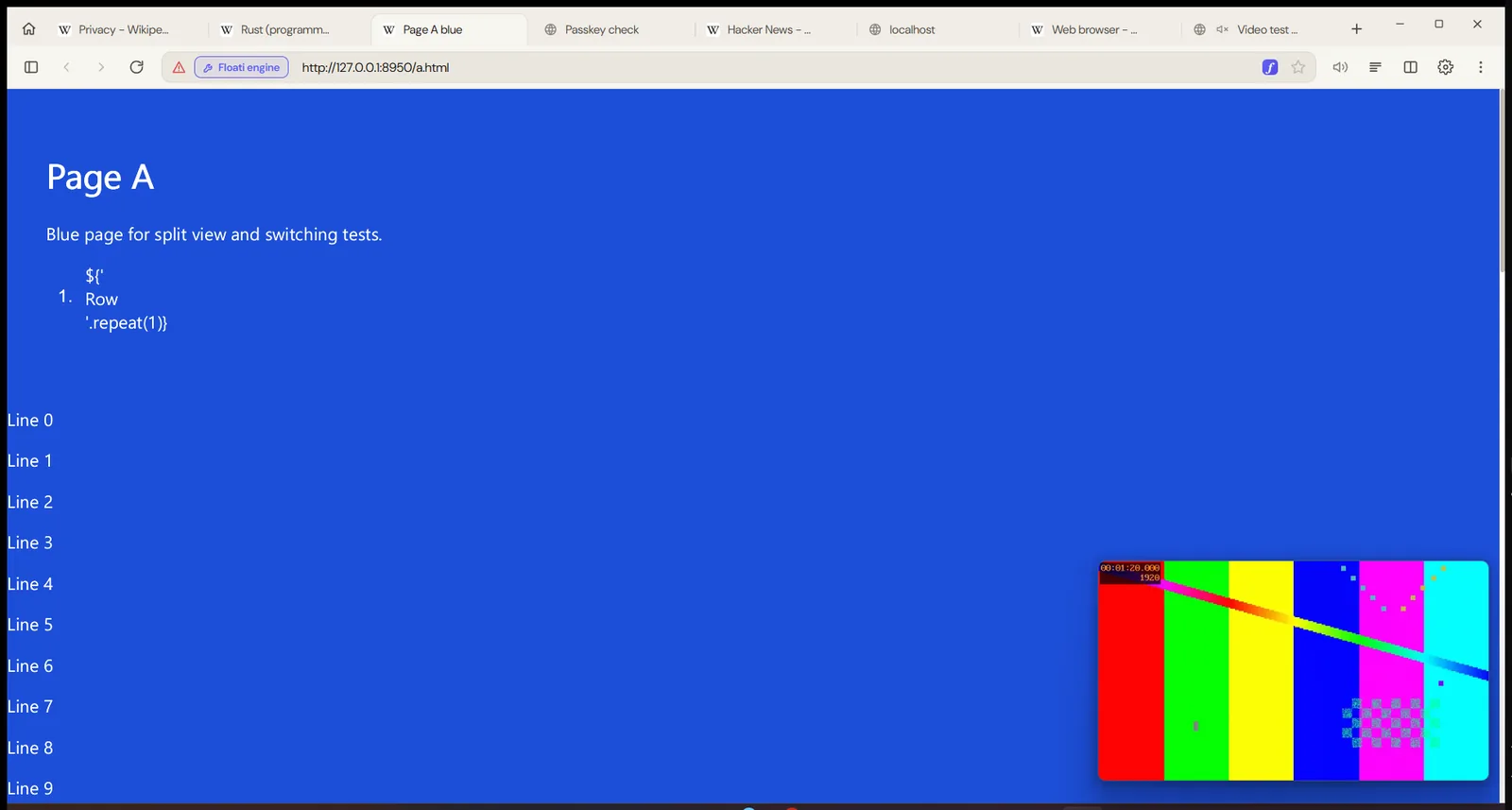
前: leaving a tab with a playing video: it stopped (before), it floats and keeps playing (now)
前
後: leaving a tab with a playing video: it stopped (before), it floats and keeps playing (now)
後 · v0.1.373

Pop out video puts a playing video in a small window that floats above everything, on every desktop, with play and pause, mute, a progress bar, Back to tab and close (space, M and Esc work too). Because the engine shows one live page at a time, switching tabs used to stop a video. Now the floating window takes its own copy of the clip and the sound that was already playing, and plays them apart from the page: browse other tabs, even load heavy pages, and the video carries on in step with its sound. Leaving a tab with a playing video floats it by itself (Settings, Video, Keep videos playing when you switch tabs), and going back to the tab puts the video back in the page right where the floating window had got to. A video whose sound arrived after the page loaded now plays with sound too: before, it stayed silent.

leaving a tab with a playing video: it stopped (before), it floats and keeps playing (now)

Video when you switch tabsstopped -> keeps playing

All of it at once, on Windows

Split view with a floating video on Windows

Split view, a link opened in the other pane and a video floating over both, on the Windows build: the article on the left is its still (as you left it), the page on the right is live, and the clip keeps playing in its own window.

Mute a tab, or a site for good

A tab playing sound shows a speaker; click it to mute the tab and click the crossed speaker to bring the sound back. The speaker now appears exactly while the engine is playing sound and goes when it ends. Right-click a tab for Mute tab and for Always mute this site: every tab on that site starts muted from then on, and you can still unmute one tab. Muting keeps the sound's place, so unmuting picks it up in step with the video rather than from where it was silenced.

Your own time zone, or none at all
前後
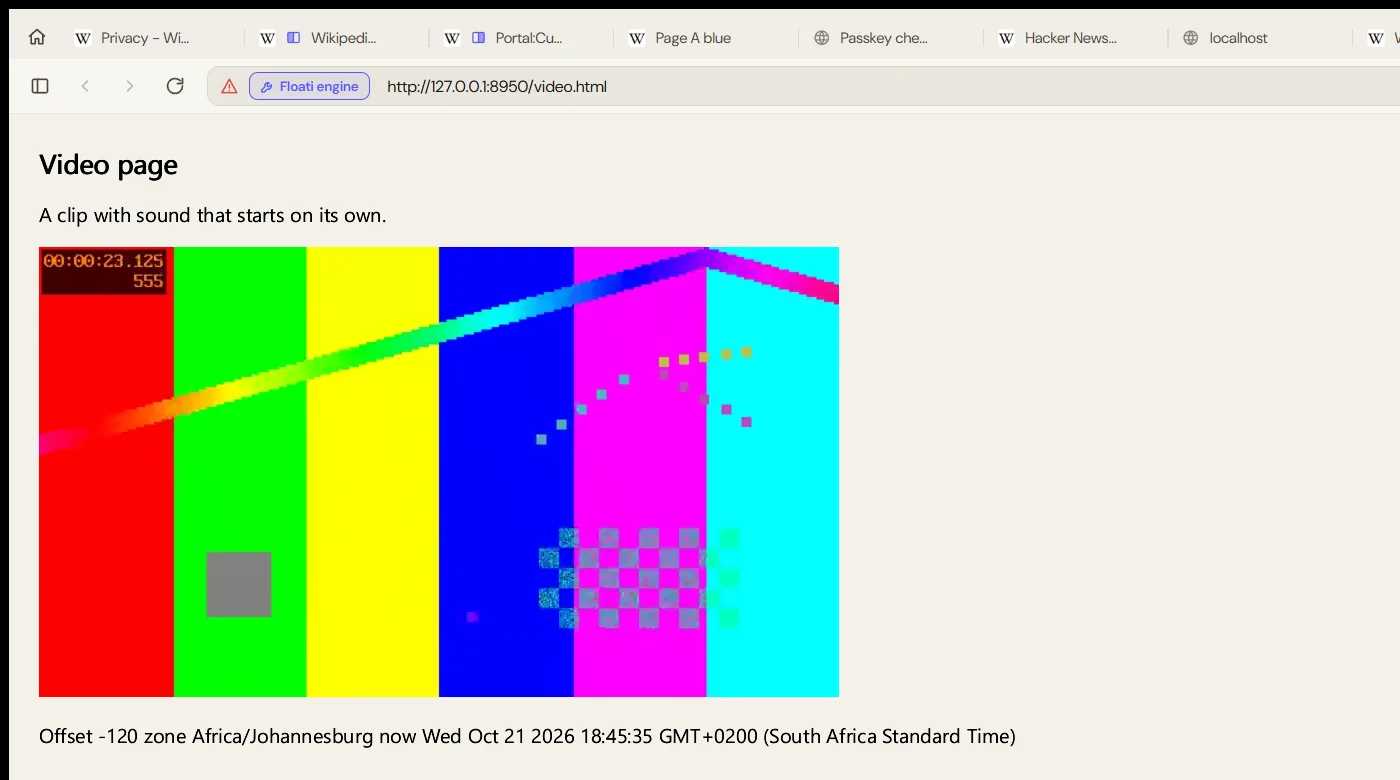
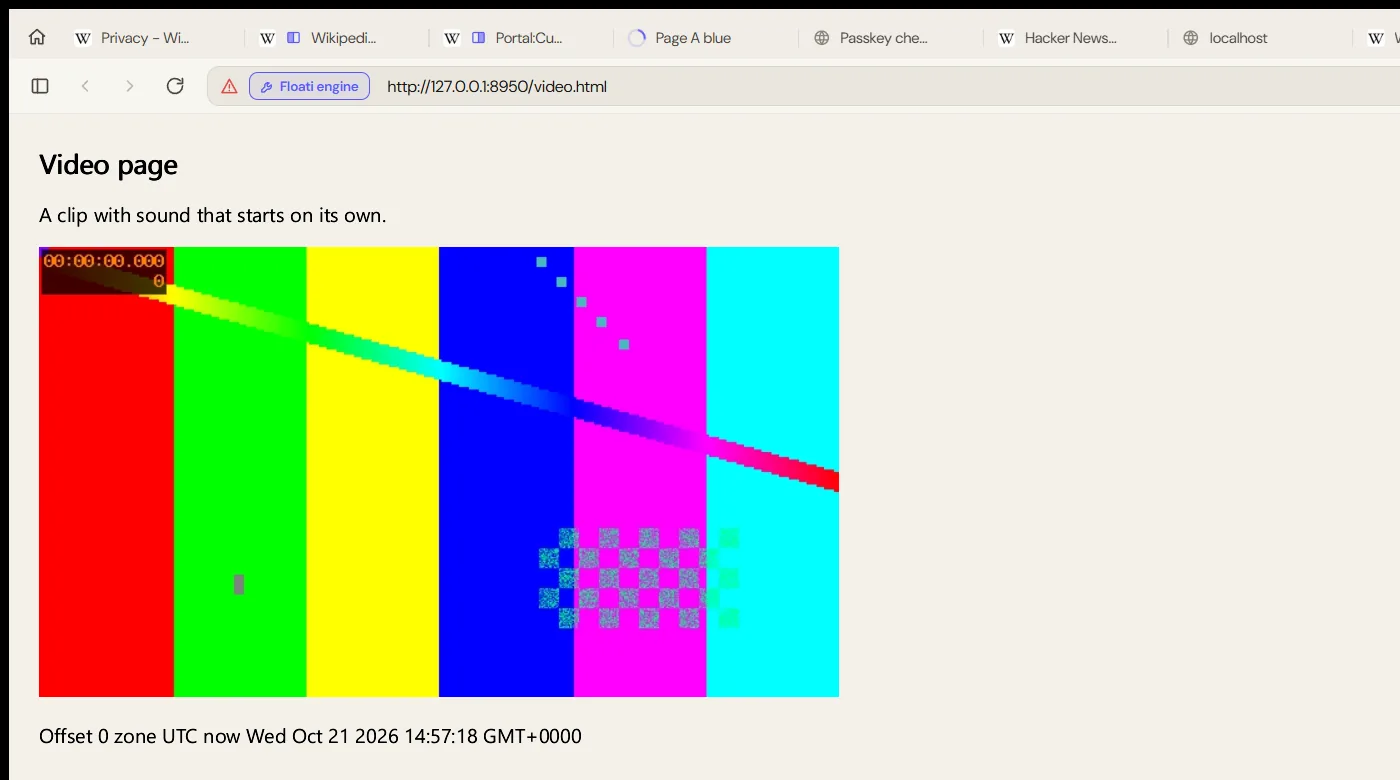
前: a page printing its time zone: UTC for everyone (before), the zone the computer is set to (now)
前
後: a page printing its time zone: UTC for everyone (before), the zone the computer is set to (now)
後 · v0.1.373

Pages used to see every Floati user in UTC: good for anonymity, but it put the wrong times on calendars, bookings, bank statements and every posted at line wherever you live outside UTC. We decided the default should be right: pages now see your device's real time zone, with daylight saving correct for each date, so new Date(), toString, getHours, Intl date formatting and the time zone name all match what the reference browser shows on the same machine (checked in eight zones, from London and New York to Kolkata and the Chatham Islands). A time zone is shared by millions of people and your connection already says roughly where you are, so it adds little to a fingerprint. If you want every site to see the same zone for everyone, Settings, Privacy, Hide my time zone gives pages UTC again. The cost is about one and a half billionths of a second per date read.

a page printing its time zone: UTC for everyone (before), the zone the computer is set to (now)

Zones checked against the reference browser8 of 8 matchHide my time zoneone switch in Settings

Windows no longer freezes or crashes when you switch fast

On Windows the app could stop responding, Settings opened behind the page and tabs felt slow. The cause was in the window's draggable title strip: WebView2 turned it into about 26 native child windows and moved every one of them on every repaint of the strip, so a spinning tab icon kept the window's own thread busy and starved everything else. The drag areas are now only native on a Mac, and Windows uses Floati's own dragging. Testing this release by switching quickly between heavy pages also found a crash: the engine's memory manager gave unused parts of half-empty memory pages back to the system, and when a load was cut short it could give back a part still in use. That is switched off (it crashed within a few rounds of fast switching before, and not once in ten rounds after), and memory that outlives a page, like a tab's still or a floating video, is now kept apart from the page's own memory. Right-clicking Floati's own toolbar no longer opens the web view's menu, whose Reload reloaded the whole browser interface, and a tab you leave while it loads stops spinning.

Crashes in ten rounds of fast tab switchingwithin 5 rounds -> none

Safety: pages from the internet cannot read your files

A page loaded from the network could point an image, script or style at a file:// address and the engine would read that file from your computer. Now a document that came from the network can never load anything from your files. Pages you open yourself from your disk still work and render on the engine.

Local files a web page can readany it names -> none

変更点

17 件の変更
  1. タブと画面Every site renders on the Floati engine on Mac and Windows; the system web view fallback is removed.
  2. プライバシーと ShieldsPrivate tabs on the engine: cookies and site storage in memory, forgotten when the last private tab closes.
  3. レンダリングDownloads saved by the engine, with Ask where to save each file.
  4. タブと画面Instant tab switching: a still of each tab as you left it, shown while the live page catches up.
  5. タブと画面A tab you switch to never shows another tab's page; returning mid-load no longer shows an error.
  6. タブと画面Split view on the engine: pairs that stay together and come back after a restart, open a link in the other pane, keys to move between panes, a divider that snaps.
  7. メディアPicture-in-picture that keeps playing across tab switches, floats a playing video when you leave its tab, and resumes in the page.
  8. メディアVideos whose sound streams in after the page loads now play with sound.
  9. タブと画面Tab mute and Always mute this site.
  10. プライバシーと ShieldsPages see your real time zone; Settings, Hide my time zone gives them UTC.
  11. タブと画面Windows: no more freezes from the title strip's native drag areas.
  12. メモリーと読書Fast switching between heavy tabs no longer crashes the engine's memory manager.
  13. タブと画面The web view's own right-click menu no longer opens over Floati's interface.
  14. タブと画面A tab left while loading stops spinning.
  15. プライバシーと ShieldsPages from the network can no longer read local files; local documents render on the engine.
  16. レンダリングReader mode works on engine pages.
  17. JavaScript と JITPages' animation loops keep running after the page renders.

v0.1.373 以降のすべてを 1 か所に

バージョン

v0.1.0 - 0.1.9 · 10 7月 2026418v0.1.427 · 25 11月 2026

11月2026 · 13 件のバージョン

10月2026 · 32 件のバージョン

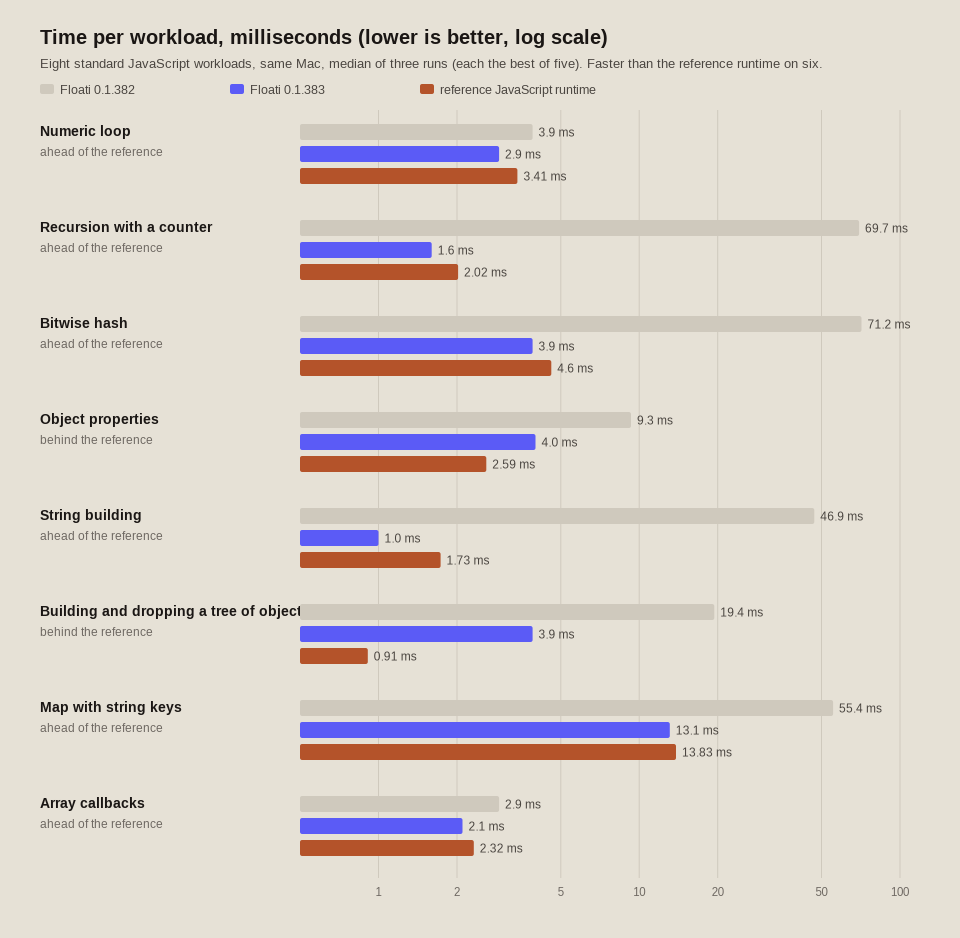
38530 10月Ahead of the reference runtime on 7 of 8 workloadsv0.1.385 · メモリーと読書32 38429 10月Safety review, a rare crash fixed, functions compiled soonerv0.1.384 · メモリーと読書46 38327 10月JavaScript ahead of the reference runtime on six of eight speed testsv0.1.383 · JavaScript と JIT36 38225 10月Closed tabs give their memory back, and XML pages read as XMLv0.1.382 · メモリーと読書12 38125 10月Lighter script code, and calls between scripts that run as ordinary callsv0.1.381 · メモリーと読書15 38025 10月Scrolling boxes scroll, pages look right, and scripts from other sites need permissionv0.1.380 · レンダリング16 37924 10月Pages laid out the way their authors wrote them, and less memory againv0.1.379 · レンダリング22 37823 10月Other sites' data stays private, and less memory againv0.1.378 · メモリーと読書 37723 10月About half the memory of the reference browser on everyday sitesv0.1.377 · メモリーと読書15 37622 10月A minimized window stops piling up graphics memoryv0.1.376 · メモリーと読書 37522 10月Closed pages let go, sites stay apart, and fonts stop costing memoryv0.1.375 · メモリーと読書9 37421 10月A floating video you can move, that opens without a black flashv0.1.374 · タブと画面 37321 10月Every page on our own engine, two pages side by side, videos that keep playing, and your own clockv0.1.373 · タブと画面17 37021 10月Open your files, share to your phone, have pages read aloud, install sites as apps, play with a controller, and accented text drawn rightv0.1.370 · プライバシーと Shields · 試す11 36920 10月Passkeys with Touch ID and Windows Hello, sites that work offline, notifications you allow, and devices asked for first, all kept on your devicev0.1.369 · プライバシーと Shields · 試す9 36519 10月The code-size budget fits your processor, and code that has gone cold makes room for code that is hot nowv0.1.365 · JavaScript と JIT · 試す 36419 10月Compiled code that fits the processor's caches: big pages up to 1.8 times faster, and fast compiled code on Windows and Intel machinesv0.1.364 · JavaScript と JIT · 試す 36319 10月Thermal runs on one code generator, building strings is up to 8 times faster, and two slow paths that grew with the square of their input are linearv0.1.363 · JavaScript と JIT · 試す12 35816 10月Thermal, Floati's own optimizing compiler, is on: hot loops keep their numbers and strings in registersv0.1.358 · JavaScript と JIT · 試す 35715 10月Loops that test a number run as machine code, more of your functions compile, and reading page nodes is three times fasterv0.1.357 · JavaScript と JIT · 試す14 35614 10月Recursion makes a fraction of the calls, loops keep objects in registers, and element writes stop searchingv0.1.356 · JavaScript と JIT · 試す 35514 10月A hot loop changes compiler without stopping, property writes skip the detour, and pure recursion remembers its answersv0.1.355 · JavaScript と JIT · 試す 35413 10月Floati compiles JavaScript with its own compiler, Updraft: about a hundred times faster to compile, and compiled code no longer piles upv0.1.354 · JavaScript と JIT · 試す 35211 10月Code that loads on demand starts at once, images decode beside their downloads, writes run compiledv0.1.352 · レンダリング · 試す10 35010 10月Helpers that compile, strings that stay small, and events that fire fastv0.1.350 · JavaScript と JIT · 試す14 3436 10月Sign-ins that stay signed in, a real IndexedDB, and a storage button that shows what sites keepv0.1.343 · プライバシーと Shields · 試す25 3385 10月Pages load faster, render truer and gain a dozen modern web features, each one checked against the reference browserv0.1.338 · Web API と DOM · 試す19 3352 10月A developer-docs site works like the reference browser, and every frame gets its own built-insv0.1.335 · レンダリング12 3342 10月Iframes that cost what a paragraph costs, live selections, and rounder cornersv0.1.334 · レンダリング10 3331 10月Fewer script errors on real sites, and finished pages give all their memory backv0.1.333 · JavaScript と JIT10 3311 10月A crash on busy news sites fixed, and pages lighter on the processorv0.1.331 · レンダリング 3301 10月JavaScript scores 100, and big pages stop stuttering when they clean upv0.1.330 · JavaScript と JIT11

9月2026 · 29 件のバージョン

32930 9月The JavaScript engine proves what it can skipv0.1.329 · JavaScript と JIT9 32830 9月JavaScript runs at the reference browser's speed on 41 of our 42 measured workloadsv0.1.328 · JavaScript と JIT 32528 9月Deep recursion runs like it does in the reference browserv0.1.325 · JavaScript と JIT 32327 9月JavaScript measured at 94, JSON three times faster, and a round of fixes found against the reference browserv0.1.323 · JavaScript と JIT11 32227 9月Closed pages give their memory back whole, and JavaScript measured at 87v0.1.322 · JavaScript と JIT11 32127 9月Half the memory, and JavaScript measured at 80v0.1.321 · JavaScript と JIT14 32026 9月Pages no longer freeze while a script waits on the networkv0.1.320 · JavaScript と JIT 31926 9月A PDF viewer that does what Acrobat Pro charges forv0.1.319 · タブと画面16 31025 9月Pages stay alive, repaints never block your scroll, and type matches the reference browser'sv0.1.310 · レンダリング10 30924 9月Pages arrive like they do in the reference browser, in a fraction of the memoryv0.1.309 · ネットワーク13 30824 9月Pages drawn by your graphics card, and scrolling that never waitsv0.1.308 · レンダリング 30122 9月Sites can no longer follow you between other sites, and the next page starts soonerv0.1.301 · プライバシーと Shields 30019 9月Reads the newest web compression, reuses secure connections, and remembers where sites livev0.1.300 · メモリーと読書 29717 9月Setting up and filling arrays of numbers is now several times faster, and faster than the reference browserv0.1.297 · JavaScript と JIT 29116 9月A private wayback machine for pages you seal, cited answers that open where you read them, and a privacy report that is ready the instant a page loadsv0.1.291 · メモリーと読書 29015 9月Floati spots trackers no list has caught, answers your questions from your own reading, and gets even closer to the pixelv0.1.290 · プライバシーと Shields 28815 9月The pages where you type a password stay out of your memory, and text renders truer to the pagev0.1.288 · メモリーと読書 28311 9月Messages between windows now prove who sent themv0.1.283 · レンダリング 28111 9月See a site's own rules protect you, and what it was never toldv0.1.281 · レンダリング 27410 9月Fingerprint Shield: see and prove what a page tried to learn about youv0.1.274 · メモリーと読書 2468 9月Memory: your browser remembers what you read, and can prove itv0.1.246 · メモリーと読書 2346 9月WebAssembly SIMD lands, completing the WebAssembly platformv0.1.234 · レンダリング 2335 9月Real WebAssembly apps that share memory with the page now workv0.1.233 · メモリーと読書 2173 9月Your passwords, the Floati wayv0.1.217 · タブと画面 2112 9月A correctness fix for today's list-speed improvementv0.1.211 · JavaScript と JIT 2102 9月The most common way people work with lists of data now runs at full speedv0.1.210 · JavaScript と JIT 2092 9月Big objects are instant now, instead of getting slower the more you addv0.1.209 · メモリーと読書 2082 9月Floati's own engine got dramatically faster at the code real pages run every framev0.1.208 · JavaScript と JIT 2061 9月Explain this page: the browser now understands what a site does, and can prove itv0.1.206 · プライバシーと Shields

8月2026 · 19 件のバージョン

20328 8月Pages you open with the Floati engine now render on your graphics cardv0.1.203 · レンダリング 19421 8月Faster on pages that change as you use them - plus a tab-hover fixv0.1.194 · タブと画面 19321 8月Select text, find on the page, and zoom - plus faster renderingv0.1.193 · タブと画面 18619 8月Engine tabs remember where you werev0.1.186 · タブと画面 14814 8月WebAssembly numbers stay exact: 64-bit integers cross as BigIntv0.1.148 · JavaScript と JIT 14714 8月WebAssembly interop rounds out: imported globals and memoryv0.1.147 · メモリーと読書 13914 8月WebGL can texture from an image or a canvasv0.1.139 · レンダリング 13414 8月WebAssembly now runs real compiled modules, not just toy onesv0.1.134 · メモリーと読書 13313 8月The engine now runs WebAssemblyv0.1.133 · メモリーと読書 12813 8月HSTS: sites that demand https are never reached over plaintext, not even oncev0.1.128 · ネットワーク 1097 8月Web Audio convolution reverb + stereo sample playbackv0.1.109 · メディア 785 8月Ask knows when to stop, and forms can edit their fieldsv0.1.78 · Web API と DOM 775 8月Ask joins the dots across sentencesv0.1.77 · JavaScript と JIT 745 8月Bracket property access gets fast, and Ask follows your timelinev0.1.74 · レンダリング 735 8月Building a list gets fast, and Ask hears whole phrasesv0.1.73 · JavaScript と JIT 725 8月Method calls get up to speed, and Ask spreads its sourcesv0.1.72 · メモリーと読書 715 8月Recursion gets its speed back, and Ask reads the roomv0.1.71 · JavaScript と JIT 704 8月One press, and you are on the new versionv0.1.70 · タブと画面 661 8月The worst score on the board turned out to be a cookie bannerv0.1.66 · レンダリング9

7月2026 · 11 件のバージョン