すべてのバージョン v0.1.37321 10月 2026レンダリング, JavaScript と JIT, メディア, プライバシーと Shields, メモリーと読書, タブと画面 フィード

リリースノートは英語で書かれています。

Every page on our own engine, two pages side by side, videos that keep playing, and your own clock

The biggest step yet toward a browser that is entirely ours: every website now renders on the Floati engine, on the Mac and on Windows, and the system web view Floati used to fall back to is gone. Where a page breaks, the engine gets fixed. Tabs now come back instantly: Floati keeps a still of each tab as you left it and shows it the moment you return while the live page catches up. Split view is back, built for the engine: two pages side by side that stay paired, with a link opener for the other side and keys to move between them. Videos float in a picture-in-picture window that keeps playing while you browse other tabs, and a playing video floats by itself when you leave its tab. Tabs can be muted, and a site can be muted for good. Pages now see your real time zone, so clocks, calendars and dates on sites are right; one switch in Settings hides it again for maximum anonymity. Plus: Windows no longer freezes, private tabs, downloads and local files run on the engine, and a page from the internet can no longer read files on your computer.

a fallback -> nonePages rendered by the system web view
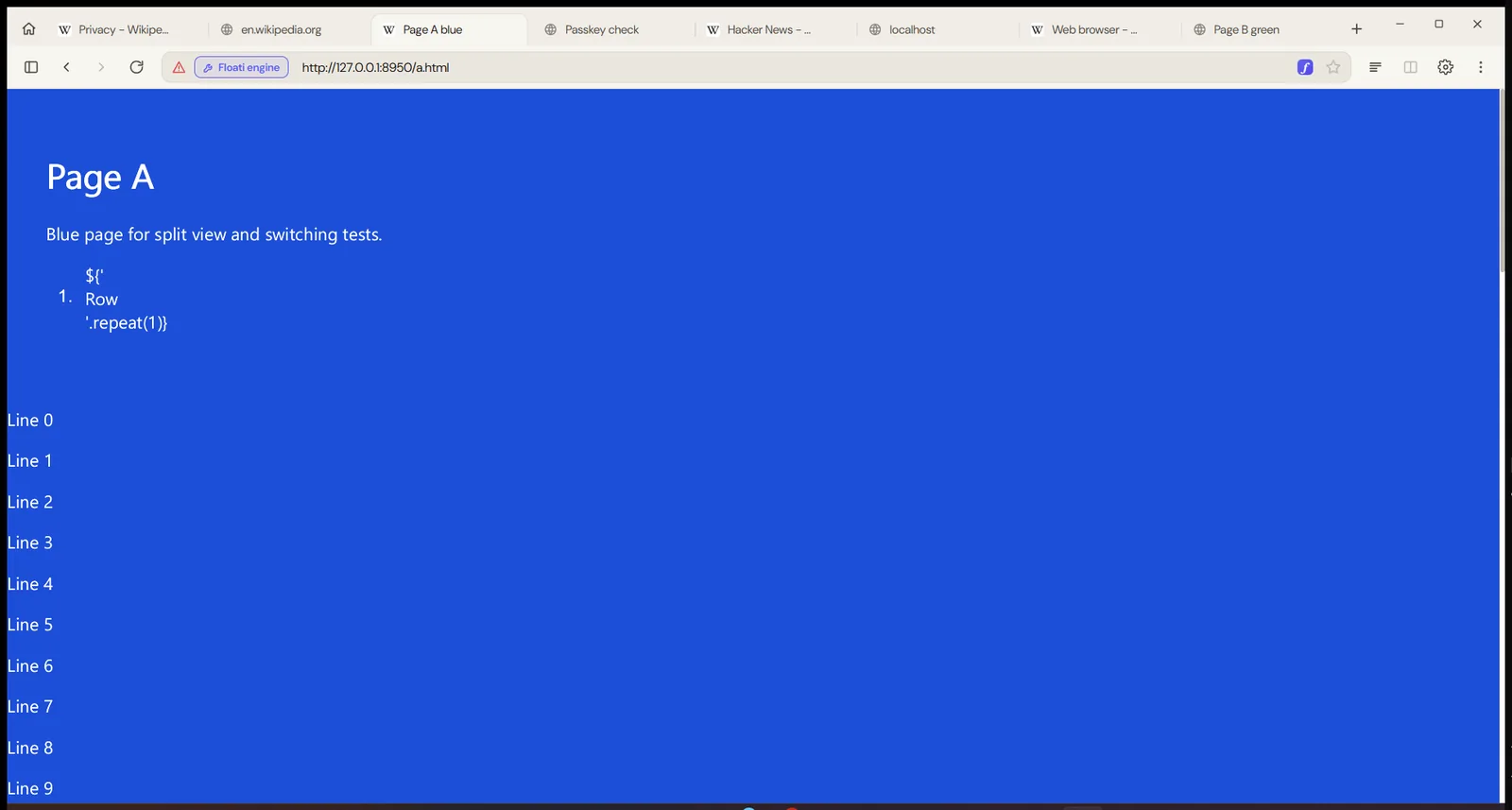
a full render -> on screen at onceBack to a tab you left
1 (the other is a still)Live pages the engine runs in split view
ハイライト9

Every page, on our own engine

Until now Floati rendered most pages with its own engine but quietly handed some to the system web view (WKWebView on a Mac, WebView2 on Windows) when the engine was unsure, and it kept that second renderer in the app for tabs, private windows, downloads and files. That fallback is removed, on both platforms. Every address you type, every link, bookmark and history entry, private tabs, downloaded files and PDF links now go through the Floati engine, and nothing silently swaps to another renderer. When a page fails, you see an honest card with Try again and a way to report it, and the fix goes into the engine. Along the way the pieces the web view used to do were rebuilt on the engine: private tabs keep their cookies and site storage in memory and forget them when the last private tab closes, downloads are saved by the engine (with Ask where to save each file), reader mode reads the live engine page, and local files you open render on the engine. We will not ship this to the public until our engine is as good as the web view or better: there is no point polishing a renderer we are removing.

Pages rendered by the system web viewa fallback -> noneRenderers in the app2 -> 1

Tabs come back instantly

前後
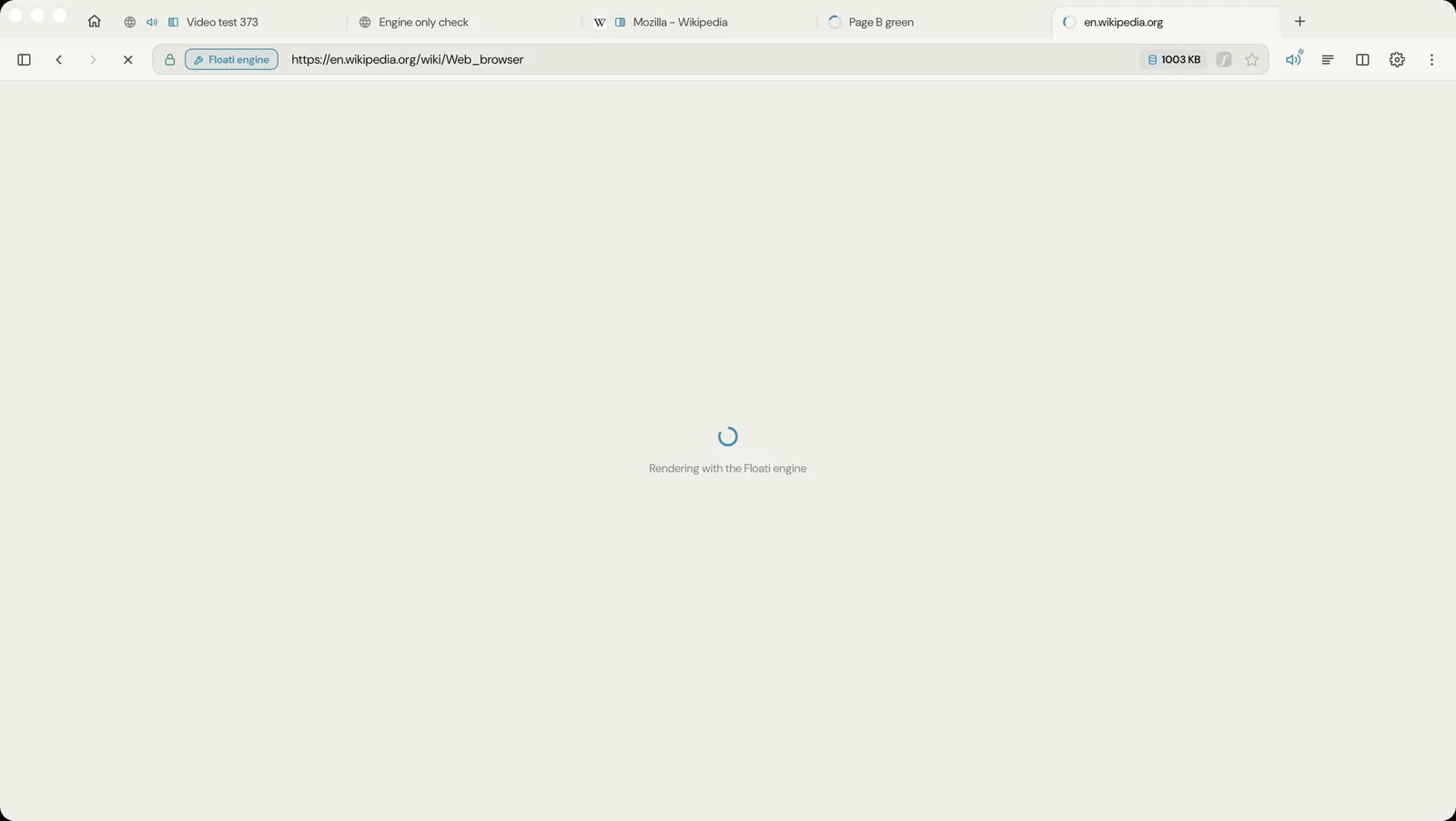
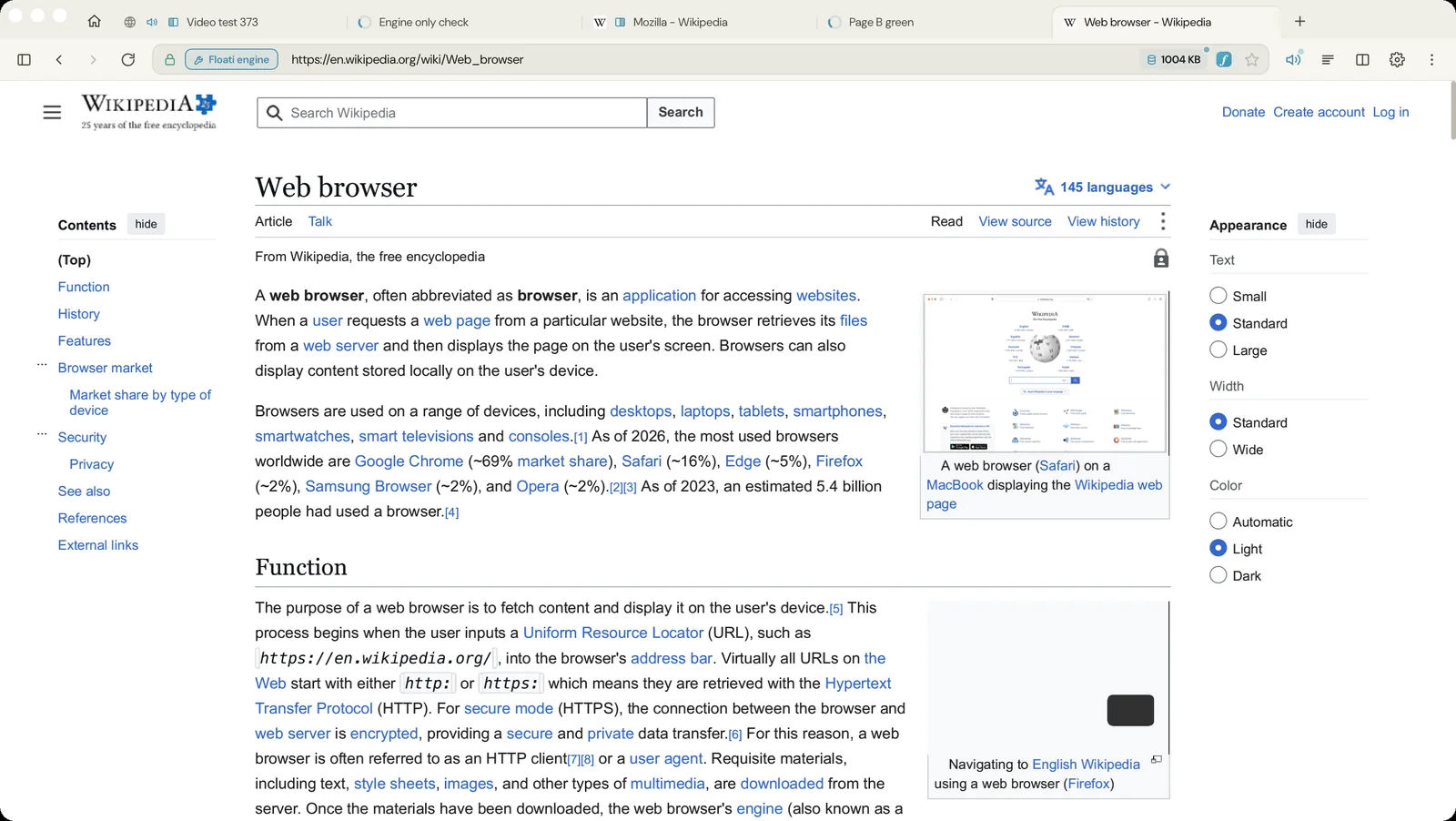
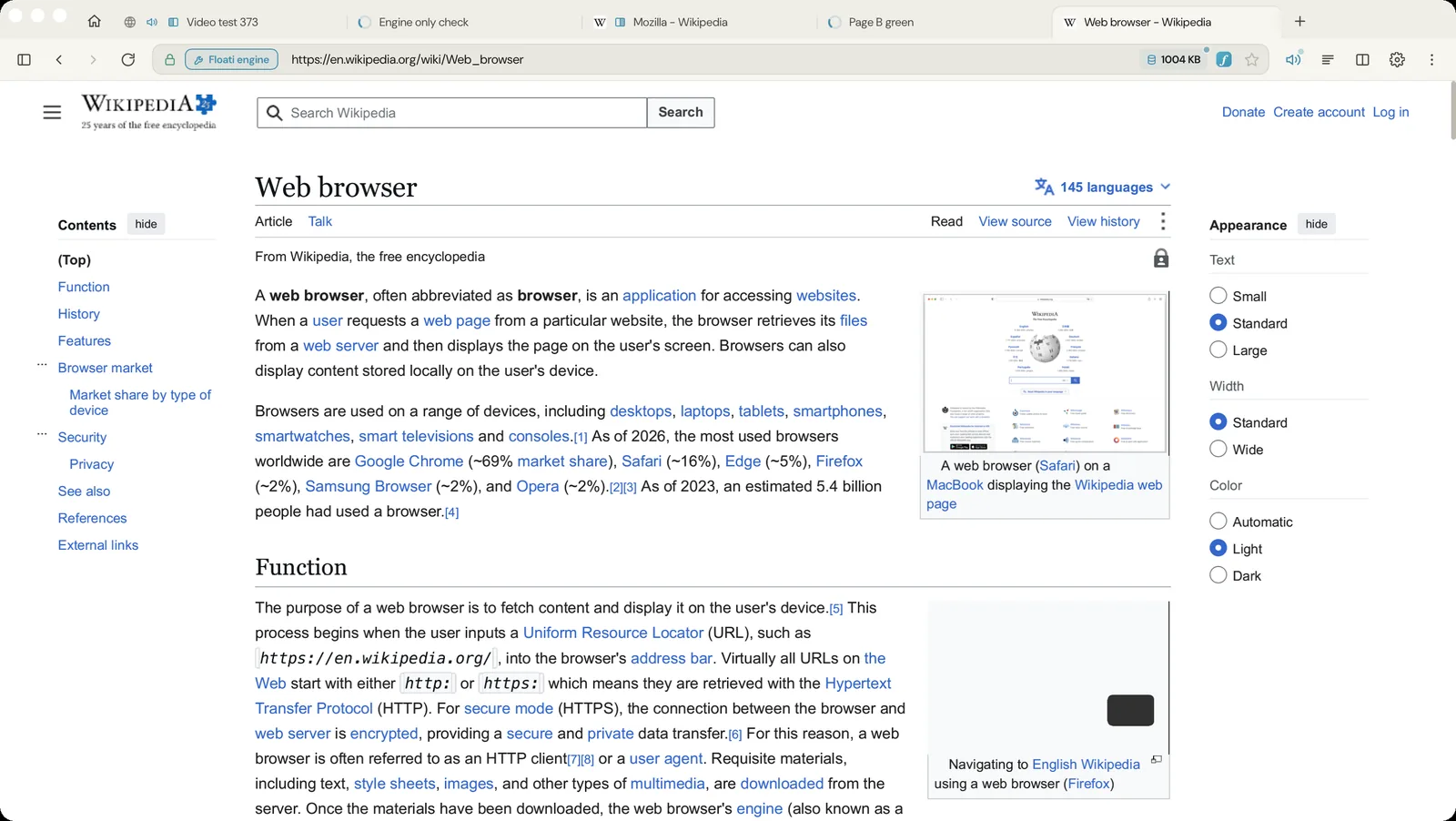
前: coming back to a tab: the spinner every time (before) and the page at once (now)
前
後: coming back to a tab: the spinner every time (before) and the page at once (now)
後 · v0.1.373

The engine shows one live page at a time, so coming back to a tab meant a full render: a spinner for a second on a Mac and several on Windows, every time. Now, when you leave a tab, Floati keeps a still of what that tab was showing, at its scroll position and in its own background colour. When you come back, the still is on screen at once with a thin progress line, and the live page takes over underneath it when it is ready. Stills stay in memory only, at most 24 tabs, and go when their tab closes. A tab you switch to now never shows another tab's page while it loads (it could before, for a moment), and coming back to a tab while another one is still loading no longer ends in an error card.

coming back to a tab: the spinner every time (before) and the page at once (now)

Back to a tab you lefta full render -> on screen at once

Split view, built for the engine

前後
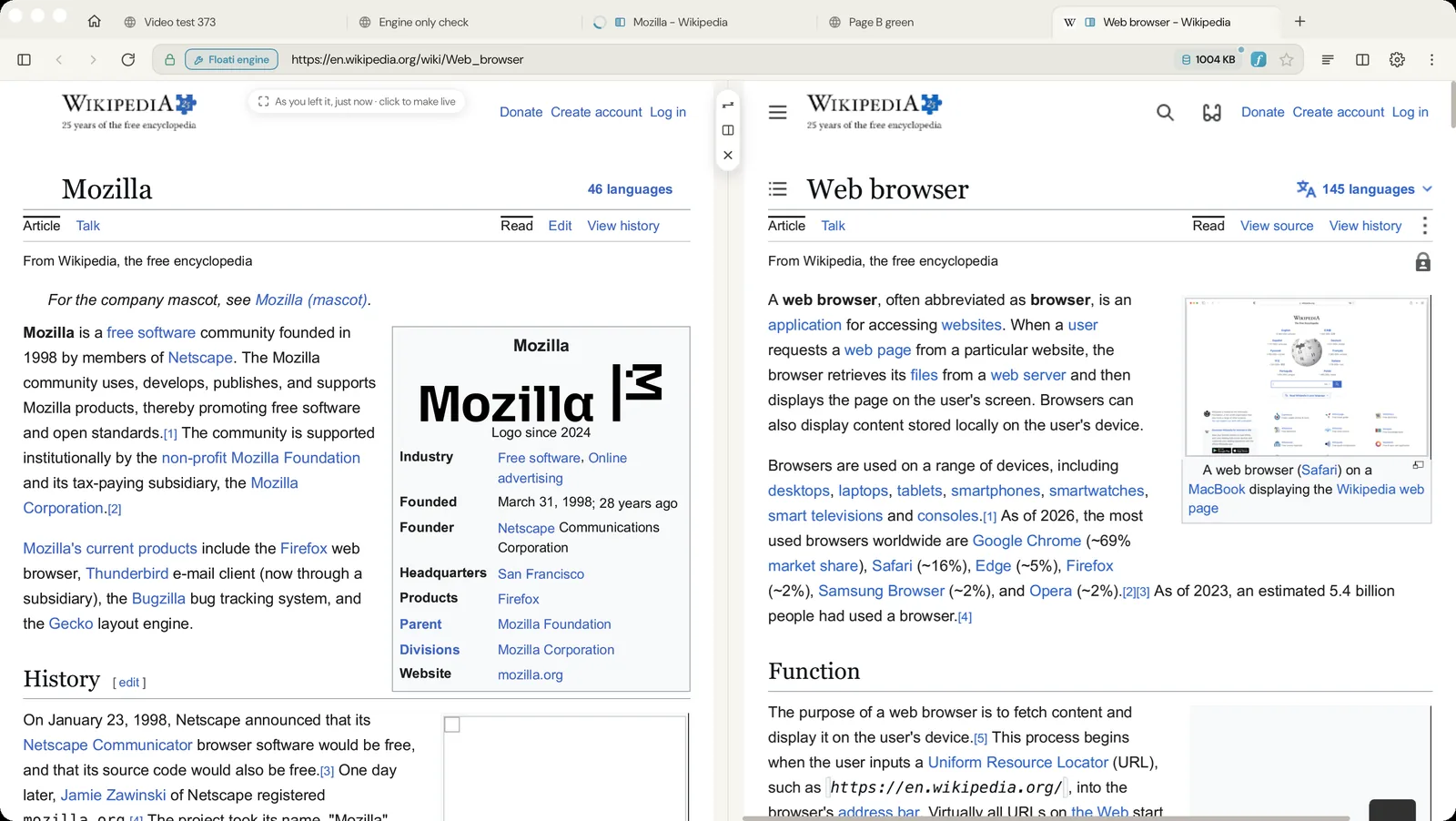
前: two articles in split view: one live, one as you left it
前
後: two articles in split view: one live, one as you left it
後 · v0.1.373

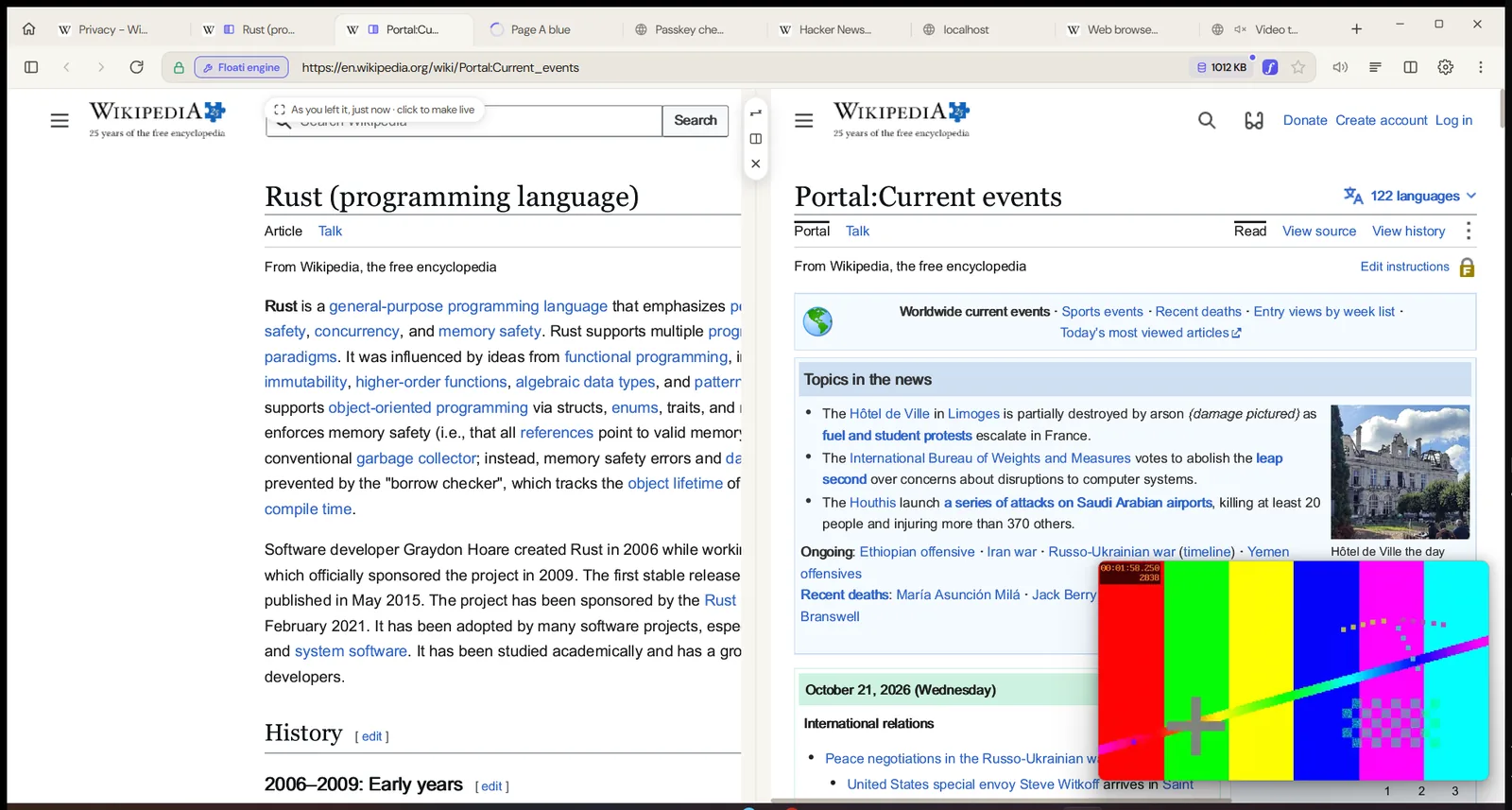
Two pages side by side: one is live and the other shows its still, so the engine stays as light as one tab. Click the other side and it becomes the live page; each page keeps its side, so nothing jumps across the window. The pair stays together: look at another tab and it shows alone, click either tab of the pair and both come back, and the pair returns after a restart. Paired tabs carry a small marker in the tab strip showing which side they are on. Right-click a link and open it in the other pane (or start split view with it). Cmd+\ (Ctrl+\ on Windows) turns split view on or off and Cmd+Option+arrows (Ctrl+Alt+arrows) move between the panes. The divider snaps to halves and thirds, and a double-click puts it back to half and half. The still side says how old it is (As you left it, 2 min ago), so you always know what is live.

two articles in split view: one live, one as you left it

Live pages the engine runs in split view1 (the other is a still)

Picture-in-picture that keeps playing
前後
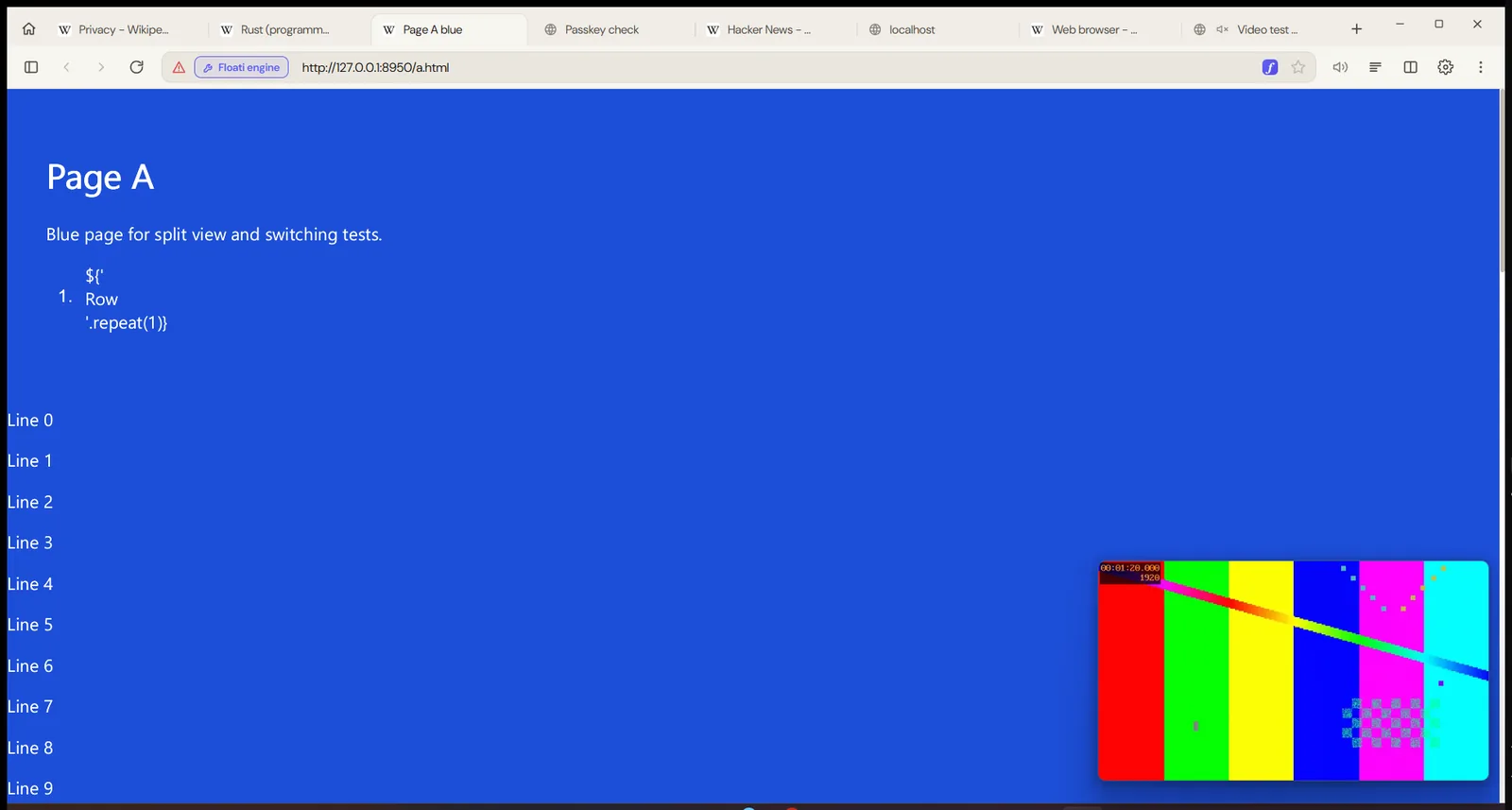
前: leaving a tab with a playing video: it stopped (before), it floats and keeps playing (now)
前
後: leaving a tab with a playing video: it stopped (before), it floats and keeps playing (now)
後 · v0.1.373

Pop out video puts a playing video in a small window that floats above everything, on every desktop, with play and pause, mute, a progress bar, Back to tab and close (space, M and Esc work too). Because the engine shows one live page at a time, switching tabs used to stop a video. Now the floating window takes its own copy of the clip and the sound that was already playing, and plays them apart from the page: browse other tabs, even load heavy pages, and the video carries on in step with its sound. Leaving a tab with a playing video floats it by itself (Settings, Video, Keep videos playing when you switch tabs), and going back to the tab puts the video back in the page right where the floating window had got to. A video whose sound arrived after the page loaded now plays with sound too: before, it stayed silent.

leaving a tab with a playing video: it stopped (before), it floats and keeps playing (now)

Video when you switch tabsstopped -> keeps playing

All of it at once, on Windows

Split view with a floating video on Windows

Split view, a link opened in the other pane and a video floating over both, on the Windows build: the article on the left is its still (as you left it), the page on the right is live, and the clip keeps playing in its own window.

Mute a tab, or a site for good

A tab playing sound shows a speaker; click it to mute the tab and click the crossed speaker to bring the sound back. The speaker now appears exactly while the engine is playing sound and goes when it ends. Right-click a tab for Mute tab and for Always mute this site: every tab on that site starts muted from then on, and you can still unmute one tab. Muting keeps the sound's place, so unmuting picks it up in step with the video rather than from where it was silenced.

Your own time zone, or none at all
前後
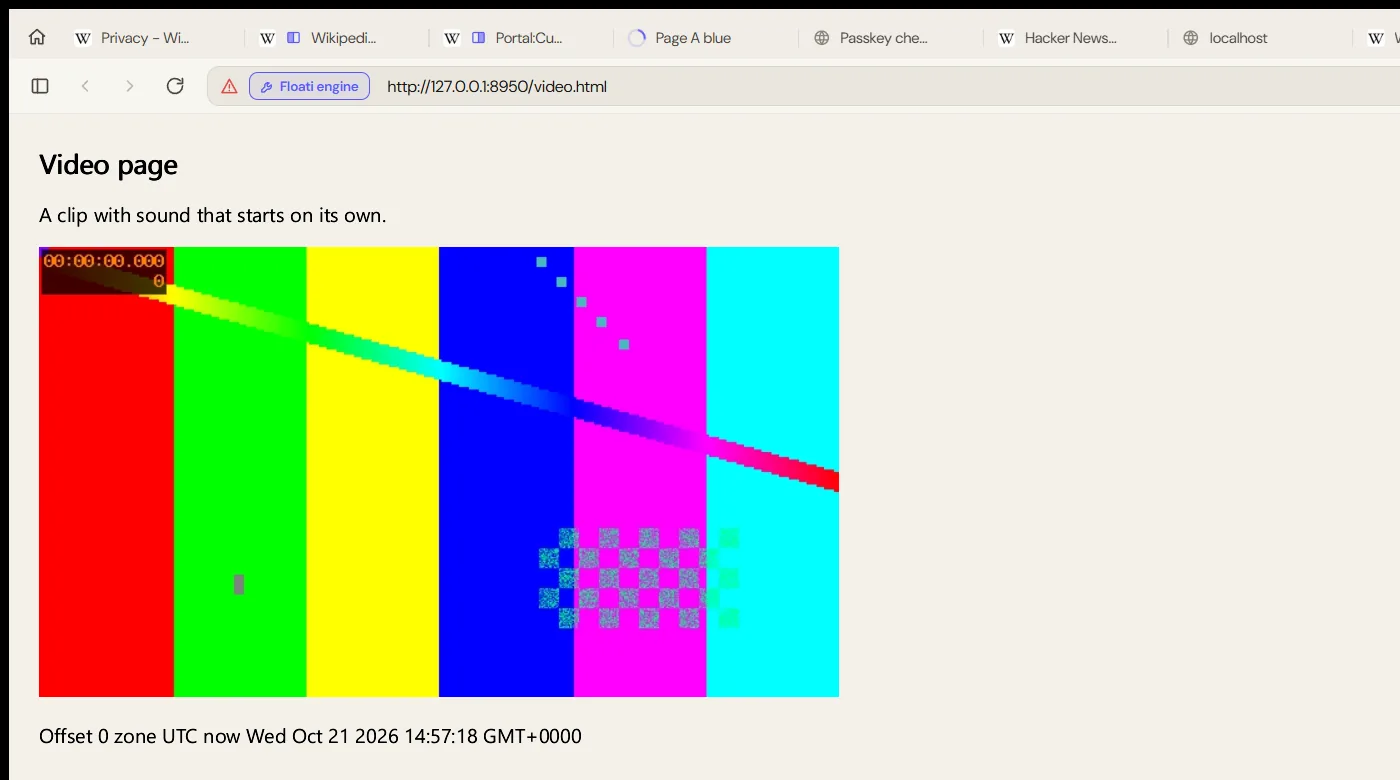
前: a page printing its time zone: UTC for everyone (before), the zone the computer is set to (now)
前
後: a page printing its time zone: UTC for everyone (before), the zone the computer is set to (now)
後 · v0.1.373

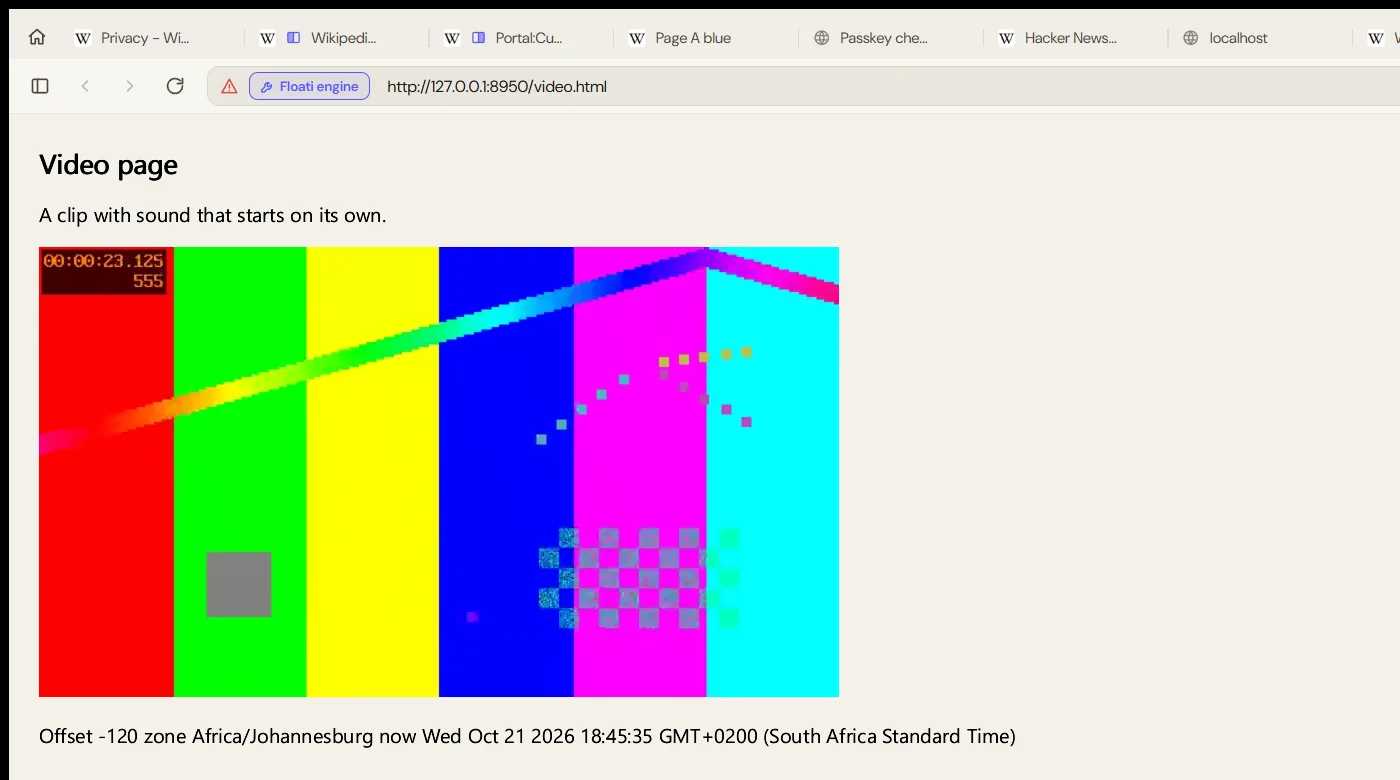
Pages used to see every Floati user in UTC: good for anonymity, but it put the wrong times on calendars, bookings, bank statements and every posted at line wherever you live outside UTC. We decided the default should be right: pages now see your device's real time zone, with daylight saving correct for each date, so new Date(), toString, getHours, Intl date formatting and the time zone name all match what the reference browser shows on the same machine (checked in eight zones, from London and New York to Kolkata and the Chatham Islands). A time zone is shared by millions of people and your connection already says roughly where you are, so it adds little to a fingerprint. If you want every site to see the same zone for everyone, Settings, Privacy, Hide my time zone gives pages UTC again. The cost is about one and a half billionths of a second per date read.

a page printing its time zone: UTC for everyone (before), the zone the computer is set to (now)

Zones checked against the reference browser8 of 8 matchHide my time zoneone switch in Settings

Windows no longer freezes or crashes when you switch fast

On Windows the app could stop responding, Settings opened behind the page and tabs felt slow. The cause was in the window's draggable title strip: WebView2 turned it into about 26 native child windows and moved every one of them on every repaint of the strip, so a spinning tab icon kept the window's own thread busy and starved everything else. The drag areas are now only native on a Mac, and Windows uses Floati's own dragging. Testing this release by switching quickly between heavy pages also found a crash: the engine's memory manager gave unused parts of half-empty memory pages back to the system, and when a load was cut short it could give back a part still in use. That is switched off (it crashed within a few rounds of fast switching before, and not once in ten rounds after), and memory that outlives a page, like a tab's still or a floating video, is now kept apart from the page's own memory. Right-clicking Floati's own toolbar no longer opens the web view's menu, whose Reload reloaded the whole browser interface, and a tab you leave while it loads stops spinning.

Crashes in ten rounds of fast tab switchingwithin 5 rounds -> none

Safety: pages from the internet cannot read your files

A page loaded from the network could point an image, script or style at a file:// address and the engine would read that file from your computer. Now a document that came from the network can never load anything from your files. Pages you open yourself from your disk still work and render on the engine.

Local files a web page can readany it names -> none

変更点

17 件の変更
  1. タブと画面Every site renders on the Floati engine on Mac and Windows; the system web view fallback is removed.
  2. プライバシーと ShieldsPrivate tabs on the engine: cookies and site storage in memory, forgotten when the last private tab closes.
  3. レンダリングDownloads saved by the engine, with Ask where to save each file.
  4. タブと画面Instant tab switching: a still of each tab as you left it, shown while the live page catches up.
  5. タブと画面A tab you switch to never shows another tab's page; returning mid-load no longer shows an error.
  6. タブと画面Split view on the engine: pairs that stay together and come back after a restart, open a link in the other pane, keys to move between panes, a divider that snaps.
  7. メディアPicture-in-picture that keeps playing across tab switches, floats a playing video when you leave its tab, and resumes in the page.
  8. メディアVideos whose sound streams in after the page loads now play with sound.
  9. タブと画面Tab mute and Always mute this site.
  10. プライバシーと ShieldsPages see your real time zone; Settings, Hide my time zone gives them UTC.
  11. タブと画面Windows: no more freezes from the title strip's native drag areas.
  12. メモリーと読書Fast switching between heavy tabs no longer crashes the engine's memory manager.
  13. タブと画面The web view's own right-click menu no longer opens over Floati's interface.
  14. タブと画面A tab left while loading stops spinning.
  15. プライバシーと ShieldsPages from the network can no longer read local files; local documents render on the engine.
  16. レンダリングReader mode works on engine pages.
  17. JavaScript と JITPages' animation loops keep running after the page renders.

v0.1.373 以降のすべてを 1 か所に

バージョン

v0.1.0 - 0.1.9 · 10 7月 2026418v0.1.427 · 25 11月 2026

11月2026 · 40 件のバージョン

42725 11月Layouts that remember their work最新 · v0.1.427 · レンダリング9 42625 11月Compiled with what real pages runv0.1.426 · JavaScript と JIT 42525 11月Built with whole-program optimizationv0.1.425 · レンダリング 42425 11月More layout reused after a script changes the pagev0.1.424 · レンダリング 42324 11月The optimizing compiler works off the main threadv0.1.423 · レンダリング 42222 11月Text-reading loops and element-tree builders run fasterv0.1.422 · JavaScript と JIT14 42122 11月Calls from loops run inside the loop's own machine codev0.1.421 · JavaScript と JIT9 42021 11月Pages you come back to run their scripts soonerv0.1.420 · レンダリング17 41918 11月A faster interpreter runs the page's codev0.1.419 · JavaScript と JIT12 41815 11月Scripts run faster on busy pagesv0.1.418 · JavaScript と JIT34 41711 11月Pages wait less for their own scripts and stylesv0.1.417 · JavaScript と JIT13 41611 11月WebGPU loops run 2 to 3 times faster on Macsv0.1.416 · JavaScript と JIT 41510 11月WebGPU loops count right on Macsv0.1.415 · JavaScript と JIT 41410 11月WebGPU runs in its own graphics processv0.1.414 · レンダリング 41310 11月A graphics card reset no longer takes the browser downv0.1.413 · レンダリング 4129 11月Video moves to the graphics cardv0.1.412 · メディア 4119 11月No canvas stall on Windows, patterns and every blend mode on the graphics cardv0.1.411 · レンダリング 4109 11月Canvas drawing moves to the graphics cardv0.1.410 · レンダリング27 4098 11月Every tile on the GPUv0.1.409 · レンダリング26 4088 11月3D at 120 frames a secondv0.1.408 · レンダリング23 4077 11月WebGL 2v0.1.407 · レンダリング36 4066 11月A stuck tab stops at oncev0.1.406 · レンダリング16 4055 11月Small WebGL drawings get smooth edgesv0.1.405 · レンダリング 4045 11月WebGL pages finally movev0.1.404 · レンダリング25 4035 11月WebGPU is herev0.1.403 · レンダリング35 4024 11月A canvas that moves itself to the GPUv0.1.402 · レンダリング 4014 11月99% of real pages decided by the GPUv0.1.401 · レンダリング9 4004 11月Smooth turns, the same bytes on every chip, and fields that keep their textv0.1.400 · レンダリング15 3994 11月Animations on the GPU compositor, and text that stays in its boxv0.1.399 · レンダリング22 3984 11月Gradient patterns that tile, animations that keep up, and a much faster canvasv0.1.398 · レンダリング14 3973 11月Transitions that ease, and a GPU that draws 94% of real pages itselfv0.1.397 · レンダリング 3963 11月Animations on the GPU compositor, and spinners that spin as arcsv0.1.396 · レンダリング 3953 11月Carousels that fade, badges that stay put, and floats that stay insidev0.1.395 · レンダリング12 3943 11月Background images over their colour, interlaced pictures, and borders in every colourv0.1.394 · レンダリング 3932 11月Style sheets in page order, and symbols that fall back like macOSv0.1.393 · レンダリング 3922 11月Icon fonts loaded by script, and colour emoji on Windowsv0.1.392 · タブと画面 3911 11月Emoji in colour, sized as in the reference browserv0.1.391 · JavaScript と JIT 3901 11月A classified ads site's front page: blank before, whole nowv0.1.390 · JavaScript と JIT12 3891 11月A computer maker's home page: navigation labels back, buttons apartv0.1.389 · レンダリング 3881 11月A space agency's home page, a news section and a language site's header now match the referencev0.1.388 · レンダリング18

10月2026 · 58 件のバージョン

さらに 57 件表示
9月2026124 件のバージョン

8月2026 · 140 件のバージョン

20528 8月When a page won’t load, the browser tells you instead of going blankv0.1.205 · タブと画面 20428 8月Engine-rendered pages line up with other browsers more preciselyv0.1.204 · レンダリング 20328 8月Pages you open with the Floati engine now render on your graphics cardv0.1.203 · レンダリング 20227 8月Icon-button headers keep their height, rem grid spacing appliesv0.1.202 · レンダリング 20127 8月Headers sit at the right height, overlay icons in the right placev0.1.201 · レンダリング 20027 8月Info panels stay in their box, menus show real labelsv0.1.200 · JavaScript と JIT 19927 8月Text falls back to the right fontv0.1.199 · レンダリング 19826 8月Sharper text kerning and correct news-site image cardsv0.1.198 · レンダリング 19726 8月Tightly-fitted text stops breaking a word earlyv0.1.197 · レンダリング 19625 8月The fast-layout engine now covers more of what busy pages do while loadingv0.1.196 · レンダリング 19525 8月Faster on interactive pages that measure and rebuild themselves as they loadv0.1.195 · レンダリング 19421 8月Faster on pages that change as you use them - plus a tab-hover fixv0.1.194 · タブと画面 19321 8月Select text, find on the page, and zoom - plus faster renderingv0.1.193 · タブと画面 19220 8月Crisp, high-resolution rendering on retina screensv0.1.192 · レンダリング 19120 8月Sharper images, and content that fills itself inv0.1.191 · レンダリング 19019 8月Centred icons, missing menu icons, and a grey smudge - all fixedv0.1.190 · タブと画面 18919 8月The encyclopedia's appearance controls and side menus work againv0.1.189 · タブと画面 18819 8月Info panels and side pictures line up cleanly nowv0.1.188 · レンダリング 18719 8月Small icons on links and buttons sit where they belongv0.1.187 · レンダリング 18619 8月Engine tabs remember where you werev0.1.186 · タブと画面 18518 8月Pages rendered with Floati's own engine now feel like real pagesv0.1.185 · レンダリング 18418 8月Articles with a sidebar box now flow around it, the way they shouldv0.1.184 · プライバシーと Shields 18318 8月One report: what did this page actually do to me?v0.1.183 · プライバシーと Shields 18218 8月Now it also spots the audio version of that tracking trickv0.1.182 · プライバシーと Shields 18118 8月See when a page tries to fingerprint you (and know it failed)v0.1.181 · プライバシーと Shields 18018 8月See how much of a whole page's download actually showed up on screenv0.1.180 · プライバシーと Shields 17918 8月Longer videos now play all the way throughv0.1.179 · メディア 17818 8月The window reopens at the size you left itv0.1.178 · タブと画面 17718 8月Bytes-to-Pixels Ledger: which of a page's downloaded bytes actually painted anythingv0.1.177 · プライバシーと Shields 17618 8月Witness Mode: cryptographic, offline proof of what a site showed you (a world-first)v0.1.176 · プライバシーと Shields 17518 8月The browser you install now plays video, built entirely from its own codev0.1.175 · メディア 17418 8月Counterfactual Browsing: see exactly what a script did to your page (a world-first)v0.1.174 · プライバシーと Shields 17318 8月Pixel Provenance: a click can only reach what you actually see (a world-first)v0.1.173 · プライバシーと Shields 17218 8月Split-motion video decodes: the VP8 inter path is complete, real WebM streams bit-exactv0.1.172 · メディア 17116 8月The engine decodes real video: VP8 interframes land, bit-exact against libvpxv0.1.171 · メディア 17016 8月Render Receipts: seal a page into proof the reference browser structurally cannot offerv0.1.170 · Web API と DOM 16916 8月Decoded frames reach the screen: drawImage(VideoFrame) paints real video + animated GIF onto a canvasv0.1.169 · メディア 16816 8月The engine decodes video: WebCodecs VideoDecoder gets real VP8 keyframe teethv0.1.168 · メディア 16715 8月More real media formats: FLAC-in-Ogg, an ImageDecoder, and an MSE timelinev0.1.167 · メディア 16615 8月WebCodecs and a real FLAC decoder: the engine decodes audio on its ownv0.1.166 · メディア 16515 8月WebGL user functions on the GPU: the common shader shapes are completev0.1.165 · レンダリング 16415 8月WebGL textures + control-flow on the GPUv0.1.164 · JavaScript と JIT 16315 8月WebGL on the GPU: shaders run on the real devicev0.1.163 · レンダリング 16215 8月GPU filled polygons: vector fills join the device pathv0.1.162 · レンダリング 16115 8月GPU 3D transforms: every container renders on the devicev0.1.161 · レンダリング 16015 8月GPU drop-shadow: the CSS filter set is complete on the devicev0.1.160 · Web API と DOM 15915 8月GPU blur: the frosted-glass filter runs on the devicev0.1.159 · レンダリング 15815 8月GPU colour filters: the common container set is completev0.1.158 · Web API と DOM 15715 8月GPU 2D transforms: rotated and scaled content on the devicev0.1.157 · レンダリング 15615 8月GPU clipping: rounded containers render on the device toov0.1.156 · レンダリング 15515 8月GPU shadows and conic gradients: the fallback set shrinksv0.1.155 · Web API と DOM 15415 8月A unified GPU renderer draws a whole page in orderv0.1.154 · Web API と DOM 15315 8月GPU text: the last big paint primitive moves to the devicev0.1.153 · レンダリング 15215 8月GPU image blit: pictures draw on the device, pixel-for-pixelv0.1.152 · レンダリング 15115 8月GPU gradients: linear and radial fills rasterise on the devicev0.1.151 · レンダリング 15015 8月The GPU rasterises the page's boxes, not just composites themv0.1.150 · タブと画面 14915 8月The GPU compositor goes live: engine frames present on screenv0.1.149 · Web API と DOM 14814 8月WebAssembly numbers stay exact: 64-bit integers cross as BigIntv0.1.148 · JavaScript と JIT 14714 8月WebAssembly interop rounds out: imported globals and memoryv0.1.147 · メモリーと読書 14614 8月WebAssembly modules can call JavaScriptv0.1.146 · レンダリング 14514 8月Grid tracks join the exact-tiling guaranteev0.1.145 · レンダリング 14414 8月Exact tiling: percentage columns never leave a seamv0.1.144 · JavaScript と JIT 14314 8月Unmodified Puppeteer drives the engine end to endv0.1.143 · JavaScript と JIT 14214 8月WebGL shaders get arrays and while loopsv0.1.142 · JavaScript と JIT 14114 8月WebGL can render into a texture (framebuffer objects)v0.1.141 · Web API と DOM 14014 8月WebGL gets a depth test, so 3D stops drawing in the wrong orderv0.1.140 · レンダリング 13914 8月WebGL can texture from an image or a canvasv0.1.139 · レンダリング 13814 8月WebGL shaders gain control flow: if, for, and functionsv0.1.138 · JavaScript と JIT 13714 8月WebGL depth: textures and indexed drawingv0.1.137 · JavaScript と JIT 13614 8月WebGL: the engine now runs shaders and draws trianglesv0.1.136 · レンダリング 13514 8月DevTools automation: the methods a real driver reaches forv0.1.135 · Web API と DOM 13414 8月WebAssembly now runs real compiled modules, not just toy onesv0.1.134 · メモリーと読書 13313 8月The engine now runs WebAssemblyv0.1.133 · メモリーと読書 13213 8月The GPU compositor can present directly to a window, no readbackv0.1.132 · タブと画面 13113 8月Brotli, from scratch: the engine now speaks the web's best compressionv0.1.131 · レンダリング 13013 8月Variable web fonts now render at the weight the page asks forv0.1.130 · レンダリング 12913 8月VP9 video in fragmented MP4 now actually plays, not just parsesv0.1.129 · メディア 12813 8月HSTS: sites that demand https are never reached over plaintext, not even oncev0.1.128 · ネットワーク 12713 8月Encrypted DNS (DoH) inside the engine, so your network cannot see which sites you look upv0.1.127 · ネットワーク 12613 8月Real HTTP/2 multiplexing: many streams share one connectionv0.1.126 · ネットワーク 12513 8月fMP4 / MP4 streaming: the engine parses the container the web actually servesv0.1.125 · メディア 12413 8月Puppeteer queries elements end to end - the first floor moves the overallv0.1.124 · レンダリング 12313 8月Real Puppeteer drives the engine: connect, open, navigate, evaluatev0.1.123 · Web API と DOM 12213 8月Time-travel scrubbing: jump to any pause on the timelinev0.1.122 · DevTools 12113 8月Time-travel debugging: step BACK - a debugger the reference browser does not havev0.1.121 · タブと画面 12013 8月DevTools: a WebSocket transport, so external tools can attachv0.1.120 · DevTools 11913 8月DevTools: a Sources panel with a clickable line gutterv0.1.119 · タブと画面 11811 8月DevTools debugger: step over, into and outv0.1.118 · JavaScript と JIT 1177 8月DevTools breakpoints snap to the nearest real linev0.1.117 · DevTools 1167 8月DevTools debugger: source-line breakpointsv0.1.116 · DevTools 1157 8月DevTools debugger: evaluate expressions at the breakpointv0.1.115 · DevTools 1147 8月DevTools debugger: pause on exceptionsv0.1.114 · DevTools 1137 8月Visual DevTools: a live Console REPL and a Debugger panelv0.1.113 · タブと画面 1127 8月DevTools Debugger: real `debugger;` breakpoints at the VMv0.1.112 · DevTools 1117 8月Web Audio dynamics compression (DynamicsCompressorNode)v0.1.111 · メディア 1107 8月Web Audio 3D spatial panning (PannerNode) - synthesis surface completev0.1.110 · メディア 1097 8月Web Audio convolution reverb + stereo sample playbackv0.1.109 · メディア 1087 8月Stereo Web Audio: real panning and per-channel routingv0.1.108 · メディア 1077 8月Recursive functions with locals and captured constants, in native codev0.1.107 · JavaScript と JIT 1067 8月A real, deterministic AnalyserNode FFTv0.1.106 · レンダリング 1057 8月HTTP/2: the modern web transport, from scratchv0.1.105 · メディア 1047 8月Iterator Helpers: lazy map/filter/take/drop over any iteratorv0.1.104 · レンダリング 1037 8月Generators that actually suspend: function*/yield on the resumable VMv0.1.103 · JavaScript と JIT 1027 8月Modern JS built-ins, and an honest look at where the whole thing stands: 50v0.1.102 · JavaScript と JIT 1017 8月AES-GCM: the authenticated encryption the real web actually usesv0.1.101 · プライバシーと Shields 1006 8月The browser can be driven, not just watched: a DevTools Protocol that mutates the real pagev0.1.100 · DevTools 996 8月A real accessibility treev0.1.99 · アクセシビリティ 986 8月The engine speaks the DevTools Protocolv0.1.98 · DevTools 976 8月Real captionsv0.1.97 · レンダリング 966 8月Stateful audio DSP: filters, delay and waveshapingv0.1.96 · メディア 956 8月Real, deterministic Web Audio (it used to be a silent stub)v0.1.95 · メディア 946 8月async / await, done properly: a resumable virtual machinev0.1.94 · JavaScript と JIT 936 8月Recursion runs at machine speedv0.1.93 · JavaScript と JIT 926 8月Real encryption in the browser, and the fix that made it usablev0.1.92 · レンダリング 916 8月Method calls run at machine speed - and a real crash fixed on the wayv0.1.91 · JavaScript と JIT 906 8月The version number in the app is honest againv0.1.90 · タブと画面 896 8月Native object writes, and the 64-bit binary arraysv0.1.89 · JavaScript と JIT 886 8月The Streams API family, completedv0.1.88 · Web API と DOM 876 8月Message authentication: real HMAC signing and verifyingv0.1.87 · レンダリング 866 8月Real cryptographic hashing, and twenty more Web APIs that actually do somethingv0.1.86 · レンダリング 855 8月Pages that measure themselves while loading render fasterv0.1.85 · Web API と DOM 845 8月A fixed-width box is now sized like one, and a code-hosting site gets its sidebar backv0.1.84 · レンダリング 835 8月Four layout fixes chasing one header down to the pixelv0.1.83 · レンダリング 825 8月Five layout defects, found by asking a real page where every box isv0.1.82 · レンダリング 815 8月Building an object stopped re-allocating its keysv0.1.81 · JavaScript と JIT 805 8月The page can ask what is under a pointv0.1.80 · Web API と DOM 795 8月Backgrounds stay inside their boxv0.1.79 · レンダリング 785 8月Ask knows when to stop, and forms can edit their fieldsv0.1.78 · Web API と DOM 775 8月Ask joins the dots across sentencesv0.1.77 · JavaScript と JIT 765 8月Type checks and string switches run at speedv0.1.76 · レンダリング 755 8月Bracket property writes catch up, and objects build leanerv0.1.75 · レンダリング 745 8月Bracket property access gets fast, and Ask follows your timelinev0.1.74 · レンダリング 735 8月Building a list gets fast, and Ask hears whole phrasesv0.1.73 · JavaScript と JIT 725 8月Method calls get up to speed, and Ask spreads its sourcesv0.1.72 · メモリーと読書 715 8月Recursion gets its speed back, and Ask reads the roomv0.1.71 · JavaScript と JIT 704 8月One press, and you are on the new versionv0.1.70 · タブと画面 694 8月The colour of an icon, and a dozen ways the web fills in a blankv0.1.69 · レンダリング 682 8月One grey rectangle on a code-hosting site was four separate bugsv0.1.68 · レンダリング 672 8月We stopped grading the engine on pages and started grading it on CSSv0.1.67 · レンダリング 661 8月The worst score on the board turned out to be a cookie bannerv0.1.66 · レンダリング9
7月202656 件のバージョン