릴리스 노트는 영어로 작성되어 있습니다.
Cards inside links, small print at its real size, and errors you can follow
Pages lay out more like the reference browser: a card inside a link stays a card, a block in the middle of a sentence splits the sentence around it, small print keeps its own line height, and fonts a script names after the page loads get their real faces. Errors read like the reference browser's: JSON messages say what was expected and where, and stack traces carry on through callbacks with the column of each call. Throwing and catching an error now costs far less, JSON reads long text up to five times faster, page transitions follow the standard, and the window is an event target of its own.
Cards inside links, blocks inside sentences
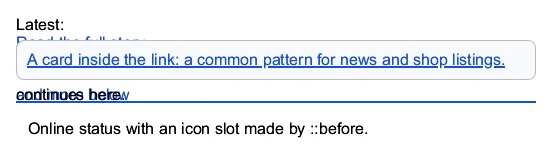
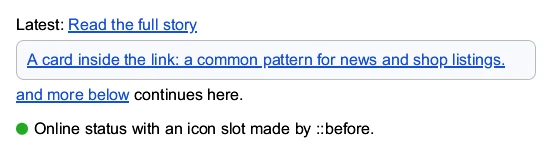
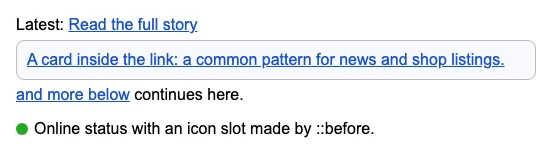
A link or span holding a block (a card in a news or shop listing, a box in the middle of a sentence) used to turn the whole thing into one block: the text before the card was painted underneath it, and the text after it lost its line. Inline content is now split around the block the way the standard describes, the link keeps its underline on every piece, and icon slots and status dots made with ::before draw again.
a card inside a link, and a status dot made by ::before
Small print at its real line height
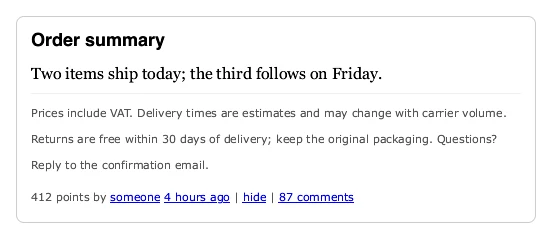
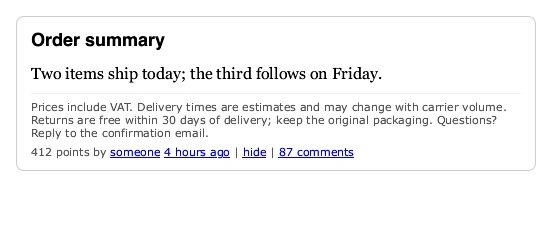
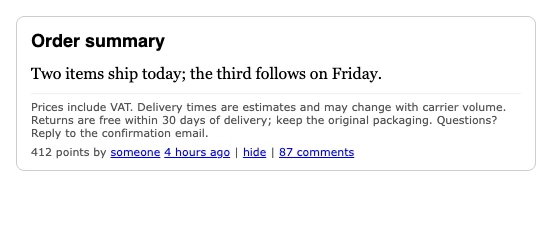
Setting a small font with the font shorthand (font: 11px Verdana) left the line height of the text around it in place, so footnotes, bylines and price notes were spread out over twice the lines they should take. The shorthand now resets the line height, as the standard says. Empty placeholders, such as anchors a page links to, now have a position on their line, and a space beside one no longer doubles.
an order card with its small print and a byline
Fonts that scripts name, with their real faces
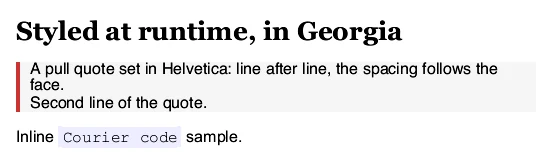
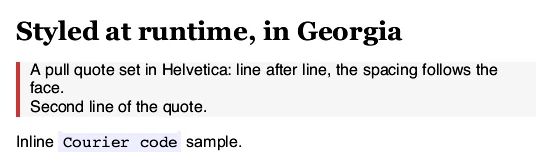
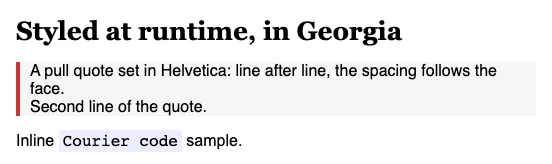
Sites that style themselves from script (a common way to build pages today) name their fonts after the page has loaded. Those families now load their real faces instead of a fallback, and classic faces such as Helvetica, Times and Courier get the same line spacing as in the reference browser.
a heading, a pull quote and code styled from script
Stack traces you can follow
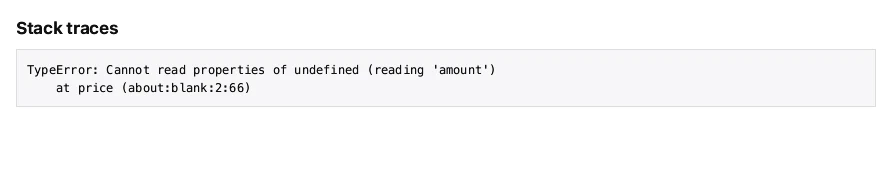
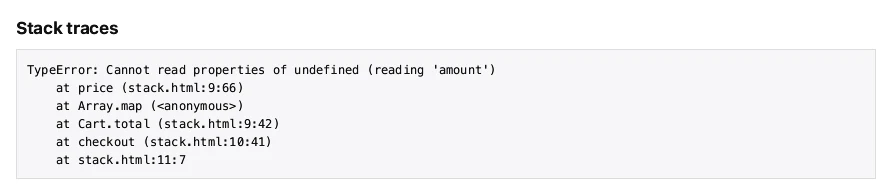
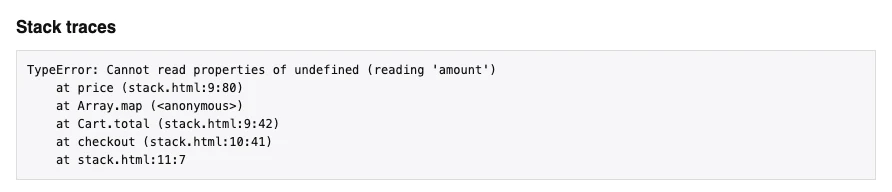
An error thrown inside a callback, such as one run by map or forEach, used to show only the callback: everything that called it was lost. Stack traces now carry on through the built-in that ran it (at Array.map), name each frame the way the reference browser does (Cart.total), and point at the column of each call. The trace is only put together when a page reads it, so a page that throws and catches errors in a loop no longer pays for traces it never looks at.
a TypeError thrown inside a map callback
JSON errors that say what went wrong
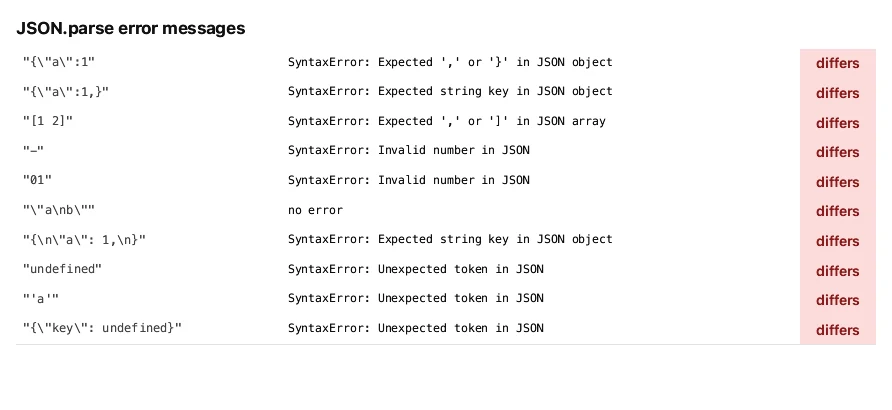
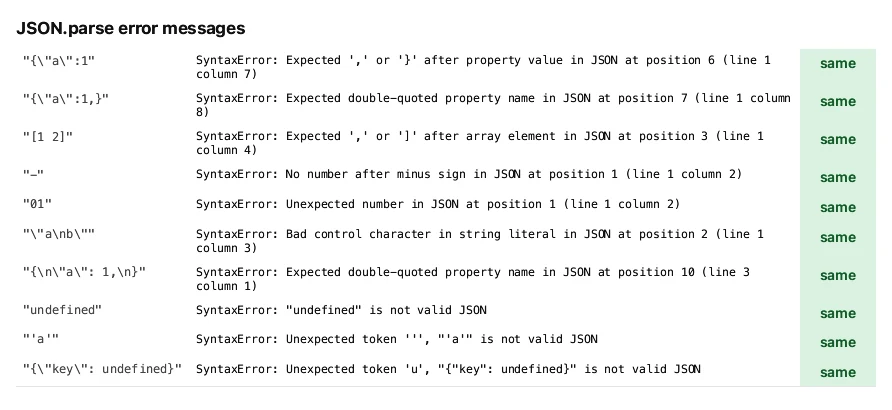
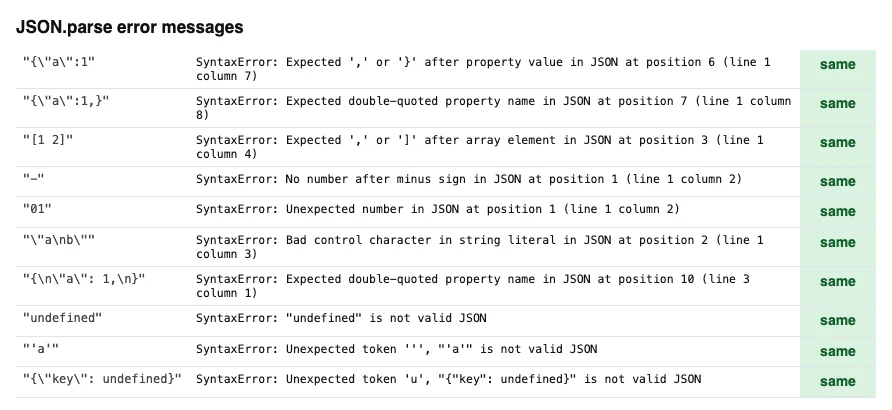
When text is not valid JSON, the error now says what was expected and where, with the line and column, or quotes the part of the text around the problem, word for word as the reference browser does. Finding that out no longer costs more for longer text, and long strings inside JSON are read up to five times faster.
ten invalid JSON texts and their messages
바뀐 점
변경 17개- 렌더링A block inside a link or span splits the line around it as the standard describes, keeping the link's underline on every piece; generated ::before and ::after boxes count toward their element's size, and inline-block ones (icon slots, status dots, badges) draw.
- 렌더링The font shorthand resets the line height when it does not name one, so small print and bylines are as tight as in the reference browser.
- 렌더링Empty inline elements (anchors, placeholders) have a position on their line, so scrolling to an anchor and measuring one work; a space beside one no longer doubles.
- 렌더링Fonts named by a script after the page loads get their real faces; Helvetica, Times and Courier get the reference browser's line spacing; Times New Roman and Courier New use their own files.
- 렌더링A page that shows its own CSS (a style element set to display: block) shows it, and head, title, script and the other metadata elements compute display: none.
- 탭과 인터페이스Tables and their parts get their table display values from the browser's own style sheet, and menu, dir, hgroup and search are blocks, so pages that read these styles get the reference browser's answers.
- JavaScript와 JITStack traces continue through callbacks run by built-ins, name frames by their receiver (Cart.total, Array.map), point at the column of each call, and stop at ten frames as in the reference browser. They are built only when read, and the frames of a repeated error are formatted once.
- JavaScript와 JITJSON.parse errors are worded as the reference browser words them, with the position, line and column or a quote of the text around the problem. JSON.parse and JSON.stringify call revivers and replacers in exactly the order the standard gives.
- JavaScript와 JITJSON reads long strings up to five times faster, and an error at the end of a long text costs no more than the parse itself.
- JavaScript와 JITPage transitions (startViewTransition): a real ViewTransition with its promises in order, skipping, transition types, waitUntil and element-scoped transitions. They finish instantly, as with reduced motion.
- 웹 API와 DOMThe window is its own event target: window and document listeners are separate, events reach the window after the document (never for load), and window.onclick and document.onclick are separate handlers.
- JavaScript와 JITResponse objects are real: status checks, clone, Response.error, Response.json and Response.redirect, and fetch returns one. Request objects resolve their address, carry a signal and can be passed to fetch.
- 웹 API와 DOMElement attributes, form validity, custom element upgrades, Set and Map iteration, childNodes and children are live, as the standard says; editing an attribute node changes the element.
- 웹 API와 DOMUncaught errors fire the window's error event and window.onerror, including errors thrown in timers, listeners and microtasks.
- JavaScript와 JITA loop over a Set or a Map runs about 2.6 times faster, and restyling after a change on a large news page touches only what the change can reach instead of the whole page.
- 렌더링Inserting or removing a positioned box (a tooltip, an overlay) no longer lays out the whole page again before the next measurement.
- 웹 API와 DOMThe measured Web APIs score rose from 51.2 to 52.8, counted over the whole platform surface against the reference browser, and all 12 test sites still run with no script error the reference browser does not also show.
내 브라우저에서 확인
각 확인 항목은 지금 읽고 있는 브라우저에서 바로 실행됩니다. 아무것도 전송되지 않습니다.


