릴리스 노트는 영어로 작성되어 있습니다.
A stuck tab stops at once
A stuck tab now stops at once. A script caught in a nested loop could keep running for over a second after you closed its tab, and a runaway regular expression could not be stopped at all. Both now stop within a few milliseconds. We also found and fixed a bad one: heavy WebGL pages were being closed for using too much memory that they were not using. The Memory page and the stopped page are redesigned around what is really true.
A stuck tab stops when you say so
This started with a test that failed once on a busy Linux machine. It looked like noise, and running it alone said it was. Running it with every core busy said otherwise: it failed seven times in ten. A compiled loop was only checking for a stop request now and then, and how often depended on what the loop was doing. Worse, a loop could overrun, roll back, redo its work and grow its next stretch, so the checks drifted further apart the longer it ran. Now each stretch is timed, it ends at a clean point instead of rolling back, and the checks stay about a millisecond apart whatever the loop does. One case is still open: a single iteration that runs for billions of steps inside its own loop can still stop late.
Closed for memory it was not using
We nearly published a wrong number here. Testing this release, a scene of 10,000 fish seemed to jump from 16 to 25 frames a second. It had not. A label looked odd, so we looked at the window, and the page had been closed 18 seconds in with a message saying it was using too much memory. Our counter had been reading the error page. Real memory was flat at 790 MB, but memory made on the page's thread and freed on the GPU's thread was never taken off the page's total, so it reached the 4 GB limit by itself. Every large block now remembers who made it. The scene now ran through a full 80 second test, at an honest 16 frames a second, and the other half of the bug is gone too: a page can no longer hide its own growth by freeing another thread's memory.
A Memory page that only says true things
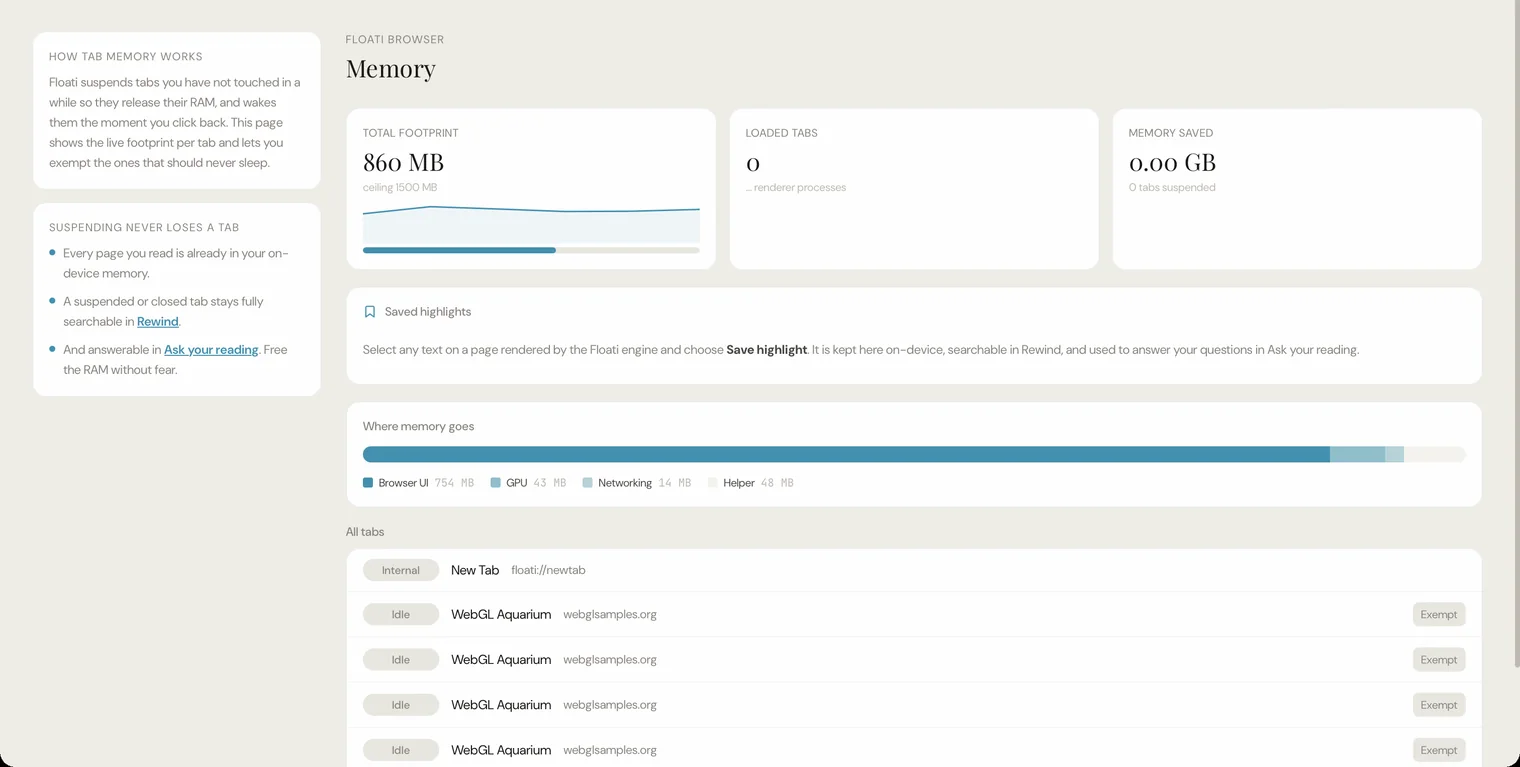

Rebuilding this page meant reading what was behind it, and a lot of it was not real. The ceiling was a number we made up, memory saved assumed 150 MB per tab, per-tab figures were always empty, and the button to exempt a tab from sleeping controlled something that never happens. Most of the memory was labelled Browser UI when it is your pages and the engine. All of that is gone. What is left is measured: what is in use, the last few minutes, where it sits, your tabs, and a Free memory button that gives back what it can and tells you how much.
The Memory page before and after, on the same four heavy tabs.
A stopped page you can read
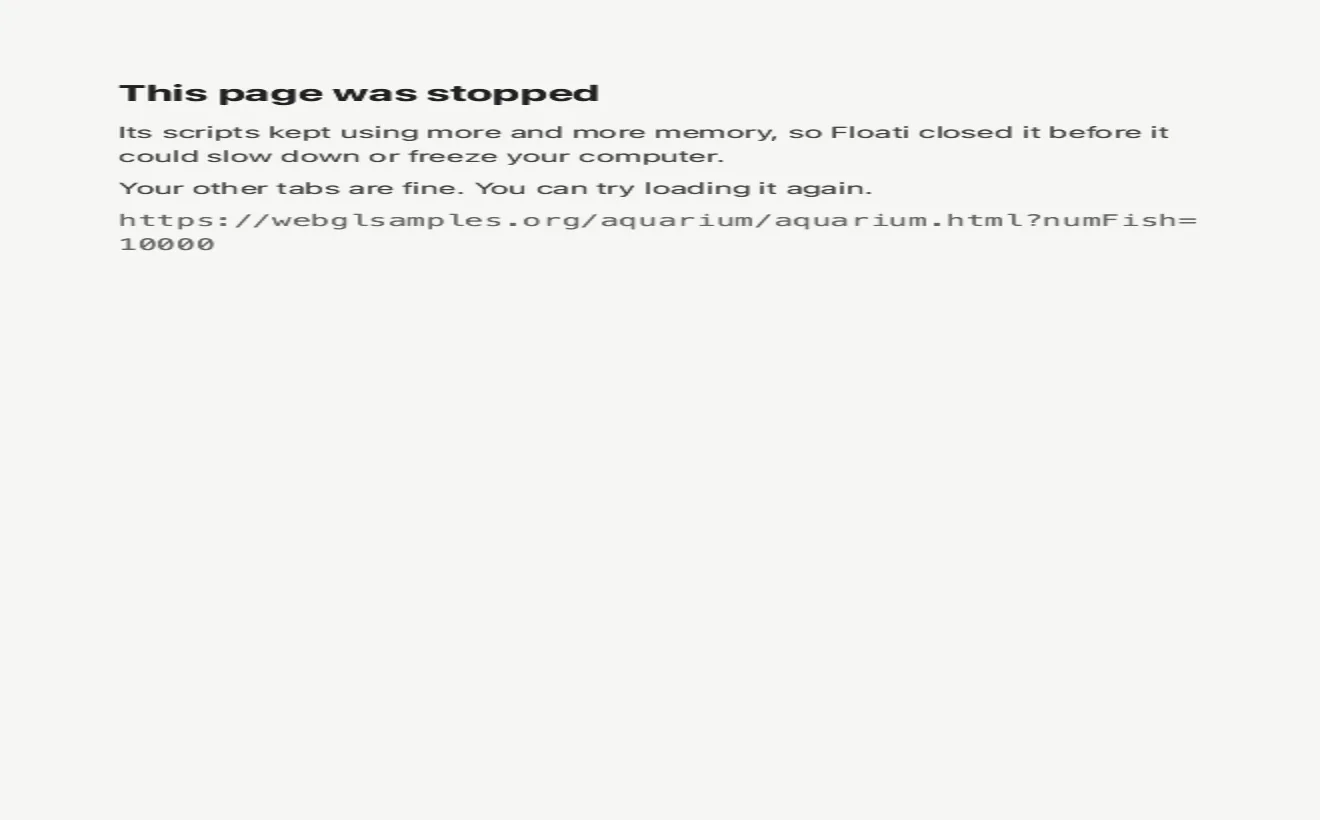


When a page runs away with memory, this is what you see, and ours looked broken. The text was drawn at a small size and stretched to fit the window, so it came out wide and blurry. The cause was that the new page lost the window's width and scale when it replaced the old one, and it now keeps them. Then we redrew it: a plain heading, one sentence on what happened, the site's name and a Reload button in your accent colour. Reload was its own small hunt. The click reached the page and did nothing, so the button now has a proper script behind it and works every time. The reference browser is shown for comparison, with its page for a crash, which is the closest it has.
The stopped page before and after, and the reference browser's crash page.
vertical-align with a length
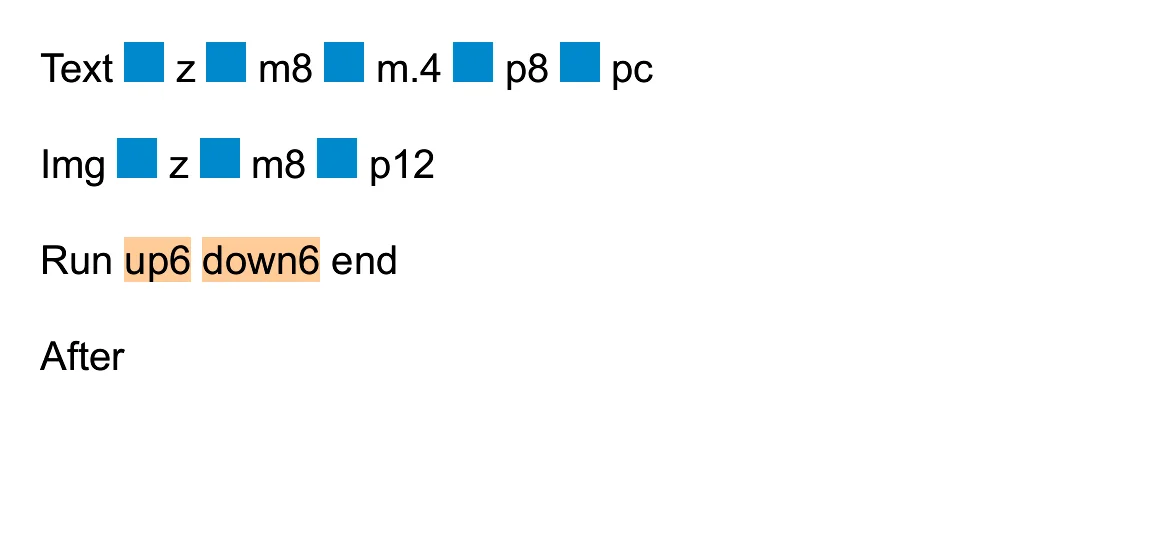
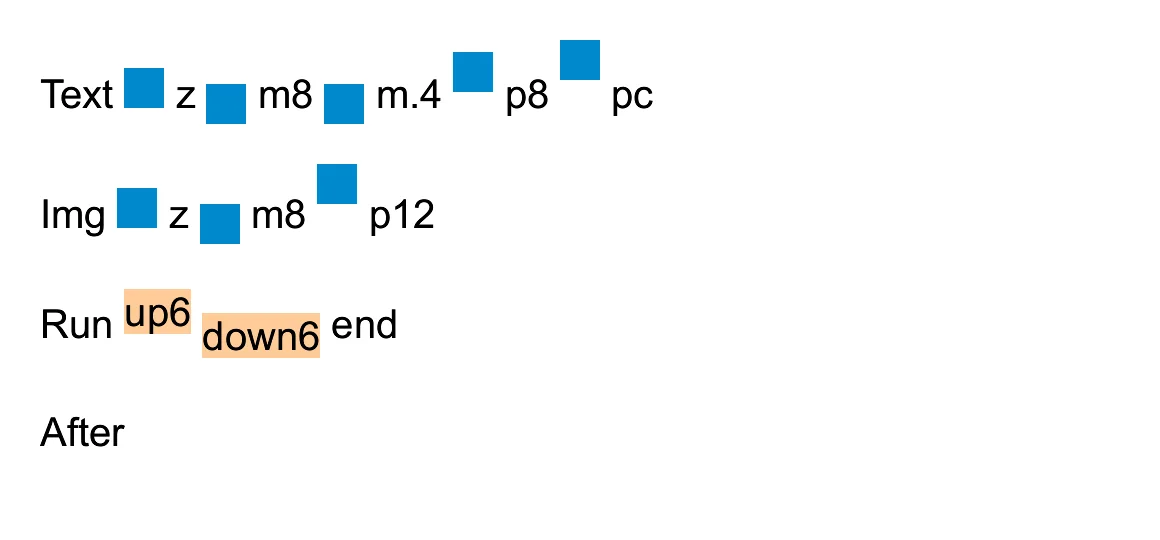
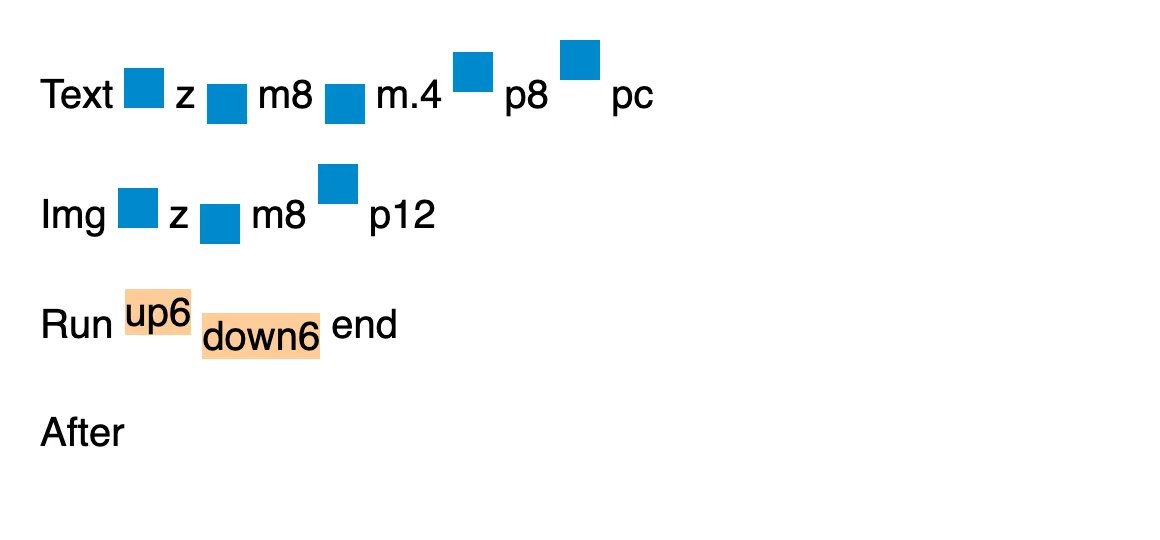
We found this one while lining up the logo on the stopped page: it would not move, whatever the value. vertical-align with a length or a percentage was ignored on images, inline boxes and text, so every icon nudged down a few pixels sat in the wrong place, on any site. Lengths and percentages now move the box and grow the line to fit, the way they should.
Boxes, images and text moved with vertical-align: Floati without this fix, with it, and the reference browser.
바뀐 점
변경 16개- JavaScript와 JITFIX: a script stuck in a nested loop stops within milliseconds. A compiled loop checked for a stop request after a fixed count of steps, so the wait depended on what the loop did: 45 ms on a light body, a second on a heavy one, and up to 1.6 s after a nested loop had run for a while. It now checks by time, about once a millisecond.
- 렌더링FIX: a regular expression that backtracks forever can be stopped. A match counted as one step to the script around it, so it never saw a stop request and the page hung until the time limit. It now checks while it matches.
- JavaScript와 JITFIX: a loop with long iterations no longer redoes one each time it checks for a stop. Under load those checks drifted up to 780 ms apart, and now stay about a millisecond apart.
- 기억과 읽기FIX: a heavy page is no longer closed for memory it does not hold. A block made on the page's thread and freed on another stayed on the page's count, so a WebGL scene reached the 4 GB limit in 18 seconds with real memory flat at 790 MB.
- 기억과 읽기FIX: freeing memory for another thread no longer hides a page's own growth from the memory limit.
- 렌더링FIX: vertical-align with a length or percentage now works. It was ignored on images, inline boxes and text, so icons nudged with it sat a few pixels off.
- 탭과 인터페이스FIX: the page shown after a stop fills the window at full sharpness. It was drawn small and stretched, which made the text wide and blurry.
- 렌더링New: the stopped page is redesigned, with the site's name, the browser's accent colour and a Reload button that works every time you press it.
- 기억과 읽기New: the Memory page is rebuilt on measured figures only, with a Free memory button.
- 기억과 읽기FIX: the invented memory ceiling, memory saved estimate and per-tab figures are gone from the Memory page, and the largest share is labelled Pages and engine.
- JavaScript와 JITSpeed: a function that names arguments takes the same fast call path as any other, from the call cache in compiled code.
- JavaScript와 JITSpeed: a place in a script that calls several functions in turn keeps three more of them, and one that reads several typed arrays in turn keeps one more, so taking turns no longer means a full lookup each time.
- 렌더링Speed: a place whose object keeps changing shape stops refilling its cache for most of a count of 256, for names and scopes alike, so it no longer pays for a cache that never hits.
- 렌더링Speed: releasing a value no longer pays for the check on object cycles unless it is an object and something could use the answer.
- 기억과 읽기Testing: the leak law takes the true middle of its steps, so one late free on a busy machine no longer reads as a leak. A page held for 150 runs stays level.
- JavaScript와 JITTesting: new laws cover stopping a heavy loop, a nested loop, a long iteration, an iteration that outgrows its allowance, and a catastrophic pattern, and the loop laws are shown to fail with the fix switched off.