릴리스 노트는 영어로 작성되어 있습니다.
A site's own security rules are kept the whole time the page runs, Trusted Types, a map of every unsafe write in DevTools, and animations from script
Sites can tell the browser which code they are willing to run, through a Content-Security-Policy. Floati kept those rules for the scripts a page arrives with; now it keeps them for everything the page does afterwards. Code built from text (eval, new Function, a timer given a string), inline event handlers and scripts that another script injects are refused when the site's rules say so, and the page hears about each refusal as it would in the reference browser. Trusted Types, the strongest of these rules, is new: a site that requires it gets HTML and script sinks that only take checked values. What a site's rules refused is listed in plain words in the Explain panel, and DevTools gains an XSS risk map: every string a page writes into HTML or code, at the line that wrote it, with the ones carrying text from the address bar at the top. Pages can also animate from script now (element.animate and the whole Web Animations API, scroll-driven timelines included), and several long-standing script bugs are fixed. Measured against the reference browser, the Web APIs surface goes from 62.5 to 63.8 percent, and every test site stays free of script errors the reference browser does not also show.
The site's own rules, kept the whole time
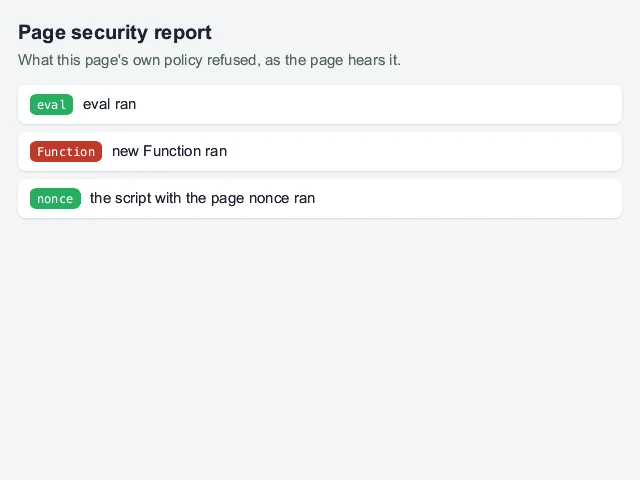

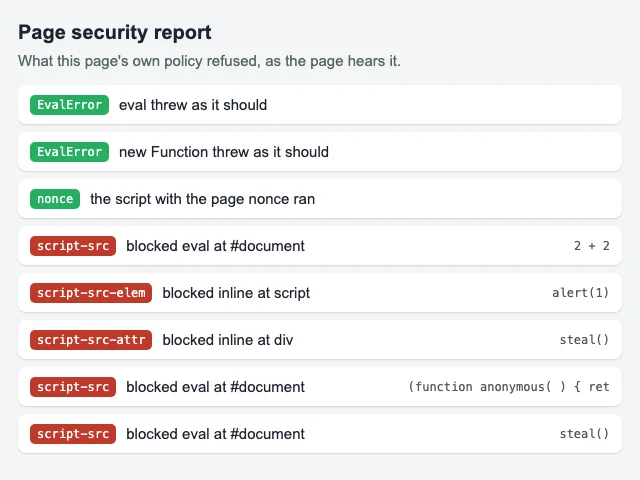
A Content-Security-Policy is a list, written by the site, of the code it is willing to run. It is the main defense against cross-site scripting: when an attacker manages to put script into a page, the site's own policy is what stops it. Floati enforced it for the scripts in the page's HTML; everything the page did later ran unchecked. Now every way of turning text into code answers to the policy: eval and new Function throw the reference browser's EvalError, a timer given a string is refused, an inline handler such as onclick="..." is refused when it would first run, and a script that another script injects is checked against the policy's nonces, hashes, hosts and 'strict-dynamic'. Each refusal reaches the page as a securitypolicyviolation event at the element involved, and as a report to any ReportingObserver, with the same directive, sample and disposition the reference browser gives; a report-only policy reports and refuses nothing. In the picture, the page's own security report: before, the old engine ran the code the site forbade.
a page reporting what its own security policy refused
Trusted Types
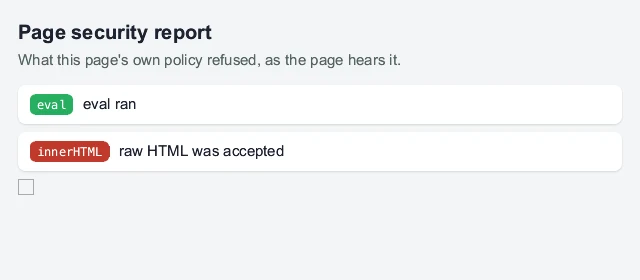
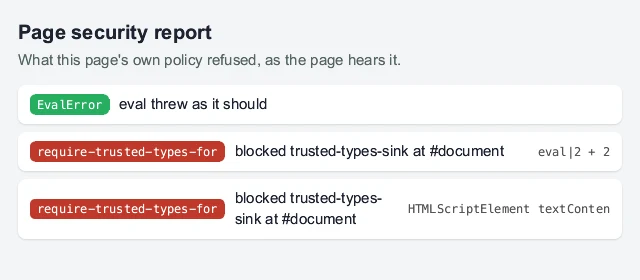
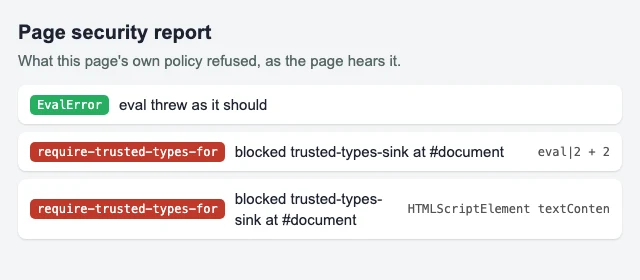
Trusted Types is the policy a site uses to say that no raw string may become HTML or code on its pages: innerHTML, document.write, insertAdjacentHTML, a script's text or source, an iframe's srcdoc, eval and the rest take only values a policy the site wrote has checked. Floati now has the whole of it: trustedTypes and its policies, TrustedHTML, TrustedScript and TrustedScriptURL, the default policy that is asked about every string, the list of policy names a site allows, and every sink, with the reference browser's errors and violation reports. eval given a TrustedScript runs it.
a page that requires Trusted Types: raw HTML and code from text are refused
See what a site's rules protected you from
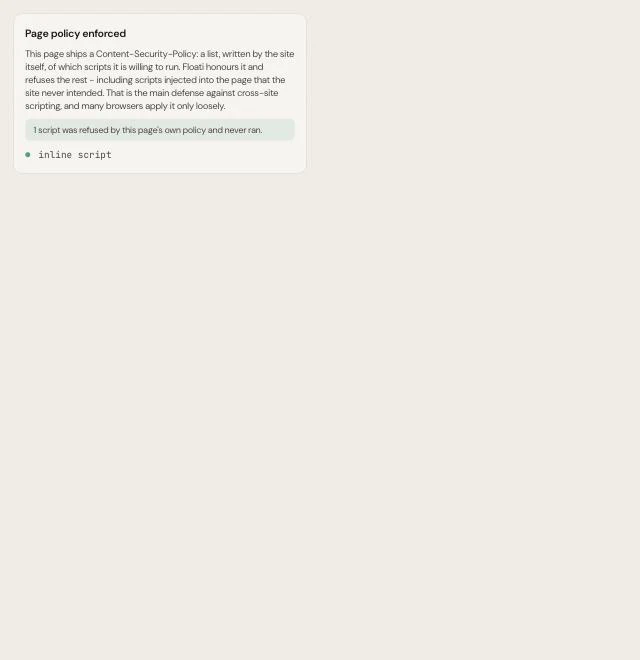
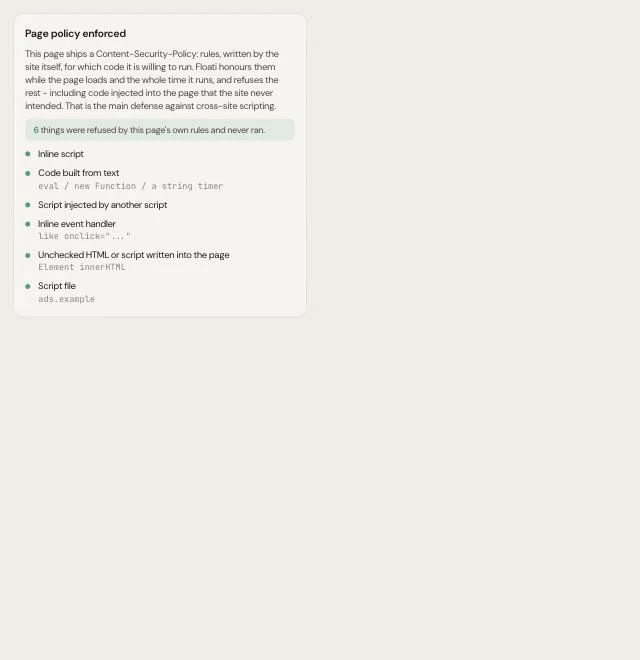
The Explain panel's Page policy enforced card listed only the scripts refused while the page loaded. It now lists everything the site's own rules refused while you used the page, each in plain words: code built from text, an inline event handler, a script injected by another script, unchecked HTML or script written into the page, an unapproved script policy, or a script file and the site it came from. A page that retries the same thing in a loop is one line.
the Explain panel's Page policy enforced card, for the same page
An XSS risk map in DevTools
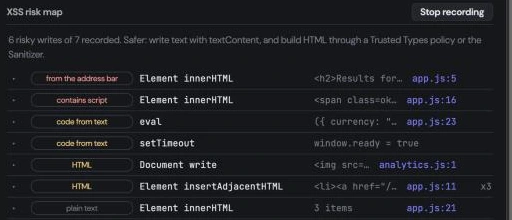
The Privacy panel can now record every string a page writes into something that parses HTML or runs code: innerHTML and outerHTML, insertAdjacentHTML, document.write, DOMParser, a script's text and source, an iframe's srcdoc, a javascript: link, an event handler attribute, eval, new Function and string timers. Each write is shown at the line of the page's own code that made it (one click opens it), merged with others from the same place, and graded: from the address bar (the string carries text from the link's query or fragment, or window.name, into HTML or code: the shape of a DOM XSS, where whoever crafts the link writes into your page), contains script, code from text, HTML, or plain text that textContent would handle safely. Nothing is blocked while it records, and it costs nothing when it is off. No other browser's developer tools show this.
Animations from script
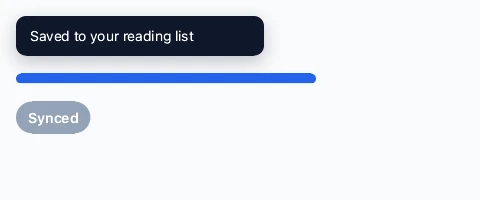
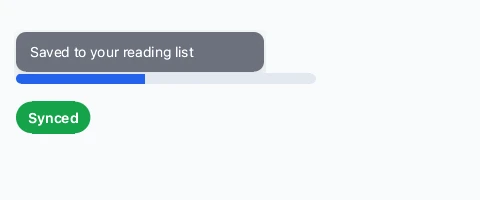
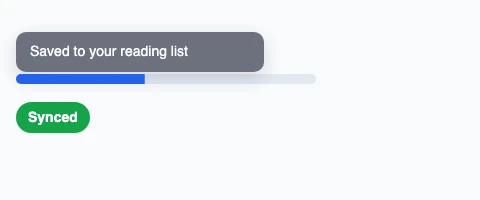
element.animate() and the Web Animations API are real: Animation, KeyframeEffect, both keyframe forms with offsets and easing, timing with delays, iterations, direction and fill, play, pause, finish, cancel, reverse, seeking and playback rate, the ready and finished promises, finish and cancel events, getAnimations, commitStyles, and timelines that follow scrolling (ScrollTimeline, ViewTimeline). An animation is sampled by the renderer on the page's clock, so it plays without any script running per frame, and a scroll-driven one follows the scroll frame by frame. A 2D transform now pivots on its transform-origin (it used the centre).
a toast, a progress bar and a chip animated with element.animate, paused part way
Script fixes found on the way
setTimeout('code') ran nothing (it threw). A script inserted by append, prepend, insertBefore, before, after, replaceChildren, replaceWith or insertAdjacentElement ran late instead of at once, a script given its text after it was inserted never ran, and document.currentScript was empty inside one. A page that wrapped the innerHTML setter and called the original wrote nothing, and a setter wrapped with the original getter was skipped. DOMParser kept its method on each instance. Error stacks stopped at a getter or setter instead of continuing into the code that read or wrote the property, and DOM frames are named by their interface. Every one of these now behaves as the reference browser does.
바뀐 점
변경 8개- 개인정보 보호와 ShieldsA site's Content-Security-Policy is kept while the page runs: eval, string timers, inline handlers and injected scripts refused as the site asks; every refusal reported to the page.
- 개인정보 보호와 ShieldsTrusted Types: policies, the default policy, and HTML and script sinks that take only checked values when a site requires them.
- 개인정보 보호와 ShieldsThe Explain panel lists, in plain words, everything the site's own rules refused while you used the page.
- 탭과 인터페이스DevTools: an XSS risk map of every HTML and script sink write, at its line, graded by risk.
- JavaScript와 JITWeb Animations: element.animate, the play state machine, promises and events, scroll-driven timelines, played by the renderer.
- 렌더링Error stacks continue through getters and setters, as in the reference browser.
- 웹 API와 DOMFixed: string timers, scripts inserted by any method run at once, wrapped setters, dynamic import on sites that forbid eval, DOMParser, CryptoKey objects.
- 웹 API와 DOMWeb APIs measured against the reference browser: 62.5 -> 63.8 percent of the surface; all 14 test sites free of reference-only script errors.
내 브라우저에서 확인
각 확인 항목은 지금 읽고 있는 브라우저에서 바로 실행됩니다. 아무것도 전송되지 않습니다.

