모든 버전 v0.1.37221 10월 2026렌더링, 개인정보 보호와 Shields 피드

릴리스 노트는 영어로 작성되어 있습니다.

Your data stays put, your choices stick, and dictation that really listens

A safety release, checked by hand in the app on a Mac. The most important fix: when macOS asked for your password to unlock Floati's keychain entry and the answer took more than four seconds, Floati could give up on your saved data and start an empty profile. It now waits for you, tries every key it knows, and never deletes a profile it cannot open: it keeps it aside and puts it back as soon as a key opens it. Microphone choices now hold the way you set them, across restarts and in installed apps. Files dropped from Finder land exactly where you let go. Dictation was tried with real speech and transcribed on the Mac, and when macOS Dictation is off Floati now tells you how to turn it on instead of reporting silence. Game controllers can rumble on a Mac too (not yet tried with a real controller).

possible -> neverProfiles deleted on a key mismatch
Always, Never, Only this timeChoices checked across a restart
half the position -> exactDrop point on a Mac
주요 내용6

Your saved data is never thrown away

Floati keeps your history, bookmarks, passwords, highlights and site settings in an encrypted database on your computer, with its key in the system keychain. When an update changes how the app is signed, macOS can ask for your password before it hands that key over. Floati waited only four seconds for the answer; after that it used a spare key from a file, the database did not open with it, and Floati deleted the database and started an empty one. Now it waits as long as the password prompt is on screen, it only makes a new key when there truly is none (a refused or slow answer never replaces the key you have), and it tries every key it knows before deciding. If none opens the database, the database is kept aside, never deleted, and the next time a key opens it Floati puts it back by itself, re-locked with the current key. Site data a page stores on your computer follows the same rule.

Profiles deleted on a key mismatchpossible -> neverWait for the keychain prompt4 s -> while it is on screen

Microphone and other choices hold the way you set them

Always allow and Never allow are remembered per site and now apply from the first moment a page is open, including a tab Floati reopens when it starts: before, that tab could load before your saved choices were read, so it asked again or let a request through that you had blocked. Changing a site from Allow to Block (or back to Ask) on the site card takes effect on the open page at once, with no reload. Only this time lasts for that page and asks again next time. All three were tried by hand across restarts. The site card also counts each request, for example a microphone asked for twice and refused twice.

Choices checked across a restartAlways, Never, Only this time

Permission prompts inside installed apps

A site installed as an app opens in its own app tab with a slim app bar instead of the address bar. When such an app asked for the microphone, Floati's prompt had nowhere to appear and the request waited forever. The prompt now shows under the app bar, with the live microphone meter, the site's visit count and the same Allow for 1 hour, Always allow, Only this time and Never allow choices as in a normal tab.

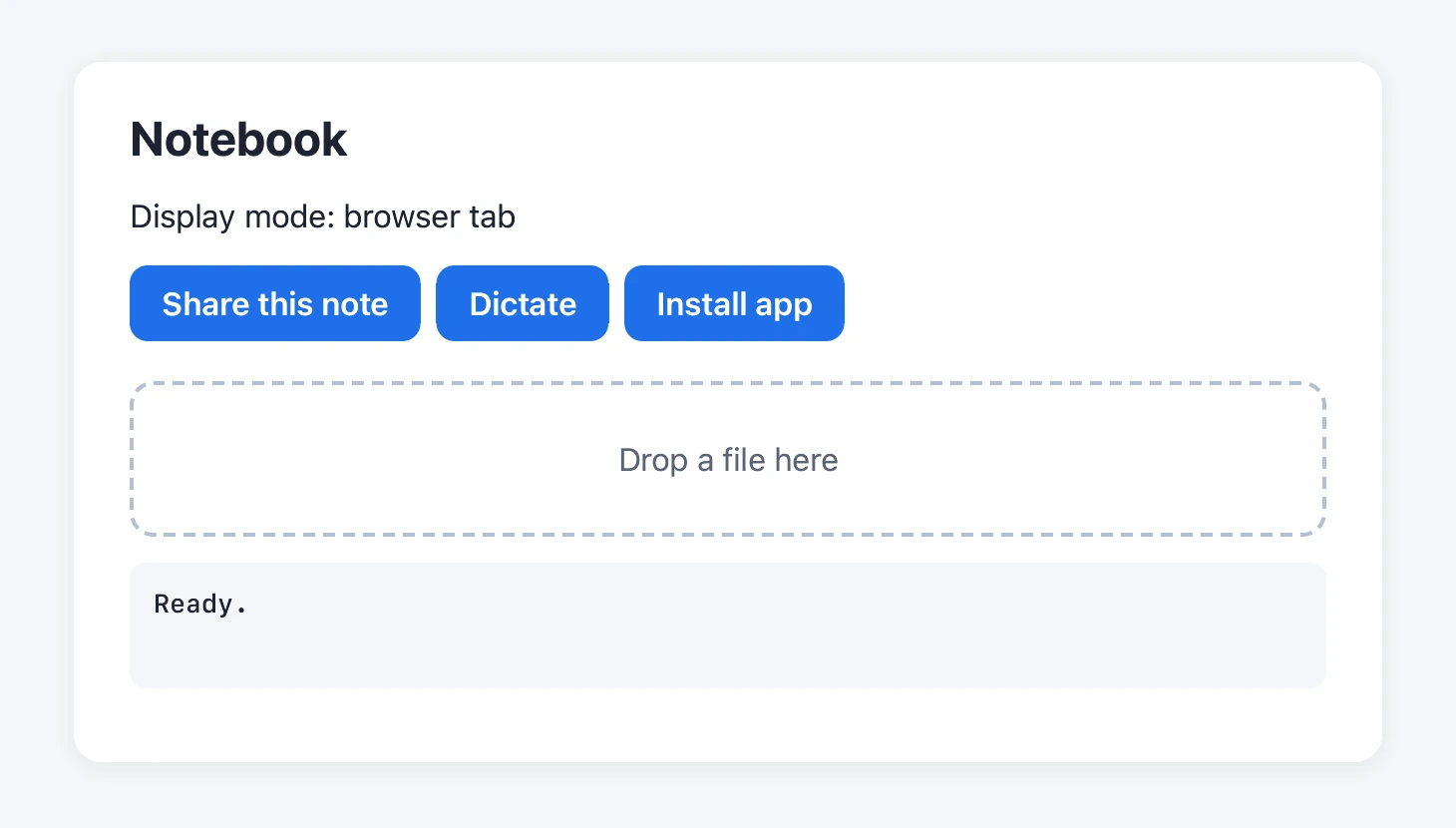
Files dropped from Finder land where you let go
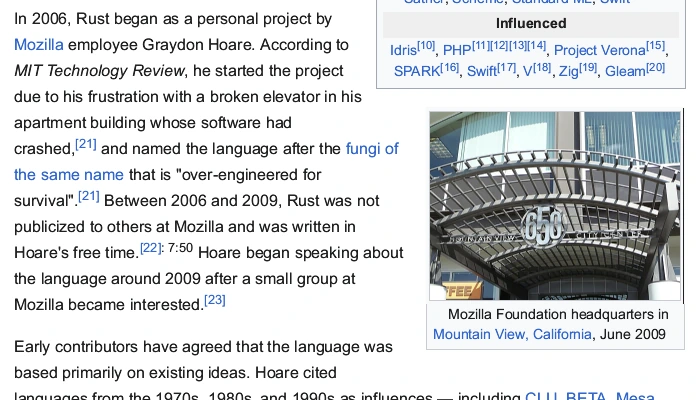
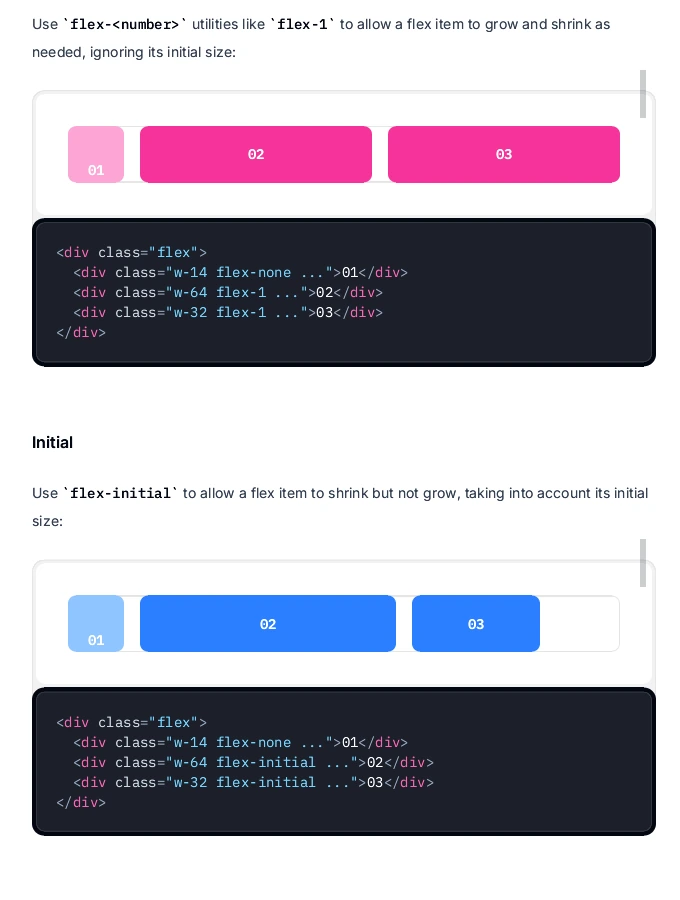
이전이후
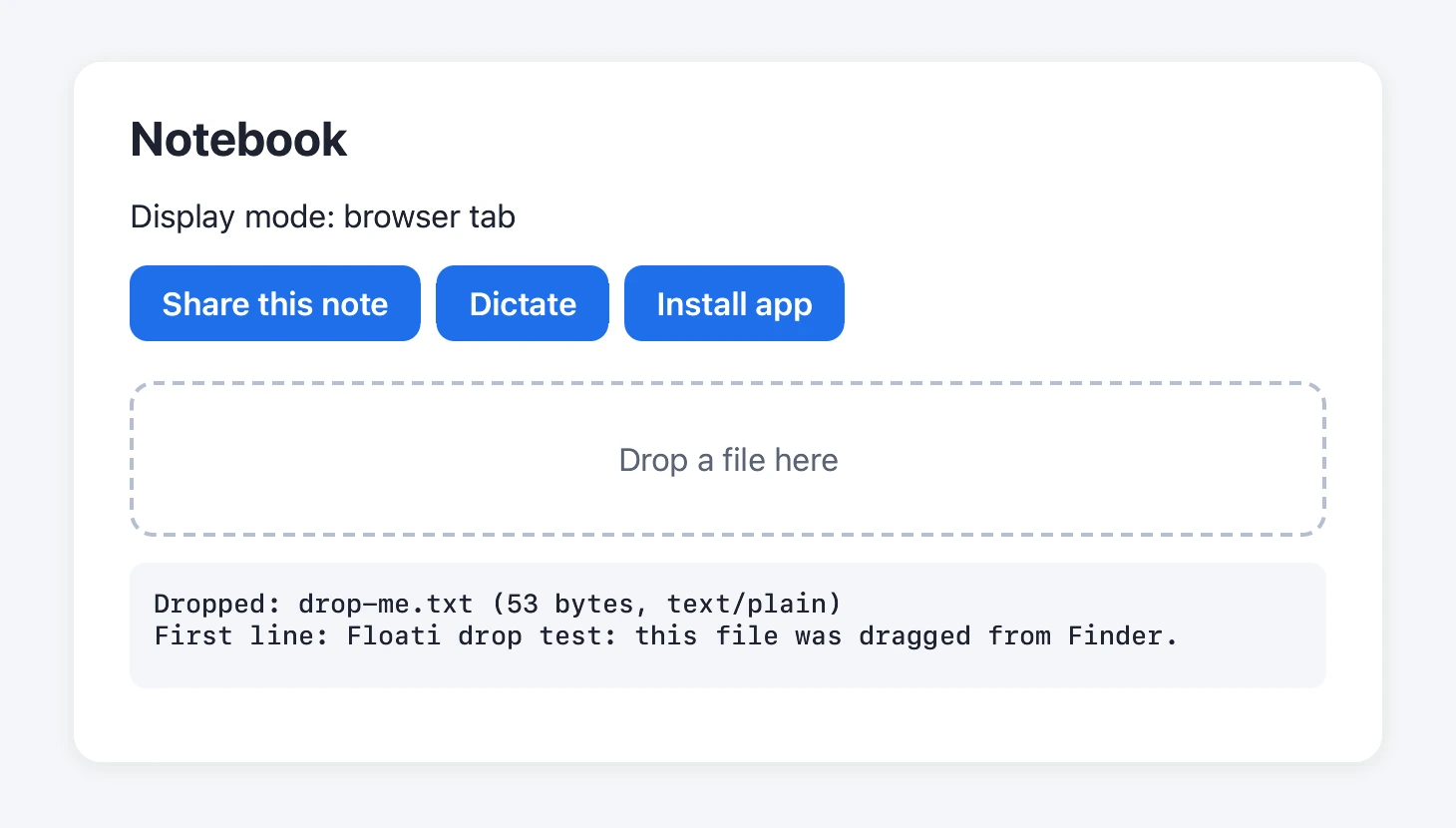
이전: a text file dragged from Finder onto a page's drop zone
이전
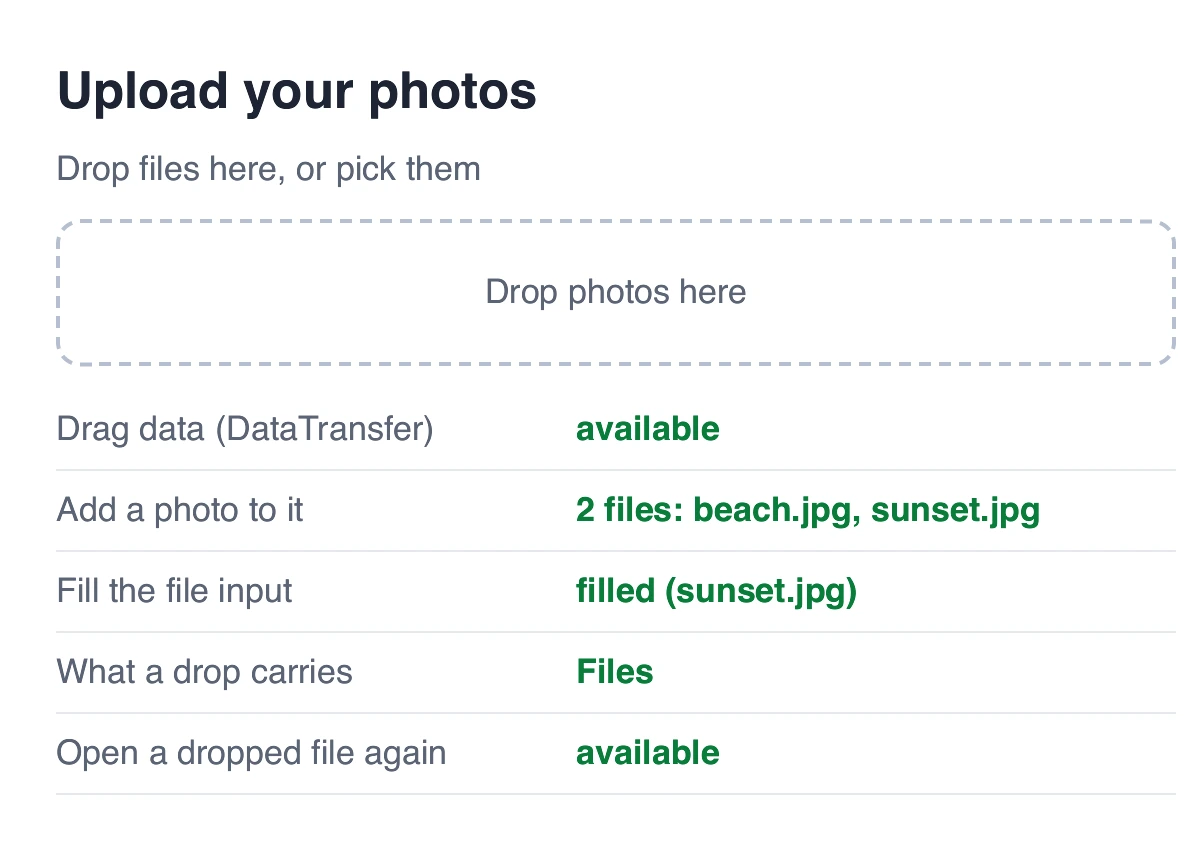
이후: a text file dragged from Finder onto a page's drop zone
이후 · v0.1.372

Dropping a file onto a page in the previous version could miss the drop zone: the drop point was halved on a Mac, so the page received the file somewhere above where you let go, and on some pages the drop was not found at all. Now the page under the pointer gets the drop at the exact spot, reads the file's name, type and contents, and a drop zone like an uploader's reacts as it should.

a text file dragged from Finder onto a page's drop zone

Drop point on a Machalf the position -> exact

Dictation, tried with real speech

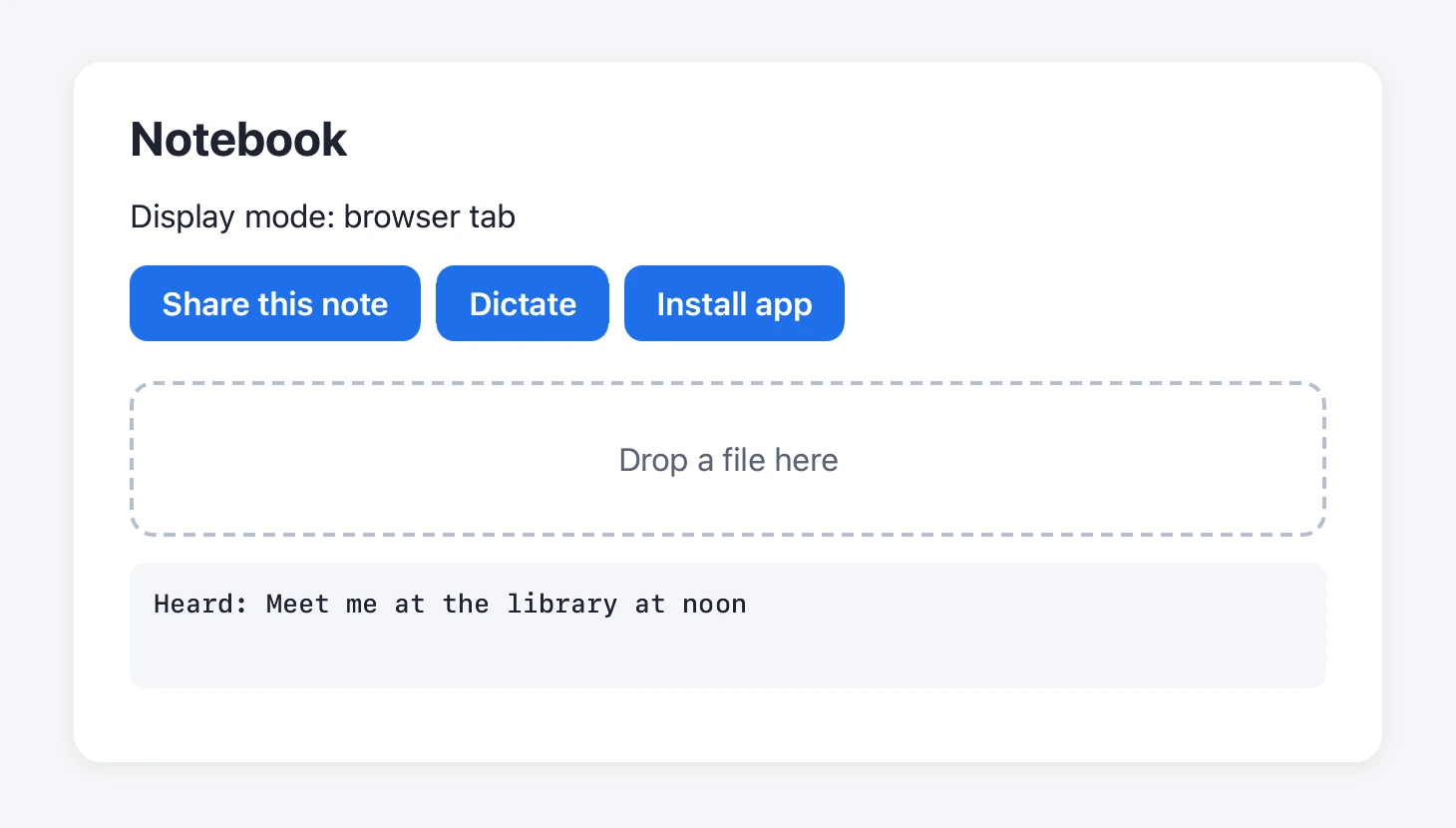
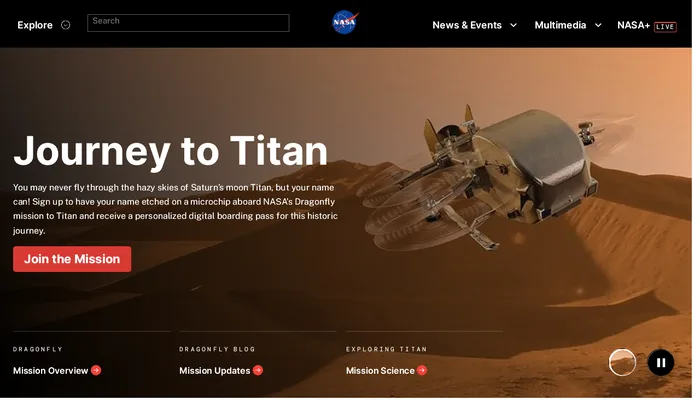
A page transcribing a spoken sentence, recognised on this Mac

Speech recognition was tried end to end in the app: the page asked for the microphone through Floati's prompt, the Mac's own recognizer transcribed the sentence with on-device recognition required, and the words came back to the page. Nothing was sent anywhere. When macOS Dictation is switched off, the recognizer refuses; Floati used to tell the page nothing was heard, which looked like a broken microphone. Now the page is told the service is not available, and Floati shows a short note on how to turn Dictation on in System Settings. Other cases are reported precisely too: nothing heard, or listening stopped.

Controllers rumble on a Mac too

A game's vibration effects now reach the controller on a Mac as well as on Windows: Floati plays them through the controller's own haptics engine, with the strength the game asks for and for its duration. A newer effect or a reset stops the one playing, as before. This was built against the controller's haptics interface and has not yet been tried with a real controller on a Mac.

바뀐 점

변경 6개
  1. 개인정보 보호와 ShieldsA profile that no key opens is kept aside and restored later, never deleted; Floati waits for the keychain prompt instead of 4 seconds.
  2. 개인정보 보호와 ShieldsSaved permission choices apply to a tab reopened at start-up and to an open page as soon as you change them.
  3. 개인정보 보호와 ShieldsPermission prompts show in installed app tabs, under the app bar.
  4. 렌더링Files dropped from Finder reach the exact point under the pointer.
  5. 렌더링Dictation reports Dictation off, nothing heard and stopped listening precisely, with a note on turning Dictation on.
  6. 렌더링Game controller rumble on macOS through the controller's haptics engine.

v0.1.372 이후 전부를 한곳에서

버전

v0.1.0 - 0.1.9 · 10 7월 2026418v0.1.427 · 25 11월 2026

11월2026 · 버전 22개

42425 11월More layout reused after a script changes the pagev0.1.424 · 렌더링 42021 11월Pages you come back to run their scripts soonerv0.1.420 · 렌더링17 41711 11월Pages wait less for their own scripts and stylesv0.1.417 · JavaScript와 JIT13 4129 11월Video moves to the graphics cardv0.1.412 · 미디어 4109 11월Canvas drawing moves to the graphics cardv0.1.410 · 렌더링27 4098 11월Every tile on the GPUv0.1.409 · 렌더링26 4088 11월3D at 120 frames a secondv0.1.408 · 렌더링23 4077 11월WebGL 2v0.1.407 · 렌더링36 4045 11월WebGL pages finally movev0.1.404 · 렌더링25 4035 11월WebGPU is herev0.1.403 · 렌더링35 4024 11월A canvas that moves itself to the GPUv0.1.402 · 렌더링 4014 11월99% of real pages decided by the GPUv0.1.401 · 렌더링9 4004 11월Smooth turns, the same bytes on every chip, and fields that keep their textv0.1.400 · 렌더링15 3994 11월Animations on the GPU compositor, and text that stays in its boxv0.1.399 · 렌더링22 3984 11월Gradient patterns that tile, animations that keep up, and a much faster canvasv0.1.398 · 렌더링14 3973 11월Transitions that ease, and a GPU that draws 94% of real pages itselfv0.1.397 · 렌더링 3963 11월Animations on the GPU compositor, and spinners that spin as arcsv0.1.396 · 렌더링 3953 11월Carousels that fade, badges that stay put, and floats that stay insidev0.1.395 · 렌더링12 3943 11월Background images over their colour, interlaced pictures, and borders in every colourv0.1.394 · 렌더링 3932 11월Style sheets in page order, and symbols that fall back like macOSv0.1.393 · 렌더링 3891 11월A computer maker's home page: navigation labels back, buttons apartv0.1.389 · 렌더링 3881 11월A space agency's home page, a news section and a language site's header now match the referencev0.1.388 · 렌더링18

10월2026 · 버전 29개

38225 10월Closed tabs give their memory back, and XML pages read as XMLv0.1.382 · 기억과 읽기12 38025 10월Scrolling boxes scroll, pages look right, and scripts from other sites need permissionv0.1.380 · 렌더링16 37924 10월Pages laid out the way their authors wrote them, and less memory againv0.1.379 · 렌더링22 37121 10월Drop files onto pages, dictate without your voice leaving the Mac, and controllers that rumblev0.1.371 · 웹 API와 DOM · 확인해 보기 37021 10월Open your files, share to your phone, have pages read aloud, install sites as apps, play with a controller, and accented text drawn rightv0.1.370 · 개인정보 보호와 Shields · 확인해 보기11 36920 10월Passkeys with Touch ID and Windows Hello, sites that work offline, notifications you allow, and devices asked for first, all kept on your devicev0.1.369 · 개인정보 보호와 Shields · 확인해 보기9 36820 10월A site's own security rules are kept the whole time the page runs, Trusted Types, a map of every unsafe write in DevTools, and animations from scriptv0.1.368 · 개인정보 보호와 Shields · 확인해 보기 36720 10월Events, form controls, performance timing, URL patterns, live streams and the newest JavaScript: the Web APIs score rises from 59 to 62v0.1.367 · 웹 API와 DOM · 확인해 보기10 36619 10월Events, custom form controls, fonts and navigation work the way the web standards say: the Web APIs score rises from 53 to 59v0.1.366 · 웹 API와 DOM · 확인해 보기9 35715 10월Loops that test a number run as machine code, more of your functions compile, and reading page nodes is three times fasterv0.1.357 · JavaScript와 JIT · 확인해 보기14 35211 10월Code that loads on demand starts at once, images decode beside their downloads, writes run compiledv0.1.352 · 렌더링 · 확인해 보기10 35111 10월Styles read once, layouts redone only where they changed, built-ins in compiled loopsv0.1.351 · JavaScript와 JIT · 확인해 보기12 35010 10월Helpers that compile, strings that stay small, and events that fire fastv0.1.350 · JavaScript와 JIT · 확인해 보기14 34910 10월Scripts that grow in step with their work, layouts laid out once, and colours mixed like the referencev0.1.349 · 렌더링 · 확인해 보기13 3489 10월Scripts that only compile when it pays, cards that line up, and bold that stays boldv0.1.348 · 렌더링 · 확인해 보기14 3478 10월Cards inside links, small print at its real size, and errors you can followv0.1.347 · 렌더링 · 확인해 보기17 3467 10월A real performance timeline, site icons from the engine with a lookalike check, and forms that lay out rightv0.1.346 · 렌더링 · 확인해 보기14 3457 10월Real WebGL, a real 2D canvas, and canvas text that matches the reference browserv0.1.345 · 렌더링 · 확인해 보기10 3446 10월Retina text that keeps its spacing, embeds at their real size, and an address bar that keeps upv0.1.344 · 렌더링 3436 10월Sign-ins that stay signed in, a real IndexedDB, and a storage button that shows what sites keepv0.1.343 · 개인정보 보호와 Shields · 확인해 보기25 3425 10월Theme switchers, chart labels sized by CSS, and SVG text you can measurev0.1.342 · 웹 API와 DOM · 확인해 보기 3415 10월Canvas text measured and drawn like the reference browser, and SVG shapes you can measurev0.1.341 · 렌더링 · 확인해 보기 3405 10월Scripts can read and change SVG the way they do in the reference browser, and a hidden hang is gonev0.1.340 · 렌더링 · 확인해 보기10 3395 10월Every computed style, real stylesheet objects and full 3D geometry, each checked against the reference browserv0.1.339 · 웹 API와 DOM · 확인해 보기12 3385 10월Pages load faster, render truer and gain a dozen modern web features, each one checked against the reference browserv0.1.338 · 웹 API와 DOM · 확인해 보기19 3373 10월Sites load like they do in the reference browser: every test site runs its scripts cleanlyv0.1.337 · 웹 API와 DOM11 3352 10월A developer-docs site works like the reference browser, and every frame gets its own built-insv0.1.335 · 렌더링12 3342 10월Iframes that cost what a paragraph costs, live selections, and rounder cornersv0.1.334 · 렌더링10 3321 10월Pinned tabs on the left or the right, and an honest measure of the web platformv0.1.332 · 탭과 인터페이스9

9월2026 · 버전 32개

32026 9월Pages no longer freeze while a script waits on the networkv0.1.320 · JavaScript와 JIT 31725 9월Closer to the reference browser, and no more address bar tricksv0.1.317 · 웹 API와 DOM 31625 9월Utility-CSS sites get their spacing backv0.1.316 · 렌더링 31425 9월Utility-CSS sites stop stacking their lines on top of each otherv0.1.314 · 웹 API와 DOM 31225 9월The window is finally just the windowv0.1.312 · 탭과 인터페이스 31025 9월Pages stay alive, repaints never block your scroll, and type matches the reference browser'sv0.1.310 · 렌더링10 30824 9월Pages drawn by your graphics card, and scrolling that never waitsv0.1.308 · 렌더링 28611 9월Open a QR code's link without a phone, and pages that reveal themselves on load now show upv0.1.286 · 렌더링 28511 9월Sites built with today's popular styling tools now render the way they shouldv0.1.285 · 탭과 인터페이스 28311 9월Messages between windows now prove who sent themv0.1.283 · 렌더링 27610 9월Security you can check: an honest ledger, a referrer firewall, and mixed content shut downv0.1.276 · 개인정보 보호와 Shields 27110 9월Numbers convert to other bases the way the standard describesv0.1.271 · 렌더링 26710 9월Global feature detection and function introspection match the standardv0.1.267 · 렌더링 26510 9월Dates, collections and error types match the standard's shapev0.1.265 · 렌더링 26410 9월Typed arrays, Map and Set, and bound functions match the standardv0.1.264 · JavaScript와 JIT 26310 9월Object property rules, regular-expression objects, and function introspectionv0.1.263 · 렌더링 26210 9월Function names, and the standard hooks regular expressions rely onv0.1.262 · 렌더링 26110 9월JavaScript read to the standard: number formats, and mistakes caught up frontv0.1.261 · 렌더링 2549 9월Dialogs and popovers: modern overlays that layer correctlyv0.1.254 · 렌더링 2539 9월Form validation: the checks every sign-up and checkout relies onv0.1.253 · 웹 API와 DOM 2457 9월Stricter block scoping and complete Proxy key-listingv0.1.245 · JavaScript와 JIT 2437 9월Pixel-perfect painting: shadows, blurs, underlines, imagesv0.1.243 · 렌더링 2325 9월WebAssembly now rejects broken modules, as a browser mustv0.1.232 · 렌더링 2315 9월WebAssembly runs to the letter of the specv0.1.231 · 렌더링 2305 9월Pinned badges and date gutters line up on real sitesv0.1.230 · 렌더링 2265 9월Inline buttons, tags and highlights are one clean shape againv0.1.226 · 렌더링 2255 9월Real right-to-left pages, and grids that size to their contentv0.1.225 · 렌더링 2225 9월Modern CSS spacing and image cropping catch upv0.1.222 · 렌더링 2205 9월Loops, clicks, and the small print of running a pagev0.1.220 · JavaScript와 JIT 2195 9월The scripts that gave up halfway now finish the jobv0.1.219 · 렌더링 2082 9월Floati's own engine got dramatically faster at the code real pages run every framev0.1.208 · JavaScript와 JIT 2061 9월Explain this page: the browser now understands what a site does, and can prove itv0.1.206 · 개인정보 보호와 Shields

8월2026 · 버전 42개

19927 8월Text falls back to the right fontv0.1.199 · 렌더링 19525 8월Faster on interactive pages that measure and rebuild themselves as they loadv0.1.195 · 렌더링 19019 8월Centred icons, missing menu icons, and a grey smudge - all fixedv0.1.190 · 탭과 인터페이스 17518 8월The browser you install now plays video, built entirely from its own codev0.1.175 · 미디어 17318 8월Pixel Provenance: a click can only reach what you actually see (a world-first)v0.1.173 · 개인정보 보호와 Shields 17218 8월Split-motion video decodes: the VP8 inter path is complete, real WebM streams bit-exactv0.1.172 · 미디어 17116 8월The engine decodes real video: VP8 interframes land, bit-exact against libvpxv0.1.171 · 미디어 17016 8월Render Receipts: seal a page into proof the reference browser structurally cannot offerv0.1.170 · 웹 API와 DOM 16215 8월GPU filled polygons: vector fills join the device pathv0.1.162 · 렌더링 16115 8월GPU 3D transforms: every container renders on the devicev0.1.161 · 렌더링 16015 8월GPU drop-shadow: the CSS filter set is complete on the devicev0.1.160 · 웹 API와 DOM 15915 8월GPU blur: the frosted-glass filter runs on the devicev0.1.159 · 렌더링 15815 8월GPU colour filters: the common container set is completev0.1.158 · 웹 API와 DOM 15715 8월GPU 2D transforms: rotated and scaled content on the devicev0.1.157 · 렌더링 15515 8월GPU shadows and conic gradients: the fallback set shrinksv0.1.155 · 웹 API와 DOM 15415 8월A unified GPU renderer draws a whole page in orderv0.1.154 · 웹 API와 DOM 14915 8월The GPU compositor goes live: engine frames present on screenv0.1.149 · 웹 API와 DOM 14114 8월WebGL can render into a texture (framebuffer objects)v0.1.141 · 웹 API와 DOM 14014 8월WebGL gets a depth test, so 3D stops drawing in the wrong orderv0.1.140 · 렌더링 13514 8월DevTools automation: the methods a real driver reaches forv0.1.135 · 웹 API와 DOM 13213 8월The GPU compositor can present directly to a window, no readbackv0.1.132 · 탭과 인터페이스 13113 8월Brotli, from scratch: the engine now speaks the web's best compressionv0.1.131 · 렌더링 13013 8월Variable web fonts now render at the weight the page asks forv0.1.130 · 렌더링 12913 8월VP9 video in fragmented MP4 now actually plays, not just parsesv0.1.129 · 미디어 12513 8월fMP4 / MP4 streaming: the engine parses the container the web actually servesv0.1.125 · 미디어 12413 8월Puppeteer queries elements end to end - the first floor moves the overallv0.1.124 · 렌더링 12313 8월Real Puppeteer drives the engine: connect, open, navigate, evaluatev0.1.123 · 웹 API와 DOM 12113 8월Time-travel debugging: step BACK - a debugger the reference browser does not havev0.1.121 · 탭과 인터페이스 1067 8월A real, deterministic AnalyserNode FFTv0.1.106 · 렌더링 1006 8월The browser can be driven, not just watched: a DevTools Protocol that mutates the real pagev0.1.100 · DevTools 896 8월Native object writes, and the 64-bit binary arraysv0.1.89 · JavaScript와 JIT 886 8월The Streams API family, completedv0.1.88 · 웹 API와 DOM 876 8월Message authentication: real HMAC signing and verifyingv0.1.87 · 렌더링 866 8월Real cryptographic hashing, and twenty more Web APIs that actually do somethingv0.1.86 · 렌더링 855 8월Pages that measure themselves while loading render fasterv0.1.85 · 웹 API와 DOM 825 8월Five layout defects, found by asking a real page where every box isv0.1.82 · 렌더링 815 8월Building an object stopped re-allocating its keysv0.1.81 · JavaScript와 JIT 805 8월The page can ask what is under a pointv0.1.80 · 웹 API와 DOM 785 8월Ask knows when to stop, and forms can edit their fieldsv0.1.78 · 웹 API와 DOM 775 8월Ask joins the dots across sentencesv0.1.77 · JavaScript와 JIT 694 8월The colour of an icon, and a dozen ways the web fills in a blankv0.1.69 · 렌더링 672 8월We stopped grading the engine on pages and started grading it on CSSv0.1.67 · 렌더링

7월2026 · 버전 15개