모든 버전 v0.1.37221 10월 2026렌더링, 개인정보 보호와 Shields 피드

릴리스 노트는 영어로 작성되어 있습니다.

Your data stays put, your choices stick, and dictation that really listens

A safety release, checked by hand in the app on a Mac. The most important fix: when macOS asked for your password to unlock Floati's keychain entry and the answer took more than four seconds, Floati could give up on your saved data and start an empty profile. It now waits for you, tries every key it knows, and never deletes a profile it cannot open: it keeps it aside and puts it back as soon as a key opens it. Microphone choices now hold the way you set them, across restarts and in installed apps. Files dropped from Finder land exactly where you let go. Dictation was tried with real speech and transcribed on the Mac, and when macOS Dictation is off Floati now tells you how to turn it on instead of reporting silence. Game controllers can rumble on a Mac too (not yet tried with a real controller).

possible -> neverProfiles deleted on a key mismatch
Always, Never, Only this timeChoices checked across a restart
half the position -> exactDrop point on a Mac
주요 내용6

Your saved data is never thrown away

Floati keeps your history, bookmarks, passwords, highlights and site settings in an encrypted database on your computer, with its key in the system keychain. When an update changes how the app is signed, macOS can ask for your password before it hands that key over. Floati waited only four seconds for the answer; after that it used a spare key from a file, the database did not open with it, and Floati deleted the database and started an empty one. Now it waits as long as the password prompt is on screen, it only makes a new key when there truly is none (a refused or slow answer never replaces the key you have), and it tries every key it knows before deciding. If none opens the database, the database is kept aside, never deleted, and the next time a key opens it Floati puts it back by itself, re-locked with the current key. Site data a page stores on your computer follows the same rule.

Profiles deleted on a key mismatchpossible -> neverWait for the keychain prompt4 s -> while it is on screen

Microphone and other choices hold the way you set them

Always allow and Never allow are remembered per site and now apply from the first moment a page is open, including a tab Floati reopens when it starts: before, that tab could load before your saved choices were read, so it asked again or let a request through that you had blocked. Changing a site from Allow to Block (or back to Ask) on the site card takes effect on the open page at once, with no reload. Only this time lasts for that page and asks again next time. All three were tried by hand across restarts. The site card also counts each request, for example a microphone asked for twice and refused twice.

Choices checked across a restartAlways, Never, Only this time

Permission prompts inside installed apps

A site installed as an app opens in its own app tab with a slim app bar instead of the address bar. When such an app asked for the microphone, Floati's prompt had nowhere to appear and the request waited forever. The prompt now shows under the app bar, with the live microphone meter, the site's visit count and the same Allow for 1 hour, Always allow, Only this time and Never allow choices as in a normal tab.

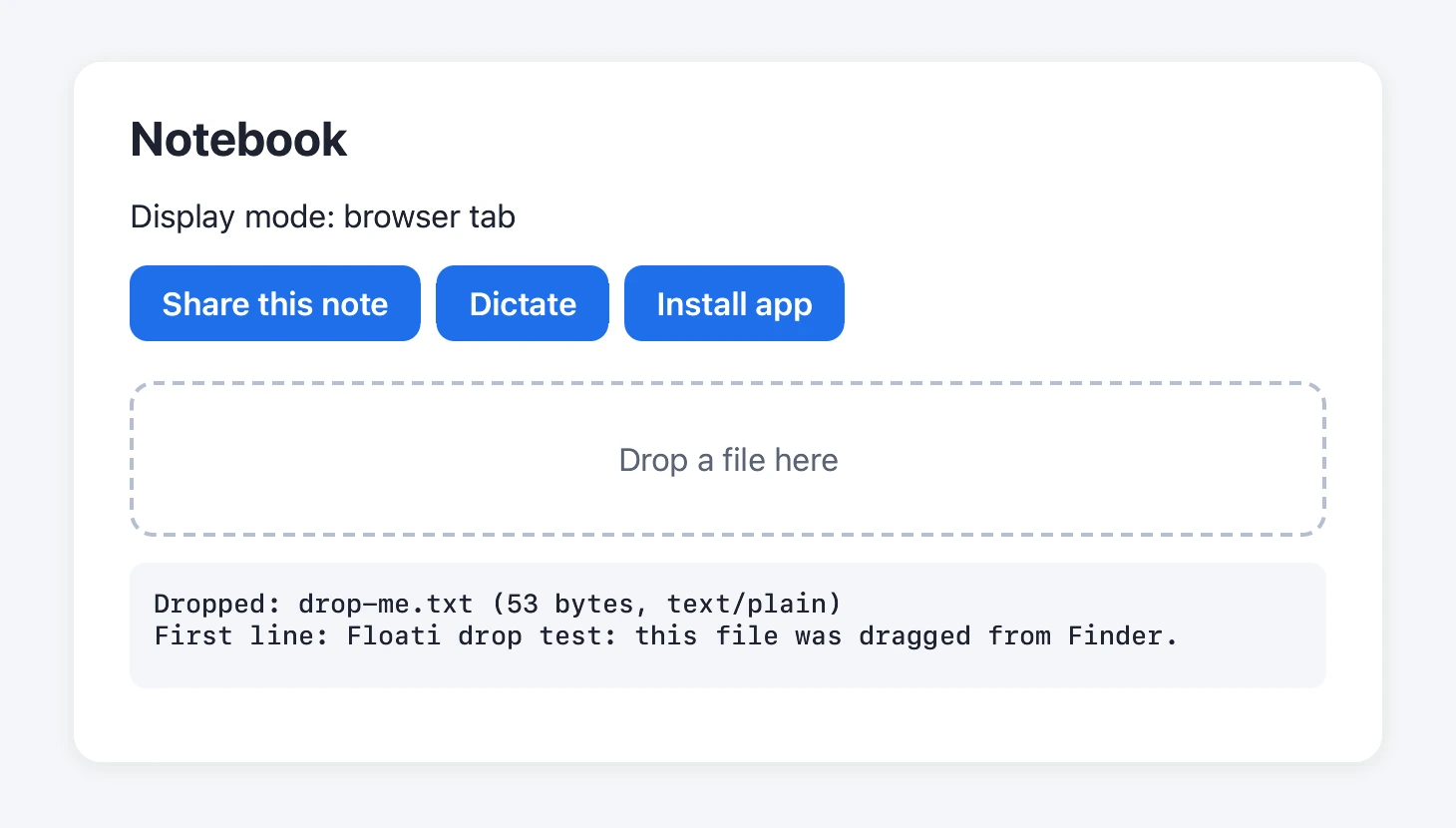
Files dropped from Finder land where you let go
이전이후
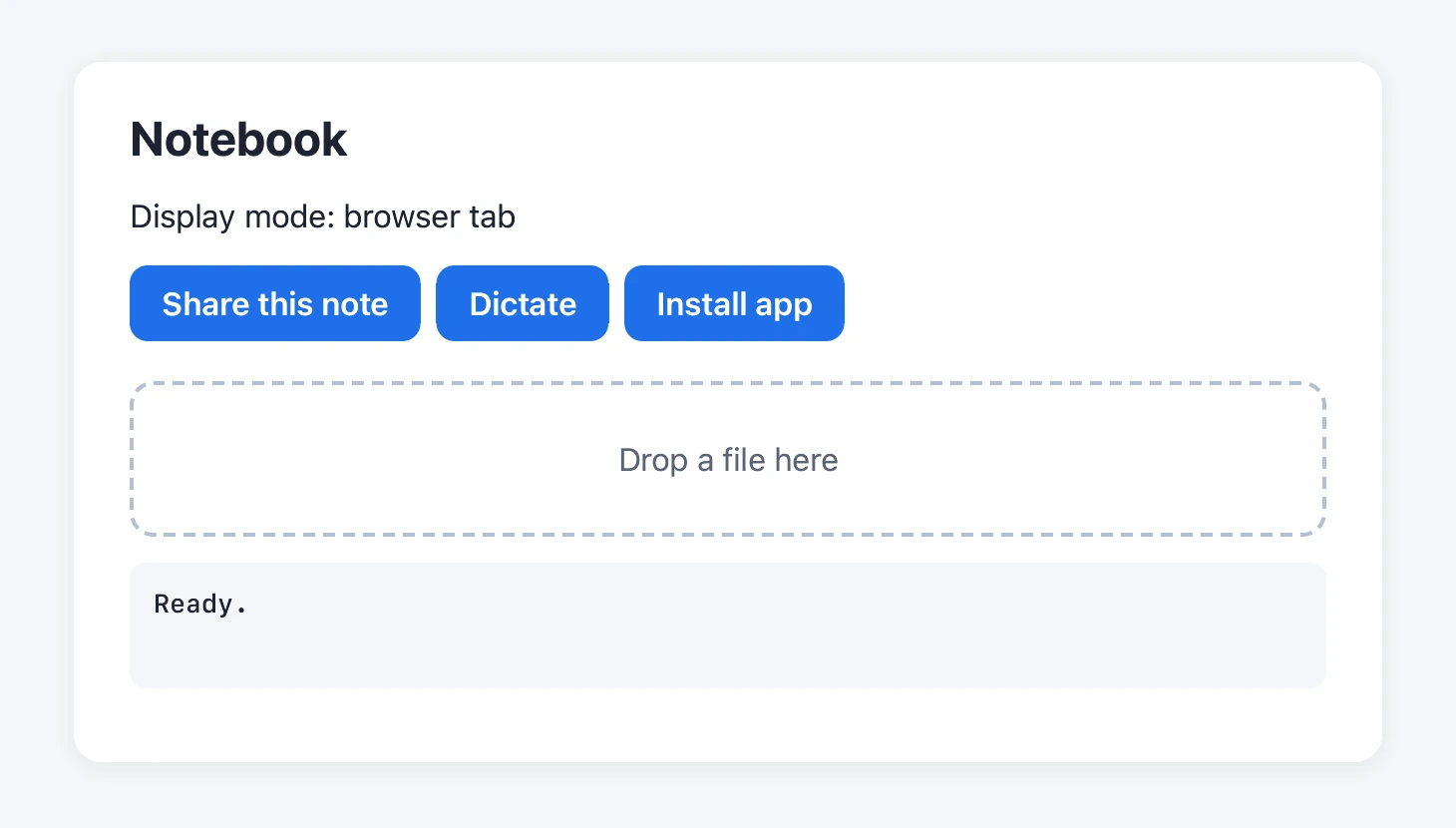
이전: a text file dragged from Finder onto a page's drop zone
이전
이후: a text file dragged from Finder onto a page's drop zone
이후 · v0.1.372

Dropping a file onto a page in the previous version could miss the drop zone: the drop point was halved on a Mac, so the page received the file somewhere above where you let go, and on some pages the drop was not found at all. Now the page under the pointer gets the drop at the exact spot, reads the file's name, type and contents, and a drop zone like an uploader's reacts as it should.

a text file dragged from Finder onto a page's drop zone

Drop point on a Machalf the position -> exact

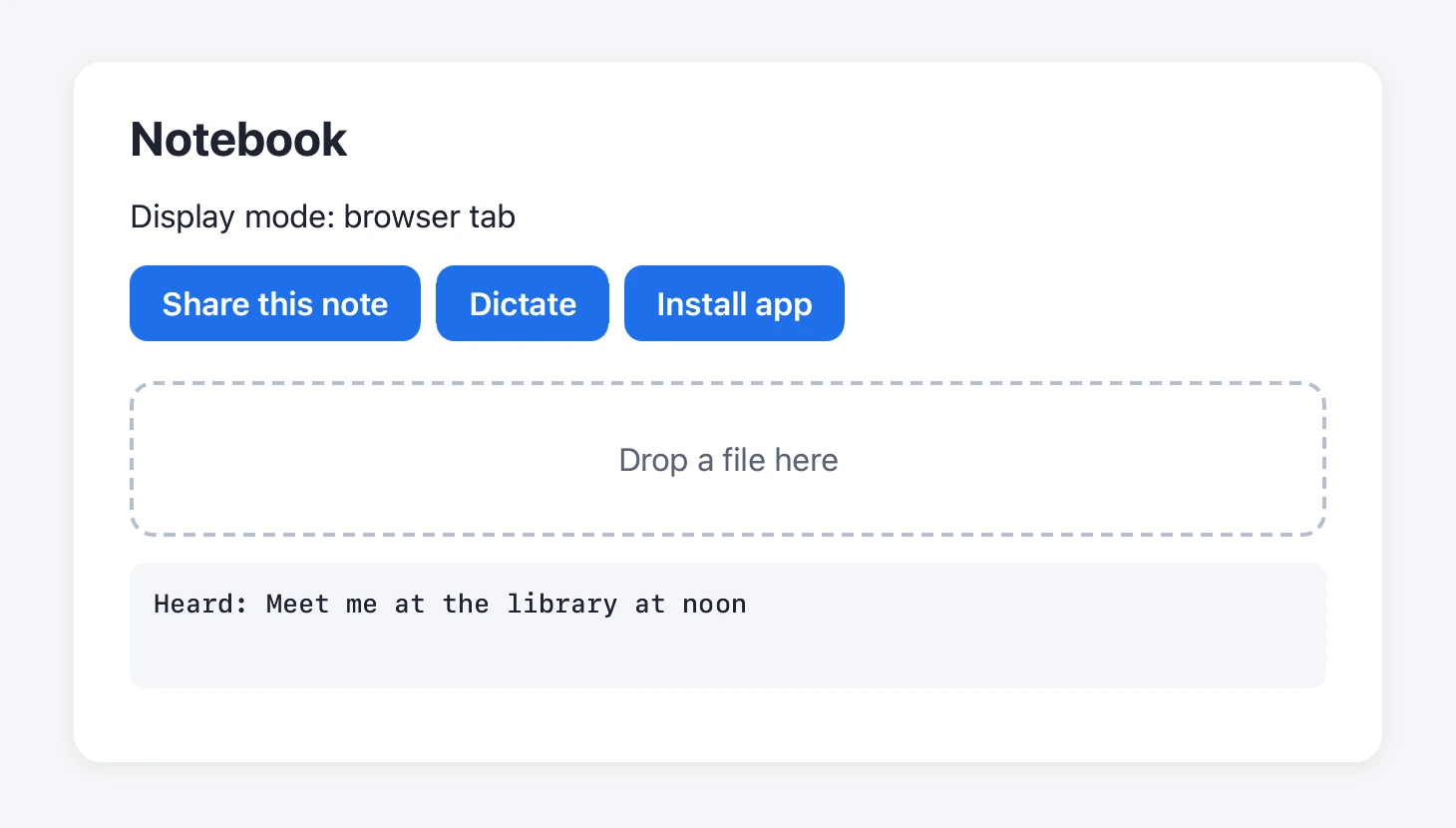
Dictation, tried with real speech

A page transcribing a spoken sentence, recognised on this Mac

Speech recognition was tried end to end in the app: the page asked for the microphone through Floati's prompt, the Mac's own recognizer transcribed the sentence with on-device recognition required, and the words came back to the page. Nothing was sent anywhere. When macOS Dictation is switched off, the recognizer refuses; Floati used to tell the page nothing was heard, which looked like a broken microphone. Now the page is told the service is not available, and Floati shows a short note on how to turn Dictation on in System Settings. Other cases are reported precisely too: nothing heard, or listening stopped.

Controllers rumble on a Mac too

A game's vibration effects now reach the controller on a Mac as well as on Windows: Floati plays them through the controller's own haptics engine, with the strength the game asks for and for its duration. A newer effect or a reset stops the one playing, as before. This was built against the controller's haptics interface and has not yet been tried with a real controller on a Mac.

바뀐 점

변경 6개
  1. 개인정보 보호와 ShieldsA profile that no key opens is kept aside and restored later, never deleted; Floati waits for the keychain prompt instead of 4 seconds.
  2. 개인정보 보호와 ShieldsSaved permission choices apply to a tab reopened at start-up and to an open page as soon as you change them.
  3. 개인정보 보호와 ShieldsPermission prompts show in installed app tabs, under the app bar.
  4. 렌더링Files dropped from Finder reach the exact point under the pointer.
  5. 렌더링Dictation reports Dictation off, nothing heard and stopped listening precisely, with a note on turning Dictation on.
  6. 렌더링Game controller rumble on macOS through the controller's haptics engine.

v0.1.372 이후 전부를 한곳에서

버전

v0.1.0 - 0.1.9 · 10 7월 2026418v0.1.427 · 25 11월 2026

11월2026 · 버전 40개

42725 11월Layouts that remember their work최신 · v0.1.427 · 렌더링9 42625 11월Compiled with what real pages runv0.1.426 · JavaScript와 JIT 42525 11월Built with whole-program optimizationv0.1.425 · 렌더링 42425 11월More layout reused after a script changes the pagev0.1.424 · 렌더링 42324 11월The optimizing compiler works off the main threadv0.1.423 · 렌더링 42222 11월Text-reading loops and element-tree builders run fasterv0.1.422 · JavaScript와 JIT14 42122 11월Calls from loops run inside the loop's own machine codev0.1.421 · JavaScript와 JIT9 42021 11월Pages you come back to run their scripts soonerv0.1.420 · 렌더링17 41918 11월A faster interpreter runs the page's codev0.1.419 · JavaScript와 JIT12 41815 11월Scripts run faster on busy pagesv0.1.418 · JavaScript와 JIT34 41711 11월Pages wait less for their own scripts and stylesv0.1.417 · JavaScript와 JIT13 41611 11월WebGPU loops run 2 to 3 times faster on Macsv0.1.416 · JavaScript와 JIT 41510 11월WebGPU loops count right on Macsv0.1.415 · JavaScript와 JIT 41410 11월WebGPU runs in its own graphics processv0.1.414 · 렌더링 41310 11월A graphics card reset no longer takes the browser downv0.1.413 · 렌더링 4129 11월Video moves to the graphics cardv0.1.412 · 미디어 4119 11월No canvas stall on Windows, patterns and every blend mode on the graphics cardv0.1.411 · 렌더링 4109 11월Canvas drawing moves to the graphics cardv0.1.410 · 렌더링27 4098 11월Every tile on the GPUv0.1.409 · 렌더링26 4088 11월3D at 120 frames a secondv0.1.408 · 렌더링23 4077 11월WebGL 2v0.1.407 · 렌더링36 4066 11월A stuck tab stops at oncev0.1.406 · 렌더링16 4055 11월Small WebGL drawings get smooth edgesv0.1.405 · 렌더링 4045 11월WebGL pages finally movev0.1.404 · 렌더링25 4035 11월WebGPU is herev0.1.403 · 렌더링35 4024 11월A canvas that moves itself to the GPUv0.1.402 · 렌더링 4014 11월99% of real pages decided by the GPUv0.1.401 · 렌더링9 4004 11월Smooth turns, the same bytes on every chip, and fields that keep their textv0.1.400 · 렌더링15 3994 11월Animations on the GPU compositor, and text that stays in its boxv0.1.399 · 렌더링22 3984 11월Gradient patterns that tile, animations that keep up, and a much faster canvasv0.1.398 · 렌더링14 3973 11월Transitions that ease, and a GPU that draws 94% of real pages itselfv0.1.397 · 렌더링 3963 11월Animations on the GPU compositor, and spinners that spin as arcsv0.1.396 · 렌더링 3953 11월Carousels that fade, badges that stay put, and floats that stay insidev0.1.395 · 렌더링12 3943 11월Background images over their colour, interlaced pictures, and borders in every colourv0.1.394 · 렌더링 3932 11월Style sheets in page order, and symbols that fall back like macOSv0.1.393 · 렌더링 3922 11월Icon fonts loaded by script, and colour emoji on Windowsv0.1.392 · 탭과 인터페이스 3911 11월Emoji in colour, sized as in the reference browserv0.1.391 · JavaScript와 JIT 3901 11월A classified ads site's front page: blank before, whole nowv0.1.390 · JavaScript와 JIT12 3891 11월A computer maker's home page: navigation labels back, buttons apartv0.1.389 · 렌더링 3881 11월A space agency's home page, a news section and a language site's header now match the referencev0.1.388 · 렌더링18

10월2026 · 버전 58개

57개 더 보기
9월2026버전 124개 8월2026버전 140개

7월2026 · 버전 56개

6531 7월We started grading the engine on real websites, and five things broke immediatelyv0.1.65 · 렌더링 6431 7월An ad and tracker blocker built into the engine, not bolted onto itv0.1.64 · 개인정보 보호와 Shields 6331 7월Four real sites stopped breaking, and the engine learned to explain itselfv0.1.63 · 렌더링 6230 7월Scripts get much faster, and two of the speed-ups turned out to be switched offv0.1.62 · JavaScript와 JIT13 6130 7월Twenty rendering fixes found by scoring every test page against the reference browserv0.1.61 · 렌더링20 6030 7월Text that measures like the reference browser, an accessibility tree, web security, and animationsv0.1.60 · 렌더링11 5825 7월Rounded outlines, disclosure widgets, and a border reset fixv0.1.58 · 렌더링 5725 7월Form fieldsets render their legend properlyv0.1.57 · 렌더링 5624 7월Data tables and dropdowns render rightv0.1.56 · 렌더링 5524 7월Rounder corners, fixed card grids, numbered lists, decorated underlinesv0.1.55 · 렌더링 5424 7월Real 3D transforms, and the modern web renders faithfullyv0.1.54 · 렌더링 5323 7월Layout is essentially complete, and modern visual styling arrivesv0.1.53 · 렌더링 5223 7월Floati now reads HTML and CSS selectors exactly like the reference browserv0.1.52 · 렌더링 5123 7월Rendering a real page with Floati's own engine no longer hangsv0.1.51 · 미디어 5023 7월You can see when Floati is drawing the page itselfv0.1.50 · JavaScript와 JIT 4923 7월Sites you click start responding, and the web lays out like the reference browserv0.1.49 · 렌더링15 4822 7월Text breathes like the reference browser, and the old web settles into placev0.1.48 · 렌더링9 4722 7월Cards, columns and grids stop landing on top of each otherv0.1.47 · 렌더링 4622 7월Pages sit where they should on the screenv0.1.46 · 렌더링 4522 7월The websites that used to come out broken now come out rightv0.1.45 · 렌더링10 4421 7월A large encyclopedia works properly, and icons stop coming out as blobsv0.1.44 · 렌더링 4321 7월The heavy pages get another three to six times fasterv0.1.43 · 렌더링 4221 7월Real pages render three to twelve times fasterv0.1.42 · 렌더링 4121 7월Pages lay out faster, and even more JavaScript becomes machine codev0.1.41 · JavaScript와 JIT 4021 7월JavaScript now runs in machine codev0.1.40 · JavaScript와 JIT 3921 7월Second windows work, and loops with real helpers get compiledv0.1.39 · 탭과 인터페이스 3820 7월Loops that call a helper get compiledv0.1.38 · JavaScript와 JIT 3720 7월Text-scanning loops get much fasterv0.1.37 · JavaScript와 JIT 3620 7월Faster field reads, and loops over binary datav0.1.36 · 웹 API와 DOM 3520 7월Loops over objects get compiledv0.1.35 · JavaScript와 JIT 3420 7월The everyday array loop gets compiledv0.1.34 · JavaScript와 JIT 3319 7월Math in loops gets compiledv0.1.33 · JavaScript와 JIT 3219 7월Bit-twiddling loops get compiledv0.1.32 · 렌더링 3119 7월Faster loops over listsv0.1.31 · JavaScript와 JIT 3019 7월Hot loops get compiledv0.1.30 · JavaScript와 JIT 2919 7월Faster JavaScriptv0.1.29 · JavaScript와 JIT 2819 7월More of the modern web lays out rightv0.1.28 · 렌더링 2719 7월Pages that lay out the way they shouldv0.1.27 · 렌더링 2618 7월Highlight what you read, and find it againv0.1.26 · 기억과 읽기 2518 7월Columns line up, and Floati reads more closelyv0.1.25 · 렌더링 2418 7월Formulas at the right sizev0.1.24 · 렌더링 2318 7월Math formulas, and pages that refused to loadv0.1.23 · 렌더링 2218 7월Navigation bars get their spacing backv0.1.22 · 렌더링 2118 7월Print sheets stay on paper, navs stop gluingv0.1.21 · 렌더링 2017 7월The whole font familyv0.1.20 · 렌더링 1917 7월Typography and icons, pixel for pixelv0.1.19 · 렌더링 1817 7월Real fonts, real picturesv0.1.18 · 렌더링 1717 7월Engine pages become real tabsv0.1.17 · 탭과 인터페이스 1617 7월Six times faster, and jQuery worksv0.1.16 · 웹 API와 DOM 1516 7월Real sites render rightv0.1.15 · 렌더링 1415 7월Video plays on our own enginev0.1.14 · 미디어 1315 7월Tabs that know each otherv0.1.13 · 탭과 인터페이스 1214 7월The engine starts taking overv0.1.12 · 렌더링 1112 7월Pick your engine per sitev0.1.11 · 렌더링 1012 7월Your browsing, remembered locallyv0.1.10 · 기억과 읽기 0-910 7월First public releasesv0.1.0 - 0.1.9 · 기억과 읽기