모든 버전 v0.1.37421 10월 2026미디어, 기억과 읽기, 탭과 인터페이스 피드

릴리스 노트는 영어로 작성되어 있습니다.

A floating video you can move, that opens without a black flash

The picture-in-picture window from 0.1.373 is now yours to place. Drag it from anywhere on the video and it settles into the nearest corner of the screen, clear of the Dock, the menu bar and the taskbar; pull its bottom-right corner to make it bigger or smaller, and the next one opens in the same corner. The first click works even when another app is in front. Opening it no longer shows a black window first: it starts with the very frame the page was showing and fades in once that frame is drawn. On Windows, dragging it into a corner no longer lets Windows blow it up to a quarter of the screen. Tested on a Mac and on Windows.

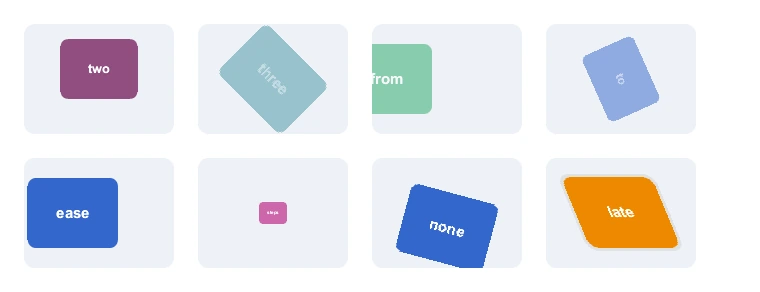
one corner -> any corner, any sizeWhere the floating video can go
a black window -> 0Black frames when it opens (60 fps recording, 5 tries per platform)
주요 내용2

Move it, resize it, it finds a corner

In 0.1.373 the floating video sat in the bottom-right corner and stayed there. Now press anywhere on the video (away from the buttons) and drag: the window follows the pointer, and when you let go it glides into the nearest corner of the screen, kept clear of the Dock and menu bar on a Mac and of the taskbar on Windows, so it never ends up half under something. The next video you pop out opens in that same corner (until Floati quits). Drag the small area at its bottom-right corner to resize it. The window takes the first click even when another app is in front, so you do not have to click it once to wake it up and again to move it, and a double-click still goes back to the tab. Testing it on Windows found one more thing: dragging the window right into a screen corner let Windows' own window snapping take over and stretch it to a quarter of the screen. Floati now resizes the floating window itself on Windows, so snapping leaves it alone and it lands in the corner at the size you gave it.

Where the floating video can goone corner -> any corner, any sizeDrag into a corner on Windowsa quarter of the screen -> stays its size

No black flash when it opens

이전이후
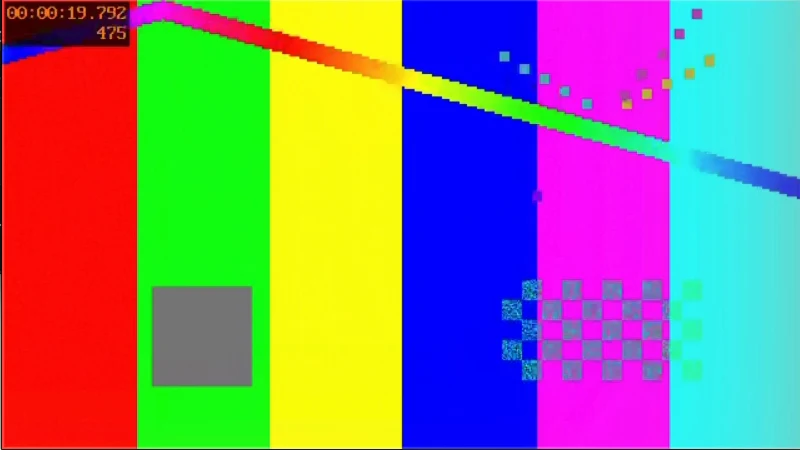
이전: the first frame after pressing Pop out video: a black window (before), the video itself (now)
이전
이후: the first frame after pressing Pop out video: a black window (before), the video itself (now)
이후 · v0.1.374

Pressing Pop out video used to show an empty black window for a moment before the video appeared. Three things caused it, and all three are fixed. The window came on screen before its page had painted anything: now it is prepared first, in its corner but fully transparent, and only turns visible once its first picture is drawn. That first picture had to wait for the floating window's own video decoder to work its way from the start of the clip to where you were watching, which took more than a second and a half on a long clip: now the window starts with the exact frame the page was showing, and the decoder takes over when it catches up. And the window turned visible in a single step, so a picture that was drawn but not yet on screen could still flash: now it fades in over about a tenth of a second, like the system's own picture-in-picture. We checked it by recording the screen 60 times a second while pressing the button, five times on a Mac and five on Windows: before, the window showed black until its first picture was ready; now no recorded frame is black.

the first frame after pressing Pop out video: a black window (before), the video itself (now)

Black frames when it opens (60 fps recording, 5 tries per platform)a black window -> 0

바뀐 점

변경 8개
  1. 탭과 인터페이스Picture-in-picture window can be dragged from anywhere on the video and snaps to the nearest screen corner.
  2. 탭과 인터페이스Corners keep clear of the Dock, menu bar and taskbar; the next floating video opens in the corner you chose.
  3. 탭과 인터페이스Resize the floating video from its bottom-right corner.
  4. 탭과 인터페이스The floating video takes the first click even when another app is in front.
  5. 탭과 인터페이스Windows: dragging the floating video into a screen corner no longer stretches it to a quarter of the screen.
  6. 미디어No black flash when the floating video opens: it starts with the page's current frame and fades in once it is drawn.
  7. 탭과 인터페이스The play and pause controls no longer flash over the first frames.
  8. 기억과 읽기Known: memory from pages you close is not all handed back yet; a fix is in progress.

v0.1.374 이후 전부를 한곳에서

버전

v0.1.0 - 0.1.9 · 10 7월 2026418v0.1.427 · 25 11월 2026

11월2026 · 버전 40개

42725 11월Layouts that remember their work최신 · v0.1.427 · 렌더링9 42625 11월Compiled with what real pages runv0.1.426 · JavaScript와 JIT 42525 11월Built with whole-program optimizationv0.1.425 · 렌더링 42425 11월More layout reused after a script changes the pagev0.1.424 · 렌더링 42324 11월The optimizing compiler works off the main threadv0.1.423 · 렌더링 42222 11월Text-reading loops and element-tree builders run fasterv0.1.422 · JavaScript와 JIT14 42122 11월Calls from loops run inside the loop's own machine codev0.1.421 · JavaScript와 JIT9 42021 11월Pages you come back to run their scripts soonerv0.1.420 · 렌더링17 41918 11월A faster interpreter runs the page's codev0.1.419 · JavaScript와 JIT12 41815 11월Scripts run faster on busy pagesv0.1.418 · JavaScript와 JIT34 41711 11월Pages wait less for their own scripts and stylesv0.1.417 · JavaScript와 JIT13 41611 11월WebGPU loops run 2 to 3 times faster on Macsv0.1.416 · JavaScript와 JIT 41510 11월WebGPU loops count right on Macsv0.1.415 · JavaScript와 JIT 41410 11월WebGPU runs in its own graphics processv0.1.414 · 렌더링 41310 11월A graphics card reset no longer takes the browser downv0.1.413 · 렌더링 4129 11월Video moves to the graphics cardv0.1.412 · 미디어 4119 11월No canvas stall on Windows, patterns and every blend mode on the graphics cardv0.1.411 · 렌더링 4109 11월Canvas drawing moves to the graphics cardv0.1.410 · 렌더링27 4098 11월Every tile on the GPUv0.1.409 · 렌더링26 4088 11월3D at 120 frames a secondv0.1.408 · 렌더링23 4077 11월WebGL 2v0.1.407 · 렌더링36 4066 11월A stuck tab stops at oncev0.1.406 · 렌더링16 4055 11월Small WebGL drawings get smooth edgesv0.1.405 · 렌더링 4045 11월WebGL pages finally movev0.1.404 · 렌더링25 4035 11월WebGPU is herev0.1.403 · 렌더링35 4024 11월A canvas that moves itself to the GPUv0.1.402 · 렌더링 4014 11월99% of real pages decided by the GPUv0.1.401 · 렌더링9 4004 11월Smooth turns, the same bytes on every chip, and fields that keep their textv0.1.400 · 렌더링15 3994 11월Animations on the GPU compositor, and text that stays in its boxv0.1.399 · 렌더링22 3984 11월Gradient patterns that tile, animations that keep up, and a much faster canvasv0.1.398 · 렌더링14 3973 11월Transitions that ease, and a GPU that draws 94% of real pages itselfv0.1.397 · 렌더링 3963 11월Animations on the GPU compositor, and spinners that spin as arcsv0.1.396 · 렌더링 3953 11월Carousels that fade, badges that stay put, and floats that stay insidev0.1.395 · 렌더링12 3943 11월Background images over their colour, interlaced pictures, and borders in every colourv0.1.394 · 렌더링 3932 11월Style sheets in page order, and symbols that fall back like macOSv0.1.393 · 렌더링 3922 11월Icon fonts loaded by script, and colour emoji on Windowsv0.1.392 · 탭과 인터페이스 3911 11월Emoji in colour, sized as in the reference browserv0.1.391 · JavaScript와 JIT 3901 11월A classified ads site's front page: blank before, whole nowv0.1.390 · JavaScript와 JIT12 3891 11월A computer maker's home page: navigation labels back, buttons apartv0.1.389 · 렌더링 3881 11월A space agency's home page, a news section and a language site's header now match the referencev0.1.388 · 렌더링18

10월2026 · 버전 58개

57개 더 보기

9월2026 · 버전 124개

32930 9월The JavaScript engine proves what it can skipv0.1.329 · JavaScript와 JIT9 32830 9월JavaScript runs at the reference browser's speed on 41 of our 42 measured workloadsv0.1.328 · JavaScript와 JIT 32728 9월Loops keep their speed when a helper ignores an argument, and JavaScript behaves more like the reference browserv0.1.327 · JavaScript와 JIT 32628 9월Recursive code calls itself directly, and building text in a loop beats the reference browserv0.1.326 · JavaScript와 JIT 32528 9월Deep recursion runs like it does in the reference browserv0.1.325 · JavaScript와 JIT 32428 9월Long nested loops run to the end, and reading long text is fastv0.1.324 · JavaScript와 JIT 32327 9월JavaScript measured at 94, JSON three times faster, and a round of fixes found against the reference browserv0.1.323 · JavaScript와 JIT11 32227 9월Closed pages give their memory back whole, and JavaScript measured at 87v0.1.322 · JavaScript와 JIT11 32127 9월Half the memory, and JavaScript measured at 80v0.1.321 · JavaScript와 JIT14 32026 9월Pages no longer freeze while a script waits on the networkv0.1.320 · JavaScript와 JIT 31926 9월A PDF viewer that does what Acrobat Pro charges forv0.1.319 · 탭과 인터페이스16 31825 9월Floati engine pages work with screen readersv0.1.318 · 접근성9 31725 9월Closer to the reference browser, and no more address bar tricksv0.1.317 · 웹 API와 DOM 31625 9월Utility-CSS sites get their spacing backv0.1.316 · 렌더링 31525 9월Empty boxes stop pushing pages downv0.1.315 · 렌더링 31425 9월Utility-CSS sites stop stacking their lines on top of each otherv0.1.314 · 웹 API와 DOM 31325 9월A large encyclopedia and a news site now sit where the reference browser puts themv0.1.313 · JavaScript와 JIT 31225 9월The window is finally just the windowv0.1.312 · 탭과 인터페이스 31125 9월Text now lines up with the reference browser's to a fraction of a percentv0.1.311 · 렌더링 31025 9월Pages stay alive, repaints never block your scroll, and type matches the reference browser'sv0.1.310 · 렌더링10 30924 9월Pages arrive like they do in the reference browser, in a fraction of the memoryv0.1.309 · 네트워크13 30824 9월Pages drawn by your graphics card, and scrolling that never waitsv0.1.308 · 렌더링 30724 9월Long videos play all the way through on Windows toov0.1.307 · 미디어 30624 9월Video that plays the whole way through, smoothlyv0.1.306 · 미디어 30523 9월Streaming video that adjusts to your connectionv0.1.305 · 미디어 30423 9월Sound and video, decoded by our own codev0.1.304 · 미디어 30322 9월HTTP/3 is on, and it is ours: the fastest web protocol, built from scratchv0.1.303 · 네트워크 30222 9월The site you open stays your business, and the browser checks every certificate itselfv0.1.302 · 개인정보 보호와 Shields 30122 9월Sites can no longer follow you between other sites, and the next page starts soonerv0.1.301 · 개인정보 보호와 Shields 30019 9월Reads the newest web compression, reuses secure connections, and remembers where sites livev0.1.300 · 기억과 읽기 29919 9월Pages start loading sooner: smarter connections and a faster path onto slow networksv0.1.299 · 네트워크 29817 9월More number-crunching loops run several values at once, now on Windows and Intel Macs too, and faster than the reference browserv0.1.298 · JavaScript와 JIT 29717 9월Setting up and filling arrays of numbers is now several times faster, and faster than the reference browserv0.1.297 · JavaScript와 JIT 29617 9월Number-crunching loops over images, audio and data now run several values at once, faster than the reference browser on this kind of workv0.1.296 · JavaScript와 JIT 29516 9월Class-based JavaScript runs dramatically faster: calling a method through a list of objects is now many times quickerv0.1.295 · JavaScript와 JIT 29416 9월Integer, bitwise and pixel-processing JavaScript runs a lot faster, and the browser still proves every shortcut before it trusts itv0.1.294 · JavaScript와 JIT 29316 9월Class-based and object-heavy JavaScript runs dramatically faster, with speed the browser proves before it trustsv0.1.293 · JavaScript와 JIT 29216 9월Recursive JavaScript runs dramatically faster, so the heaviest in-page computation feels quickv0.1.292 · JavaScript와 JIT 29116 9월A private wayback machine for pages you seal, cited answers that open where you read them, and a privacy report that is ready the instant a page loadsv0.1.291 · 기억과 읽기 29015 9월Floati spots trackers no list has caught, answers your questions from your own reading, and gets even closer to the pixelv0.1.290 · 개인정보 보호와 Shields 28915 9월A wave of rendering fixes: images, text wrapping, margins and flexible layouts closer to the pixelv0.1.289 · 렌더링 28815 9월The pages where you type a password stay out of your memory, and text renders truer to the pagev0.1.288 · 기억과 읽기 28711 9월A downloads manager that looks out for you, and scan-free QR that reads any code on a pagev0.1.287 · 탭과 인터페이스 28611 9월Open a QR code's link without a phone, and pages that reveal themselves on load now show upv0.1.286 · 렌더링 28511 9월Sites built with today's popular styling tools now render the way they shouldv0.1.285 · 탭과 인터페이스 28411 9월Pop-out menus size to their contents, and pages get complete answers about their own stylingv0.1.284 · 렌더링 28311 9월Messages between windows now prove who sent themv0.1.283 · 렌더링 28211 9월One tracker can't follow you between the sites it sits on, and insecure content shown and healedv0.1.282 · 개인정보 보호와 Shields 28111 9월See a site's own rules protect you, and what it was never toldv0.1.281 · 렌더링 28011 9월An honest block count, and font fingerprinting defeatedv0.1.280 · 개인정보 보호와 Shields 27911 9월See your protection at a glance, tap for the detailv0.1.279 · 렌더링 27811 9월A tracker can no longer follow you from one site to the nextv0.1.278 · 렌더링 27710 9월See the security, do not just trust itv0.1.277 · 렌더링 27610 9월Security you can check: an honest ledger, a referrer firewall, and mixed content shut downv0.1.276 · 개인정보 보호와 Shields 27510 9월Timing Shield and a cleaner device surfacev0.1.275 · 렌더링 27410 9월Fingerprint Shield: see and prove what a page tried to learn about youv0.1.274 · 기억과 읽기 27310 9월Modern set operations arrive and the language reaches full conformancev0.1.273 · 렌더링 27210 9월Text methods report a clear error on an empty or missing valuev0.1.272 · 렌더링 27110 9월Numbers convert to other bases the way the standard describesv0.1.271 · 렌더링 27010 9월Bound functions build objects the way the standard describesv0.1.270 · 렌더링 26910 9월The Reflect toolkit validates its target like the standardv0.1.269 · JavaScript와 JIT 26810 9월JSON conversion matches the standard, including circular datav0.1.268 · JavaScript와 JIT 26710 9월Global feature detection and function introspection match the standardv0.1.267 · 렌더링 26610 9월Proxy interceptors and strict-mode write errors match the standardv0.1.266 · 렌더링 26510 9월Dates, collections and error types match the standard's shapev0.1.265 · 렌더링 26410 9월Typed arrays, Map and Set, and bound functions match the standardv0.1.264 · JavaScript와 JIT 26310 9월Object property rules, regular-expression objects, and function introspectionv0.1.263 · 렌더링 26210 9월Function names, and the standard hooks regular expressions rely onv0.1.262 · 렌더링 26110 9월JavaScript read to the standard: number formats, and mistakes caught up frontv0.1.261 · 렌더링 2609 9월Faster JavaScript: loops that call a small stateful closurev0.1.260 · JavaScript와 JIT 2599 9월More PNGs decode, and content-width tables via CSS keywordsv0.1.259 · 렌더링 2589 9월Real HTML tables: centered, sized and proportioned like the reference browserv0.1.258 · 렌더링 2579 9월Table-style and flex layouts, sized like the reference browser on real sitesv0.1.257 · 렌더링 2569 9월Grid front pages that fit: multi-column layouts sized like the reference browserv0.1.256 · 탭과 인터페이스 2559 9월CSS containment and content-visibility: fast pages, laid out rightv0.1.255 · 렌더링 2549 9월Dialogs and popovers: modern overlays that layer correctlyv0.1.254 · 렌더링 2539 9월Form validation: the checks every sign-up and checkout relies onv0.1.253 · 웹 API와 DOM 2528 9월SVG graphics: patterns, full gradients, and text that lines upv0.1.252 · 렌더링 2518 9월Responsive images: the right picture, sharp on every screenv0.1.251 · 렌더링 2508 9월Grid layouts and responsive pages, tuned to the reference browserv0.1.250 · 탭과 인터페이스 2498 9월Rendering fidelity: three more real-web fixesv0.1.249 · 렌더링 2488 9월Rendering fidelity: pages that look rightv0.1.248 · 렌더링 2478 9월JavaScript correctness: text, arrays, and promise interopv0.1.247 · JavaScript와 JIT 2468 9월Memory: your browser remembers what you read, and can prove itv0.1.246 · 기억과 읽기 2457 9월Stricter block scoping and complete Proxy key-listingv0.1.245 · JavaScript와 JIT 2447 9월Modern JavaScript: async generators, real classes, emoji-correct text, Proxiesv0.1.244 · JavaScript와 JIT 2437 9월Pixel-perfect painting: shadows, blurs, underlines, imagesv0.1.243 · 렌더링 2426 9월The layout engine is complete: columns that break like a magazinev0.1.242 · 렌더링 2416 9월Vertical writing, and columns that break where you askv0.1.241 · 렌더링 2406 9월Right-to-left languages, done rightv0.1.240 · 렌더링 2396 9월Row subgrid, and a little bird in the update cardv0.1.239 · 탭과 인터페이스 2386 9월Updates arrive faster, with a check the moment you openv0.1.238 · 탭과 인터페이스 2376 9월Sticky pinning now works on retina and high-resolution screensv0.1.237 · 탭과 인터페이스 2366 9월Sticky headers and nav bars pin while you scrollv0.1.236 · 탭과 인터페이스 2356 9월Complex page grids and classic tables lay out like the reference browserv0.1.235 · 렌더링 2346 9월WebAssembly SIMD lands, completing the WebAssembly platformv0.1.234 · 렌더링 2335 9월Real WebAssembly apps that share memory with the page now workv0.1.233 · 기억과 읽기 2325 9월WebAssembly now rejects broken modules, as a browser mustv0.1.232 · 렌더링 2315 9월WebAssembly runs to the letter of the specv0.1.231 · 렌더링 2305 9월Pinned badges and date gutters line up on real sitesv0.1.230 · 렌더링 2295 9월Checkboxes stop vanishing in padded formsv0.1.229 · 렌더링 2285 9월Content inside aspect-ratio boxes sits where it shouldv0.1.228 · 렌더링 2275 9월Aspect-ratio boxes hold their shape, and centred CTAs centrev0.1.227 · 렌더링 2265 9월Inline buttons, tags and highlights are one clean shape againv0.1.226 · 렌더링 2255 9월Real right-to-left pages, and grids that size to their contentv0.1.225 · 렌더링 2245 9월Right-to-left layout, laid out as an exact mirrorv0.1.224 · 렌더링 2235 9월Tables, container units, card grids, and vertical stacks lay out rightv0.1.223 · 렌더링 2225 9월Modern CSS spacing and image cropping catch upv0.1.222 · 렌더링 2215 9월Flex and grid: the layout shorthands that were quietly ignoredv0.1.221 · 렌더링 2205 9월Loops, clicks, and the small print of running a pagev0.1.220 · JavaScript와 JIT 2195 9월The scripts that gave up halfway now finish the jobv0.1.219 · 렌더링 2183 9월A calmer launch and a tidier browserv0.1.218 · 탭과 인터페이스 2173 9월Your passwords, the Floati wayv0.1.217 · 탭과 인터페이스 2163 9월The update button, fixed upv0.1.216 · 탭과 인터페이스 2153 9월A cleaner, more familiar tab strip and tab groupsv0.1.215 · 탭과 인터페이스 2143 9월Updates that put you back exactly where you left off, and tab groups that finally behavev0.1.214 · 탭과 인터페이스 2132 9월Floati's own engine now draws your pages by default on Macv0.1.213 · 탭과 인터페이스 2122 9월Pages you render with Floati's own engine appear right away nowv0.1.212 · 렌더링 2112 9월A correctness fix for today's list-speed improvementv0.1.211 · JavaScript와 JIT 2102 9월The most common way people work with lists of data now runs at full speedv0.1.210 · JavaScript와 JIT 2092 9월Big objects are instant now, instead of getting slower the more you addv0.1.209 · 기억과 읽기 2082 9월Floati's own engine got dramatically faster at the code real pages run every framev0.1.208 · JavaScript와 JIT 2071 9월Info cards float over the page now, instead of hiding itv0.1.207 · 탭과 인터페이스 2061 9월Explain this page: the browser now understands what a site does, and can prove itv0.1.206 · 개인정보 보호와 Shields
8월2026버전 140개 7월2026버전 56개