릴리스 노트는 영어로 작성되어 있습니다.
Animations on the GPU compositor, and spinners that spin as arcs
An animation release: CSS animations of opacity and transform now play on the GPU compositor at the display's own rate, where they updated about twice a second, and rounded borders, gradient cards and clip paths draw as they should. 7 changes, each checked against the reference browser.
Fades, slides, zooms and spins at the display's rate
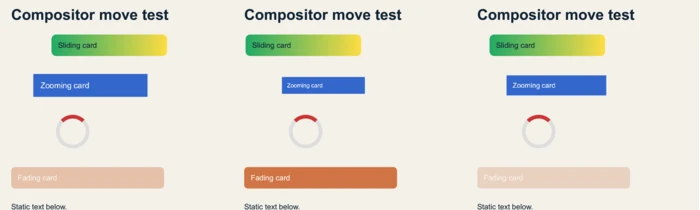
A CSS animation in Floati advanced only when the engine woke up, about twice a second, and every step re-ran the page's whole style, layout and paint. Animations that change only opacity or transform now run on the GPU compositor: the element is drawn once into its own layer, and every frame the compositor fades or moves that layer itself, at up to 120 frames a second. Each frame is computed with the engine's own arithmetic, so it is pixel for pixel what the engine would have drawn at that moment, rotations included. While only such animations run, the engine sleeps. The frames below were captured from the running app about 140 ms apart.
Spinners draw an arc, gradient cards stay smooth
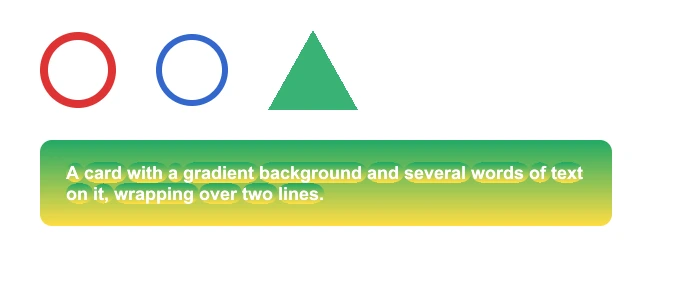
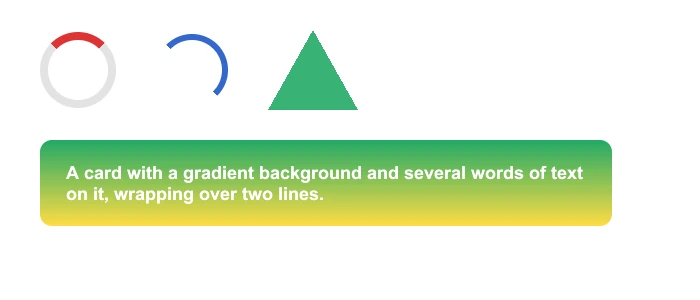
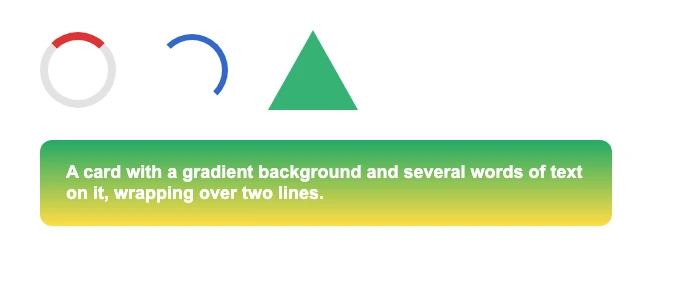
Three drawing bugs showed up while testing the compositor in the app. A rounded border took its top colour all the way round, so every CSS loading spinner (a round box with one coloured side) was a full circle. A block's gradient background was painted again behind every word of its text. And a clip-path shape inside a faded, filtered or moving element clipped at its old place and vanished. All three now match the reference browser.
Two spinners, a clip-path shape and a gradient card: Floati 0.1.395, 0.1.396, and the reference browser.
바뀐 점
변경 7개- 웹 API와 DOMCSS animations that change only opacity (fades and pulses) now run on the GPU compositor at up to 120 frames a second. They advanced about twice a second before, so they stuttered. The element is drawn once into its own layer and the compositor fades it every frame with the same arithmetic the engine uses, so every frame is pixel for pixel what the engine would draw at that moment.
- 웹 API와 DOMCSS animations that change only transform (slides, zooms and spins) also run on the compositor, at the display's rate, and stay pixel-exact even while rotating: each frame the compositor looks up, for every pixel, exactly the source pixel the engine would sample.
- 웹 API와 DOMWhile every running animation on a page is on the compositor, the engine does no work per frame: no restyle, no layout, no repaint. 40 pulsing cards for one second: 135 ms of engine work before, 11 ms now. Animated layers share a 48 MB budget per page; past it, an animation stays on the engine as before.
- 렌더링GPU: linear gradients (the common top-to-bottom and left-to-right ones) are drawn by the GPU itself from a compact table of colour runs, instead of the processor computing every pixel's colour. Share of tiles whose colours the GPU decides: 91.7% -> 93.2%, still pixel-identical to software drawing on every test page (Metal and DirectX 12).
- 렌더링FIX: a rounded border now keeps each side's colour. The whole ring took the top colour, so every CSS loading spinner (a round box with one coloured side) drew a full circle instead of an arc, and a software archive's panels lost their darker lower edge.
- 렌더링FIX: a block's gradient background is painted once. Its text was painting the gradient again behind every word, sized to the word, so gradient cards and a Linux distribution's date badges showed patches behind their text.
- 렌더링FIX: a clip-path shape inside a faded, filtered or moved element now draws. Its outline was left at the element's old place when the element was drawn into its own layer, so the shape clipped everything away.


