릴리스 노트는 영어로 작성되어 있습니다.
Gradient patterns that tile, animations that keep up, and a much faster canvas
A canvas, gradient and animation release: canvas drawing is up to 14 times faster, gradient patterns (dots, grids, stripes, checkerboards, progress bars) now tile the way pages ask, shimmer and pulse animations play, and animations the engine draws run at the display's rate. 14 changes, each checked against the reference browser or the software renderer.
Gradient patterns that tile
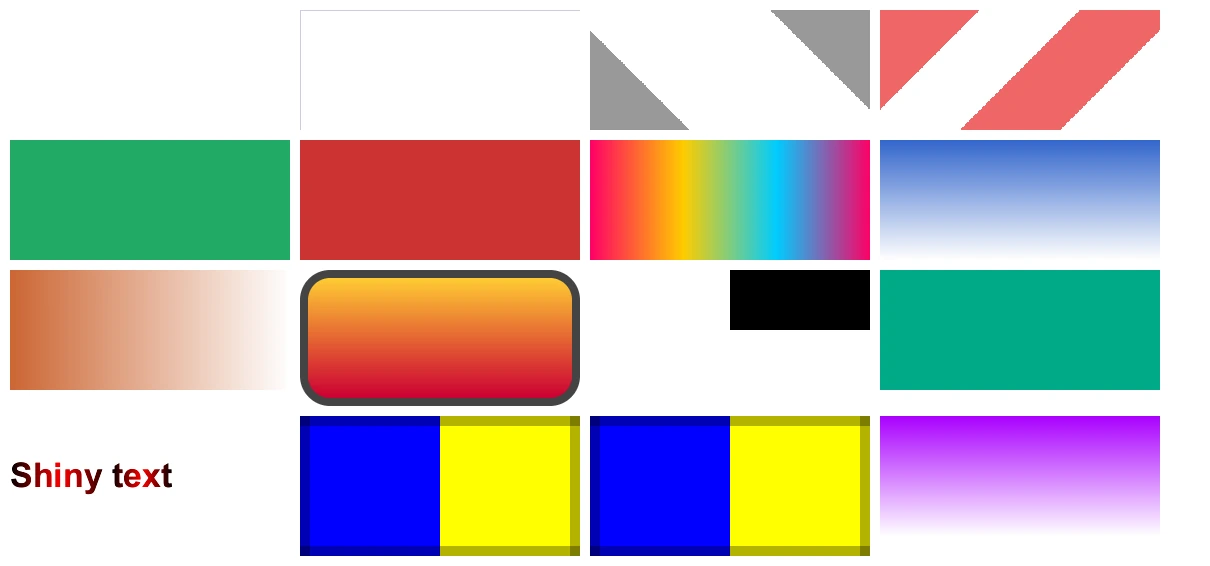

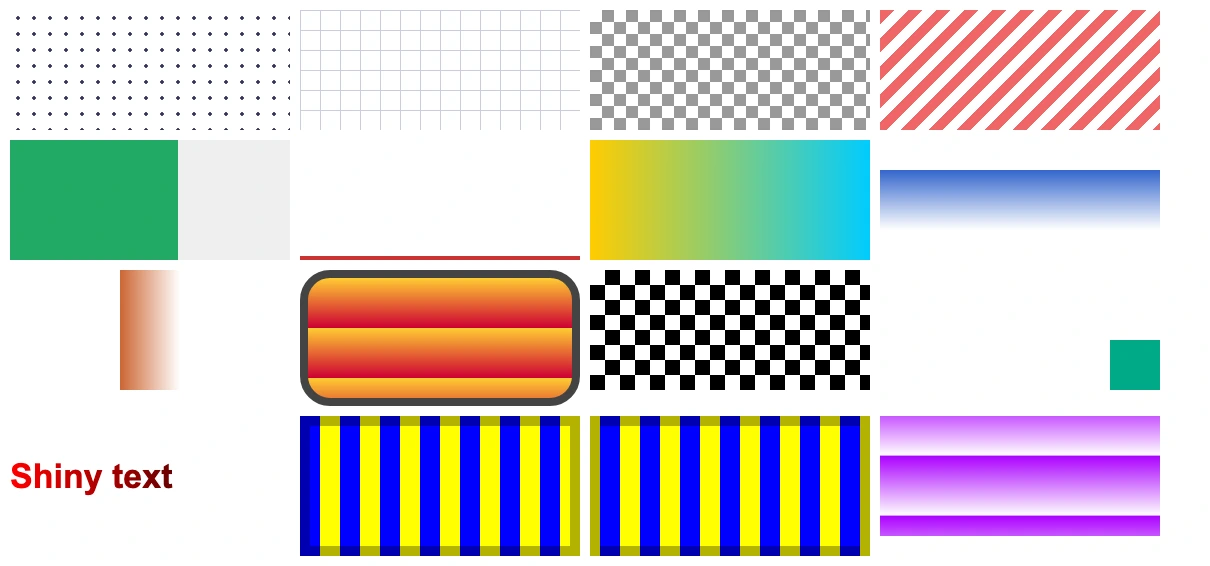
Web designers draw a lot of patterns with gradients instead of images: dot grids, graph paper, checkerboards, stripes, progress bars, the thin line under a link. All of them work the same way: a gradient, a size, a position, and a repeat. Floati ignored those last three and stretched the gradient across the whole box, so each of these patterns came out as one big smear or one flat colour. A gradient is now sized, placed and repeated the way an image is, with stops in pixels, two-position conic stops, the four-value background-position, and hard edges that land the same in every tile. Gradient text also became one gradient across the whole block instead of one per word.
16 gradient patterns on one test page: Floati without this fix, with it, and the reference browser.
Shimmers, pulses and animations that keep up
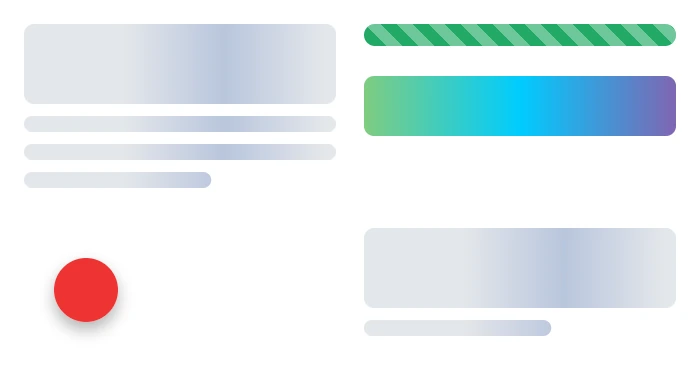
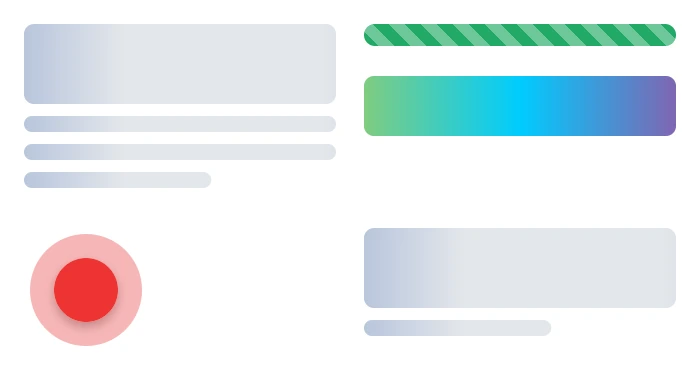
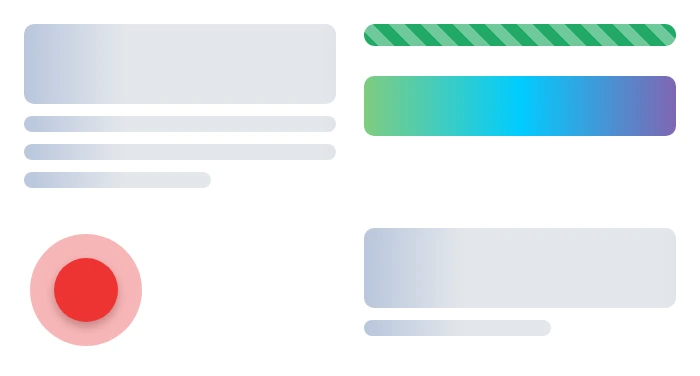
The grey shimmer on a page that is still loading, a striped progress bar, a pulsing dot: each of these animates a list of values, and Floati treated a list as one thing it could not blend, so it jumped half way through and sat still. Lists of the same shape now blend item by item. The second half of this is the clock. Animations of colours, sizes, backgrounds and shadows have to be drawn by the engine, and they only updated with the page's half-second pump. The engine now wakes for them itself, once per display refresh, and backs off to three times the cost of the last frame so an expensive page cannot eat the processor. When an animation changes only how things look, a frame keeps the layout and redraws only what moved, and it is still byte for byte what a full rebuild draws.
The same moment of a shimmer, a sliding stripe and a pulse: Floati without list blending, with it, and the reference browser.
A canvas up to 14 times faster
Charts, games and drawing tools paint on a canvas, and last release we measured how far ours was behind: the reference browser's software canvas beat ours 3 to 24 times over. So this release rebuilt the pixel work: loops visit only the pixels a shape reaches, whole rows blend at once, repeated rows are reused, and circles, lines and rotated shapes get exact area coverage in whole-number arithmetic, as accurate as before and far cheaper. The reference is still ahead on most rows, and lines are still 1.7 times behind. The whole-number design has a second purpose: a GPU can reach exactly the same bytes. A compute shader now replays canvas drawing byte for byte on Metal and DirectX 12 in the test bench, 3.2 ms against 19 ms on full-screen alpha fills. It is not switched on for pages yet, and it will be when a real page measures faster with it.
바뀐 점
변경 14개- 렌더링FIX: a gradient background now obeys background-size, -position and -repeat. It always filled the whole box, so dot grids, graph paper, checkerboards, stripes, progress bars and underlines drawn with a sized gradient came out as one big gradient. A test page of 16 such patterns went from 47% of its pixels away from the reference browser to 0.37%.
- 렌더링FIX: radial gradient stops in pixels, conic gradient stops with two positions, and hard stops that land the same in every tile. Stripes and checkerboards keep crisp, even edges across the whole box.
- 렌더링FIX: the four-value form of background-position (right 10px bottom 20px) now places images and gradients from the edges it names.
- 렌더링FIX: a gradient clipped to text is one gradient across the block's text, instead of one per word.
- 웹 API와 DOMAnimations of value lists now play. A shimmer from 0 0 to 400px 0, a stripe that slides, a box-shadow pulse: anything with several values jumped half way, because the two ends were treated as one value that could not be blended. Lists of the same shape now blend item by item, and a bare 0 pairs with any unit.
- 웹 API와 DOMAnimations the engine has to draw itself (colours, sizes, backgrounds, shadows) now run at the display's rate. They updated with the page's half-second pump. The engine now wakes for them on its own, every display refresh, spaced to three times what the last frame cost, so a page that is expensive to draw backs off instead of eating the processor. Finished, off-screen, far away or GPU-composited animations ask for nothing. A colour and width animation: 60 of 60 captured frames differ, where 11 did.
- 웹 API와 DOMAnimation frames that change only paint keep the layout. While the clock is all that moved and every running animation changes only colours, backgrounds, shadows, filters or opacity, a frame keeps the boxes and resamples the animated elements instead of restyling and laying out the page. On a 4,000 paragraph page a frame went from 119 to 43 ms; in the app that page runs about a third more frames on a third less processor. Each frame is byte for byte what a full rebuild draws.
- JavaScript와 JITCanvas: pixel loops now visit only pixels that a shape reaches, shaded rows blend whole pixels at a time, repeated rows are not recomputed, and images drawn at whole pixel positions copy directly. Sprites 103 -> 18 ms, gradients 108 -> 50 ms, full-screen fills 73 -> 31 ms.
- 렌더링Canvas: circles, line strokes and rotated rectangles get exact area coverage in whole-number arithmetic, instead of 16 sample lines per row. Lines 667 -> 47 ms, circles 17 -> 8 ms, and as close to the reference as before.
- 렌더링Canvas: every fill's coverage is computed in whole numbers after one setup step, so a GPU can reach exactly the same bytes as the processor.
- 웹 API와 DOMCanvas: scaled and rotated images read pixels directly, blur works on one colour plane at a time and reuses equal rows, and getImageData copies by rows. Scaled sprites 153 -> 63 ms, rotated 174 -> 54 ms, shadows 28 -> 16 ms, getImageData 26 -> 13 ms.
- 렌더링Canvas: a glyph is drawn once and text at whole pixels copies rows. Text 10 -> 4 ms.
- 렌더링Groundwork: canvas drawing can now be recorded and replayed by a GPU compute shader in whole-number arithmetic, byte for byte the software result, proved on Metal and DirectX 12 (full-screen alpha fills 3.2 ms against 19 ms in software). It is not switched on for pages yet: it goes live once a real page measures faster with it.
- 렌더링FIX: an inline-flex box places absolute children against its padding box again, and a fixed child leaves an inline-block instead of taking its offset twice. An underline stopped short of the padding after an earlier fix.


